
Issue
This article provides help if you cannot establish a connection to a macOS using NinjaOne's native remote access tool.
Environment
NinjaOne Remote
Cause
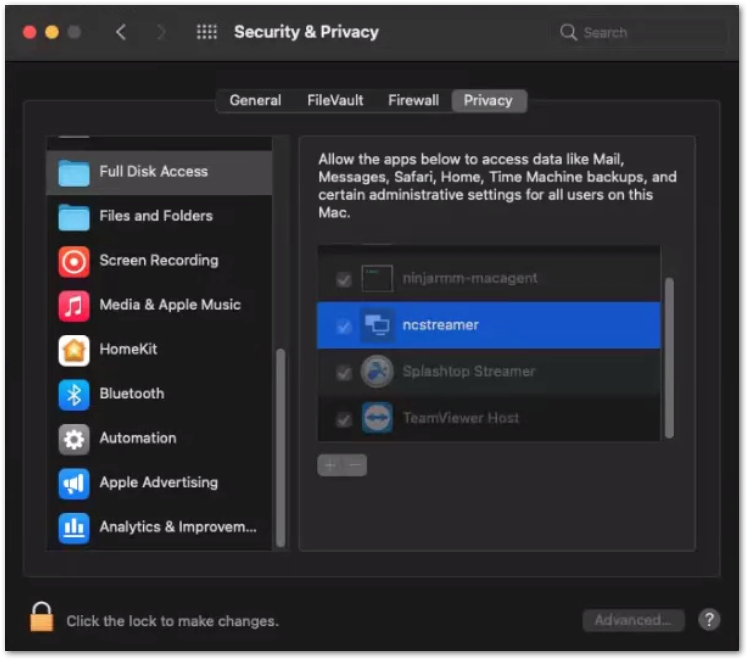
For macOS devices, permissions for Screen Recording, Accessibility, and Full Disk Access are required for the full functionality of NinjaOne Remote (NC streamer).
Resolution
Launch the NinjaOne Remote streamer and then allow NinjaOne Remote to control the computer from System Preferences > Security & Privacy > Privacy.
Important Note: When “File Vault” is active, you cannot connect to the device via NinjaOne Remote until authentication is provided to unlock the disk encryption. The system will then mount the disk and begin the boot (initialization) process.
Audio from MACs
Currently, it is not possible to pass the sound from macOS, but this functionality will be included in an upcoming release. Sound capture for NinjaOne Remote will eventually be supported on macOS 13 Ventura and higher.