

This guide provides in-depth instruction for migrating your machines from one Webroot site/console to another site/console.
In this scenario, we have 3 sites. We are going to migrate devices from the Internal Infrastructure site to the Test Site1 site in this example.
- Log into your Webroot SecureAnywhere portal with your Webroot account information.
- Navigate to the Sites List tab and click the key icon to copy the keycode/site key for the site you are moving the machine to (in this example, Test Site1).

- Click Entities in the left navigation pane and then select the site that owns the machine you want to move.
All site's machines display on the right side of the page. - Activate the checkbox for the machine you want to move and then click the Agent Commands drop-list.

- Select Change Keycode.

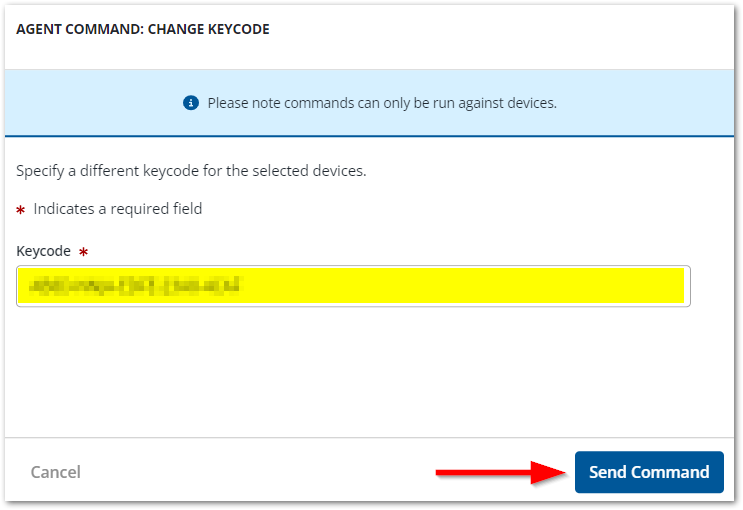
The Agent Command: Change Keycode configuration page displays in a popup window. - Paste the site key from Step 3 into the Keycode field, and then click Send Command.
Important Note: This can take some time to complete, so you may not see these changes occur immediately.