
Topic
This article discusses the permission roles for technicians in NinjaOne SaaS Backup.
Environment
NinjaOne SaaS Backup
Description
NinjaOne administrators have granular control of technician access to three distinct areas of NinjaOne SaaS Backup:
- SaaS Backup: Controls overall access to NinjaOne SaaS Backup, including the SaaS Backup dashboard in NinjaOne.
- Partner portal: Controls access to The NinjaOne Saas Backup or the Dropsuite partner portal.
- Organization portal: Controls access to an organization's NinjaOne SaaS Backup or Dropsuite organization portal, also called the end-user portal.
The permissions you can grant for each area are as follows:
SaaS Backup Permissions
Start by setting the overall access to NinjaOne SaaS Backup. If you set this option to No Access, the technician will be unable to view or access any NinjaOne SaaS Backup dashboards or portals.
- No Access: The technician will be unable to access or view the NinjaOne SaaS Backup dashboard or any related portals.
Allow: The technician can view the NinjaOne SaaS Backup dashboard, but will be unable to edit or affect data unless granted further access to each portal.

Figure 1: SaaS Backup permissions (click to enlarge)

Partner Portal Permissions
These settings control access to the NinjaOne SaaS Backup or the Dropsuite partner portal. The options are:
- No Access
- Support
- Finance
- Admin
Super Admin
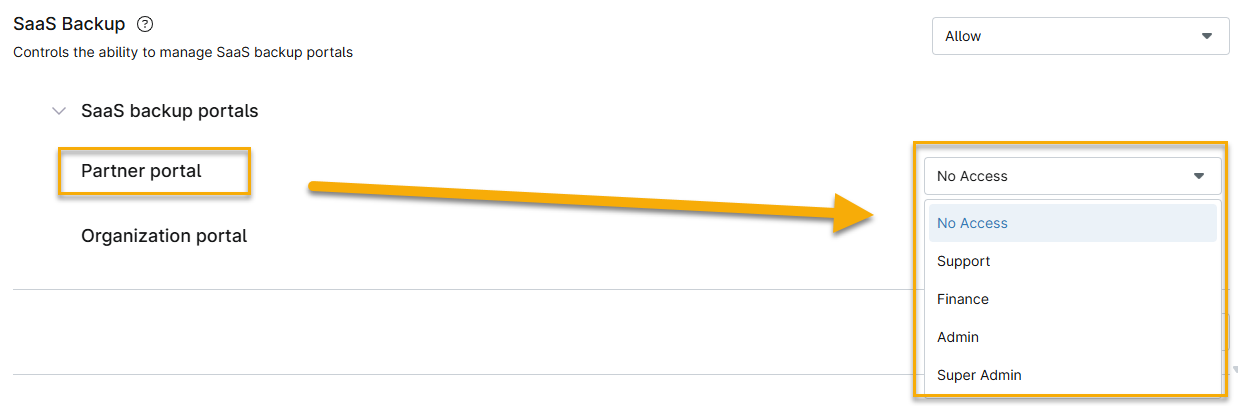
Figure 2: Partner portal permissions (click to enlarge) These permissions map directly to permissions that you can grant in the NinjaOne SaaS Backup or the Dropsuite partner portal. For a detailed explanation of the access granted by each permission level, refer to the attached PDF document, Role Accessibility NPP.
Super Admin permission will override and grant access to all organizations' SaaS Backup details, regardless of any organization limits placed on the Technician role.

Organization Portal Permissions
These settings control access to the NinjaOne SaaS Backup or the Dropsuite organization (end-user) portal. The options are:
- No Access:
- Limited Reviewer
- Reviewer
- Compliance and Review Officer
- Restricted IT Admin
- IT Admin
- Full Admin
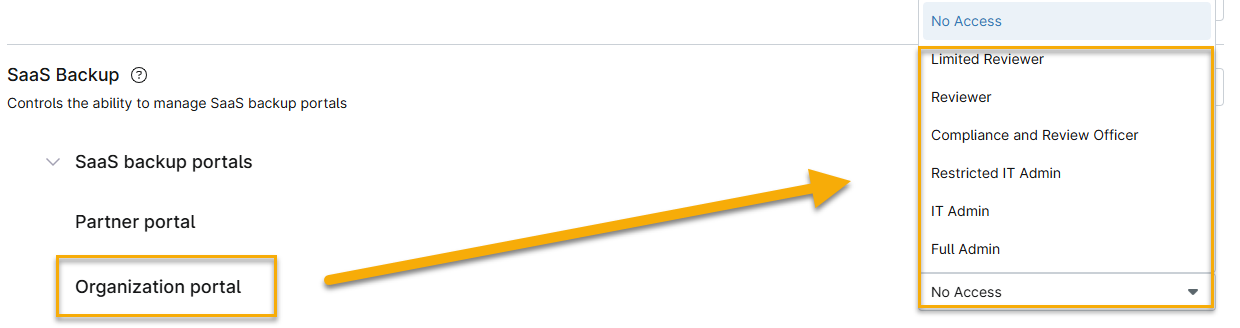
These permissions map directly to permissions that you could grant in NinjaOne SaaS Backup or the Dropsuite end user portal, giving you more control directly from NinjaOne. For a detailed explanation of the access granted at each permission level, refer to the attached PDF document, End User Role Access.
Additional Resources
The NinjaOne Dojo provides documentation for the NinjaOne SaaS Backup integration. For resources specific to the full NinjaOne SaaS Backup platform, including release notes and troubleshooting guides, visit the NinjaOne SaaS Backup Help Center.