

Table of Contents:
- Cannot select "For Work" Usage Type when enrolling device
- Android attempts to set up a Work profile when I try to add a company Google account
- My IT Admin doesn't allow a work profile on my device
- The serial number of a work profile device is different in NinjaOne to what is showing on the physical device
Cannot select "For Work" Usage Type when enrolling device:
Problem
When adding an Android mobile device to the NinjaOne console, user is unable to select "For Work" Usage Type or receives an error message.
Cause
Device usage defines whether the device is to be used for personal and work, or for work only. "Work only" usage requires full device management and allows for actions like full device wipe and rebooting (which are not possible for personally owned devices).
The Android "For work" Usage Type setting (i.e., enrollment type) should be used only if the company has ownership of the device, and the device is new (out of the box or reset to factory defaults). If you receive an error, it is most likely that the device does not meet that criterion.
Solution
If the device must be registered as "For work" only, you must restore it to factory default settings or use a brand-new device with no data. Otherwise, select "For personal and work"—you can create a work profile and use the device with full control over the personal side.
To learn more about how to enroll a phone after factory reset, please use these steps for setup.
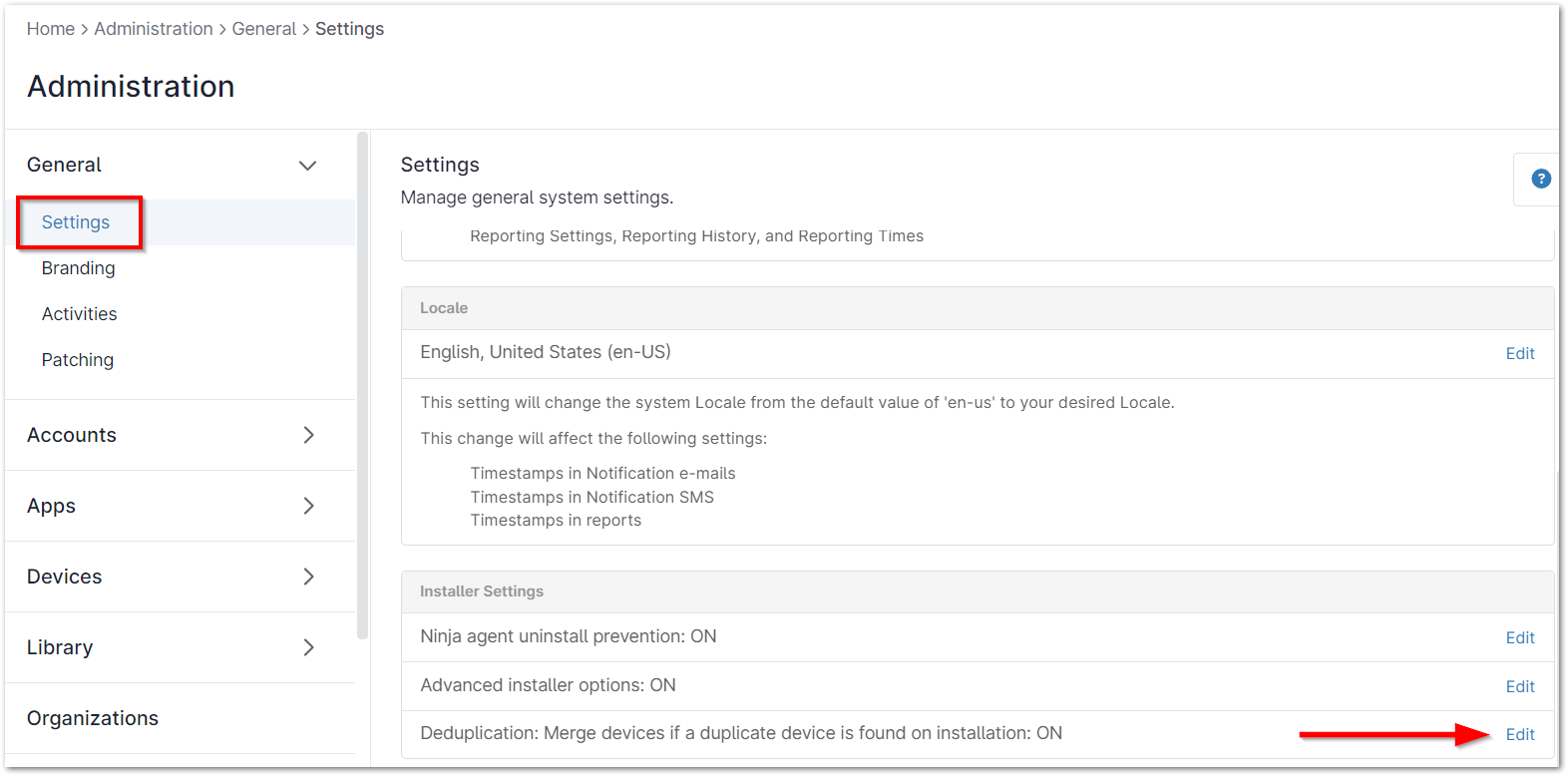
- Please note, if you have any apps that are set to "Required for Setup" on the device, this may cause issues during the enrollment process. NinjaOne recommends settings the apps to "Force Install" instead to push enrollment when the device comes online. We also recommend switching the Installer deduplication settings to "ON" under Administration > Settings > Installer Settings.
Android attempts to set up a Work profile when I try to add a company Google account:
Problem
When adding a company Google account, Android tries to set up a work profile.
Cause
This occurs when Advanced Management is set up within the Google Workspace environment, requiring management associated with the Google account in question.
Solution
To overcome this, you must disable Advanced Management either globally, or for the particular organization group (OU) the Google account belongs to.
My IT Admin doesn't allow a work profile on my device:
Problem
A customer is trying to set up an already-setup device with an enrollment token set to "For work" rather than "For personal and work".
Solution
For a BYOD requirement, create a new token and select "For personal and work" for Usage Type. This allows you to create a work profile and use the device with full control over the personal side through policy management.
You can use a "For personal and work" token, reset the device back to factory settings, and tap six times on the Welcome screen to start the QR code scanner. Instead of a fully managed, work only device, the device will provision into COPE mode for a work profile on a company owned device which will allow the organization more control over the personal profile without invading user privacy and permit continued personal use.
The serial number of a work profile device is different in NinjaOne to what is showing on the physical device:
Problem
Customer cannot see the correct serial number on the device dashboard in NinjaOne.
Cause
This is an intentional feature implemented for privacy reasons.
Solution
NinjaOne does not have a current timeline but is looking into options that will improve help for this. For now, NinjaOne suggests renaming devices from the device dashboard Settings tab to help identify them.
