
Issue
When attempting to deploy applications to managed mobile devices, I receive the following error:
This Apple ID account cannot be used to make purchasesEnvironment
- NinjaOne Apple Mobile Device Management (MDM)
- Apple iOS
Cause
This issue may be caused by using the incorrect Apps and Books distribution type.
Resolution
Use a non-managed Apple ID (or no Apple ID) on the device in question. If you are deploying the application via Apps and Books, check the application distribution type. To do so, perform the following steps:
- In NinjaOne, navigate to Administration → Policies → MDM Policies.
- Select a policy to open the configuration page.
- Open the Applications section and review your application table. If the column displays "Public App Store,"
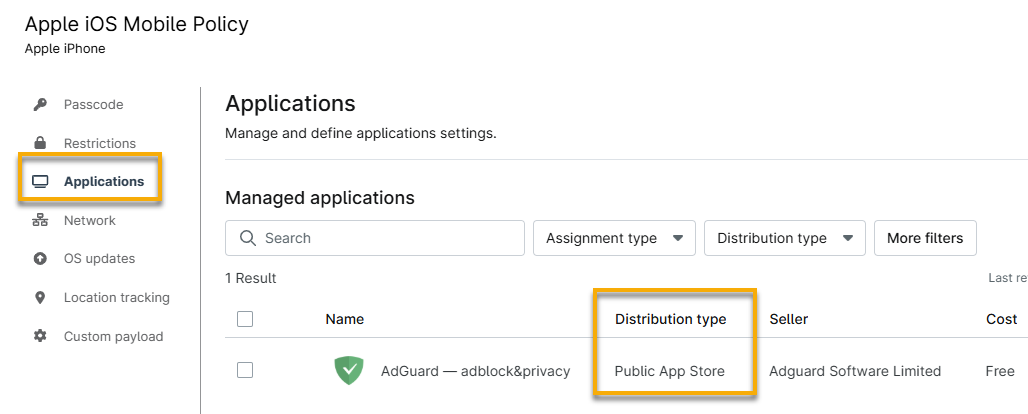
- If set to Public App Store, remove the app and re-add it under the Apps and Books distribution type.
Additional Resources
Refer to our NinjaOne Mobile Device Management (MDM): Resource Catalog for a list of all Apple MDM troubleshooting articles.