
Issue
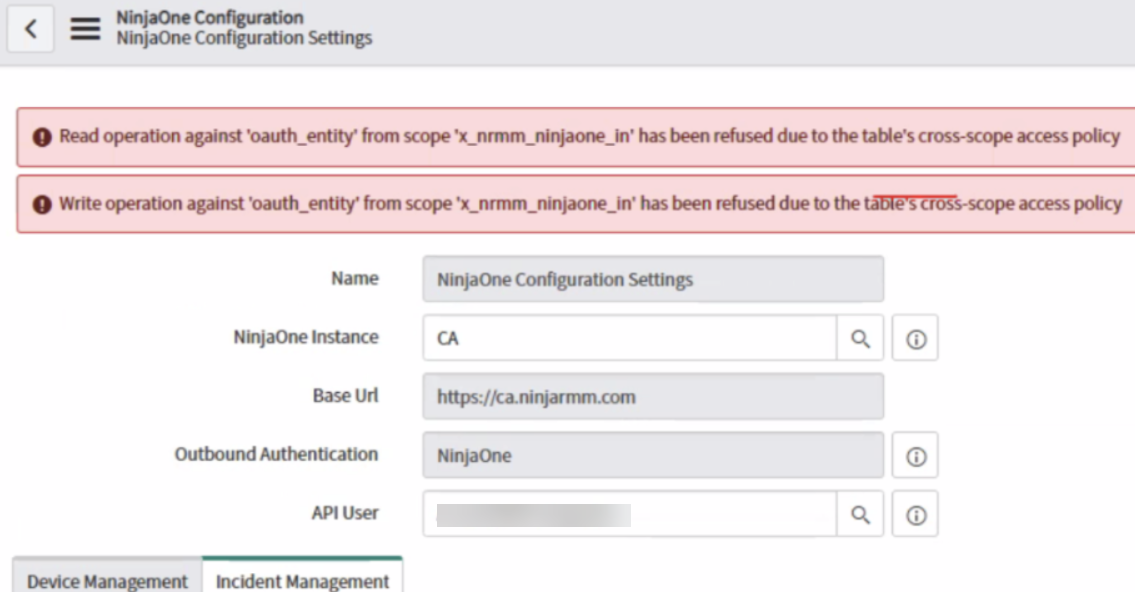
The ServiceNow integration in NinjaOne returns the following error: "Write operation against 'oauth_entity' from scope 'x_nrmm_ninjaone_in' has been refused due to the table's cross-scope access policy."
Environment
- NinjaOne Integrations
- ServiceNow
Cause
This error occurs when the user has some access policies in their instance.
Resolution
The workaround to solve this issue is to manually update the URL in the Application Registry. To do so, perform the following steps:
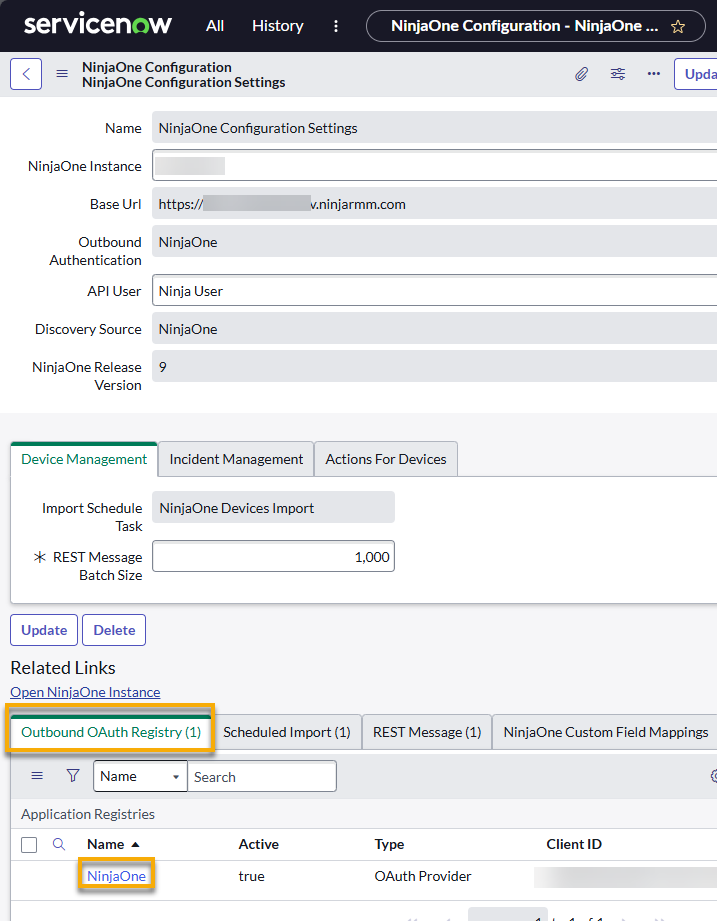
- On the NinjaOne Configuration Settings page in ServiceNow, open the application registry in the Outbound OAuth Registry tab.
- Edit the record and review the Token URL field. Ensure that your NinjaOne instance is included at the beginning of the address. To obtain the data for your instance, find the value in the URL bar between https:// and ninjarmm.com.
