Topic
This article discusses how to move devices from one location to another in NinjaOne NMS.
Environment
NinjaOne Network Management System (NMS)
Description
You can move discovered devices from one location to another. However, you cannot move discovered devices between organizations due to credential limitations.
Changing the Location for a Single Device
- In the NinjaOne console, open the dashboard for the device you'd like to move and click the Settings tab. You can access the device dashboard from the Devices search grid.
- Click Edit in the Device information widget.
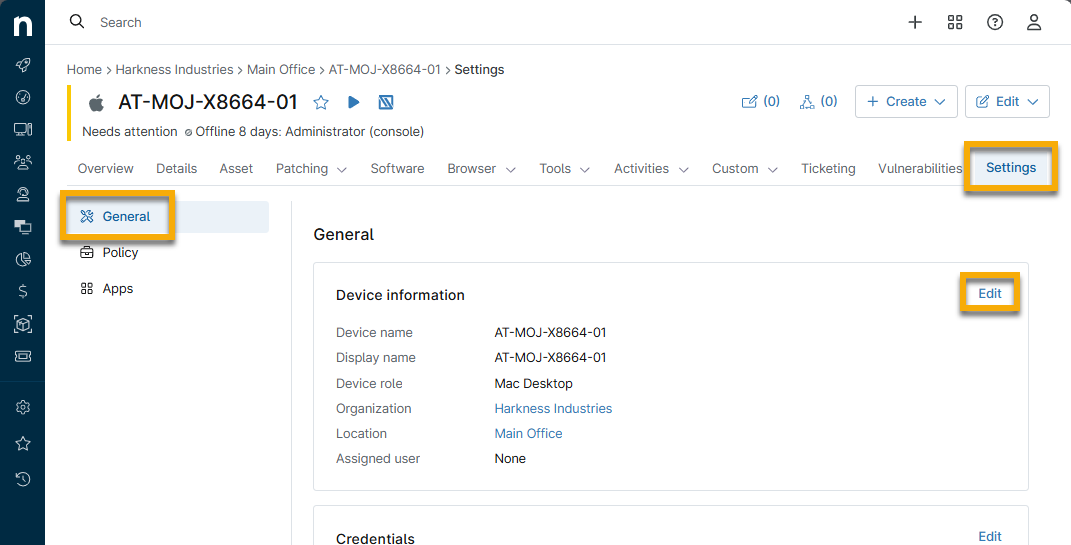
- Select the new location in the Location drop-down menu and click Save. The system will prompt you to confirm the change.
Changing the Location for Multiple Devices
Multiple devices must be the same type to change their locations. For Network Management System (NMS) devices, you can only change the location of the NMS agent or parent. The child devices (for example, those the NinjaOne agent is monitoring) will automatically move to the new location once saved.
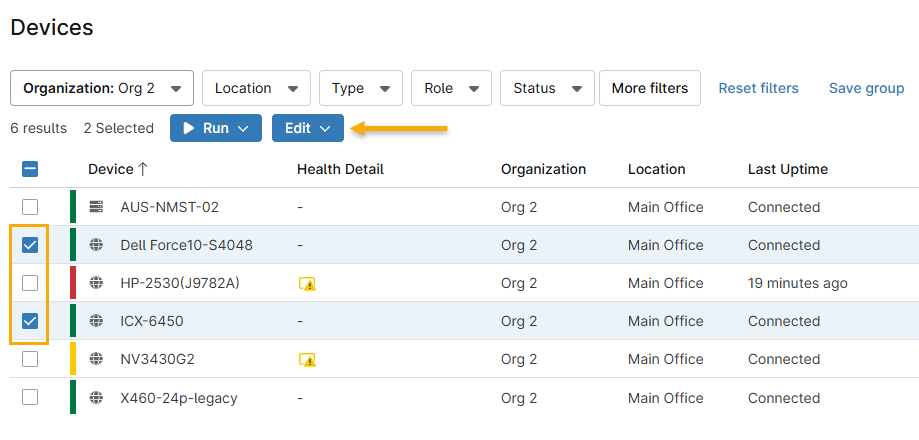
- Click Devices in the navigation menu. Select the checkboxes for the moving devices, then click the Edit menu and choose Edit organization/location.
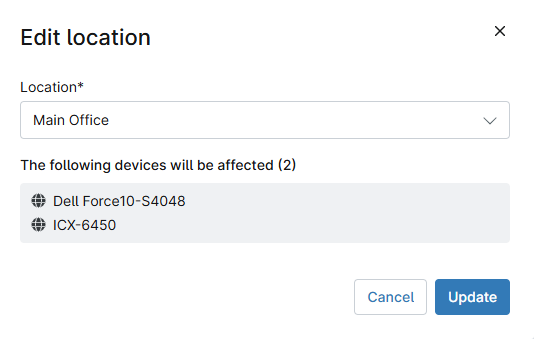
- The Edit location modal will appear. Select the device's new location from the drop-down menu, then click Save. The system will prompt you to confirm the change.