
Topic
This document provides further support for using the integration within ServiceNow. Please see Enable the ServiceNow Integration for instructions on enabling the ServiceNow integration with NinjaOne.
Environment
- NinjaOne integrated vendors
- ServiceNow
Description
When you successfully complete the integration between ServiceNow and NinjaOne, several new pages appear in the ServiceNow app to provide support.
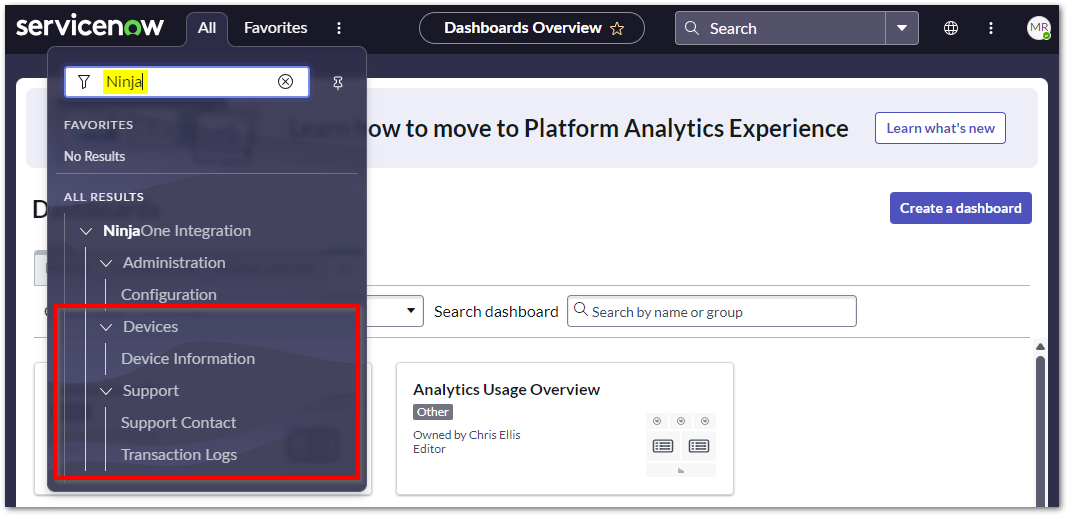
Select a category to learn more:
Device Information in ServiceNow
When configuration mapping is set up through the ServiceNow configuration app in NinjaOne, device information from NinjaOne will sync to ServiceNow by Device UUID (universally unique identifier). When the mapping is complete, you will see a new tab labeled NinjaOne Device Info at the bottom of the device information page under Related Links. 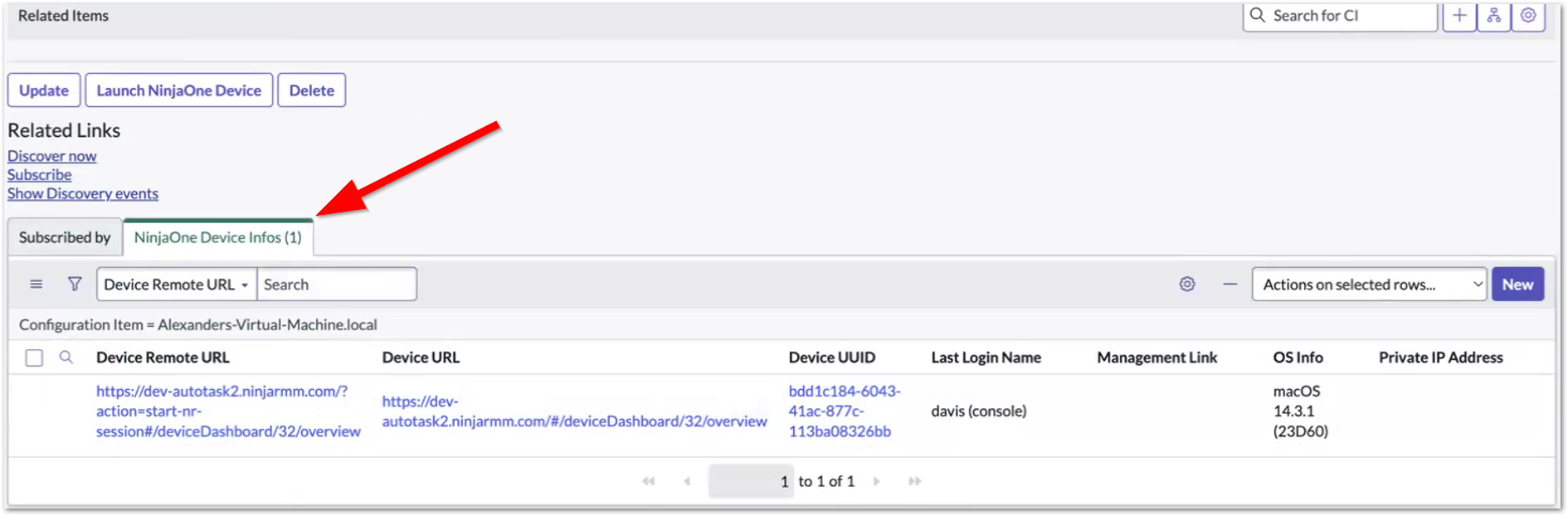
- Click the Device Information option in the main dropdown menu under NinjaOne and then click the hyperlink in the Configuration Item column.
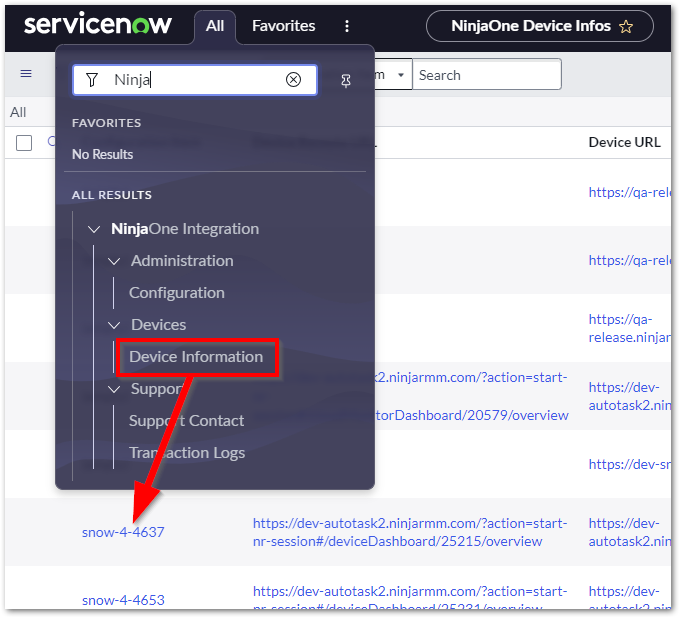
- On the NinjaOne Device Information page, open the link in the Configuration Item column.
The device configuration page displays. - Right-click the gray menu bar above the Name field; hover over the Configure option and select Related Lists.
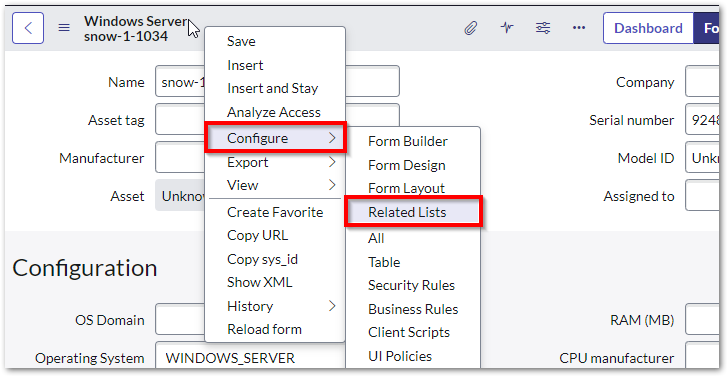
The Configuration page displays. - Select "NinjaOne Device Info -> Configuration Item" from the Available field and click > to transfer to the Selected field. You can adjust the order of the selected lists to your preference.

- Click Save.
The NinjaOne Device Info tab appears at the bottom of the device information page under Related Links in the order in which it was saved. - Select which columns provide data in the NinjaOne Device Info table by clicking the gear icon in the top right corner and transferring the desired columns into the Selected field. Select an option from the Available field and then click the > button to add it or select an option from the Selected field and then click the < button to remove it.

- The Device URL column provides a link to the device dashboard in NinjaOne for direct access.
- The Device Remote URL starts a remote session with the device using NinjaOne's native remote tool. You can also use the Launch Ninja Device button on the device page.
- The Device UUID column provides a page view of the following device information:
- Device ID
- Configuration item
- Device UUID
- Device URL
- Private IP address
- Management link
- Product Key
- Device Remote URL
- OS info
- Name of the last user who logged in to the device

NinjaOne Support

The NinjaOne Support page provides an external link that navigates you to the NinjaOne resource page, which provides a list of phone numbers or emails to choose from based on your location or support needs. Please make sure your pop-up blocker allows re-routing.
Transaction Logs

View activity history for NinjaOne events in ServiceNow. Logs will include activities such as import events, authentication errors, and error message system IDs for troubleshooting. 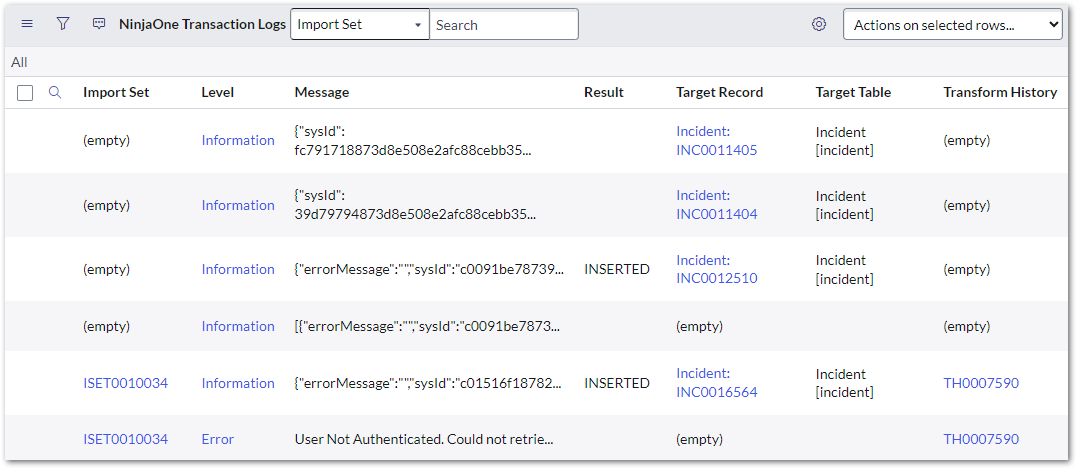
Click the hyperlink in the Level column to view the message details. Depending on transaction type, you also will be provided a hyperlink to any affected incident or import set. 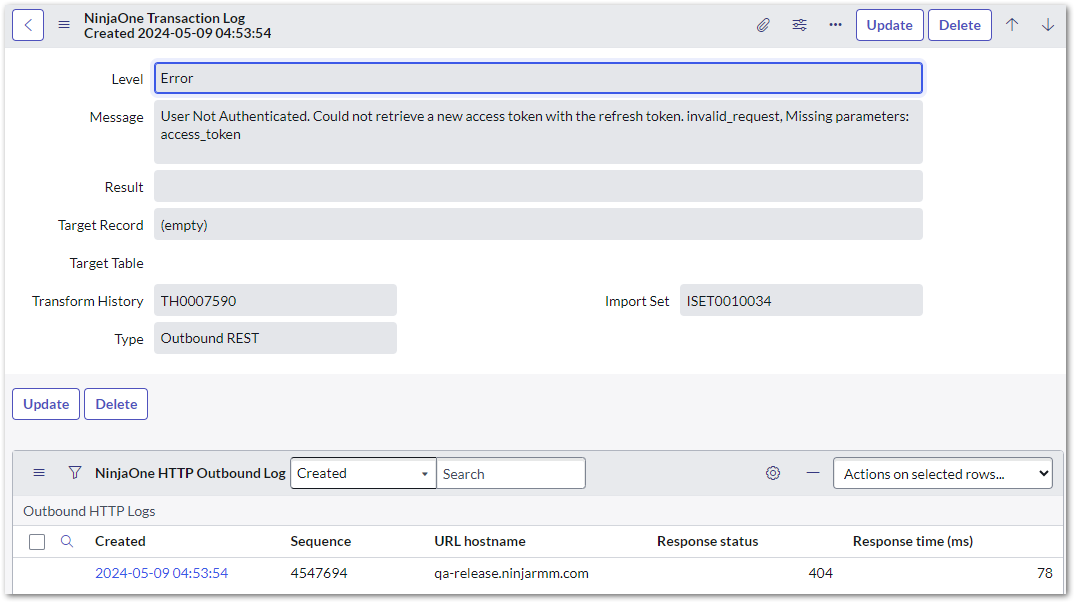
Additional Resources