
Issue
The work profile device's serial number displayed in NinjaOne differs from the serial number displayed on the physical device.
Environment
- NinjaOne Mobile Device Management (MDM)
- Android
Cause
On personally owned devices, Android restricts the visibility of device identifiers, including the serial number and IMEI. Instead, Android reports a unique enrollment-specific ID. This ID remains consistent during re-enrollment as long as the ownership and usage types do not change.
Resolution
NinjaOne MDM cannot override this platform restriction. To collect device identifiers, enroll the device as company-owned. Both Fully managed and Company-owned, personally enabled (COPE) management modes support device identifier collection.
Change the Device's Display Name
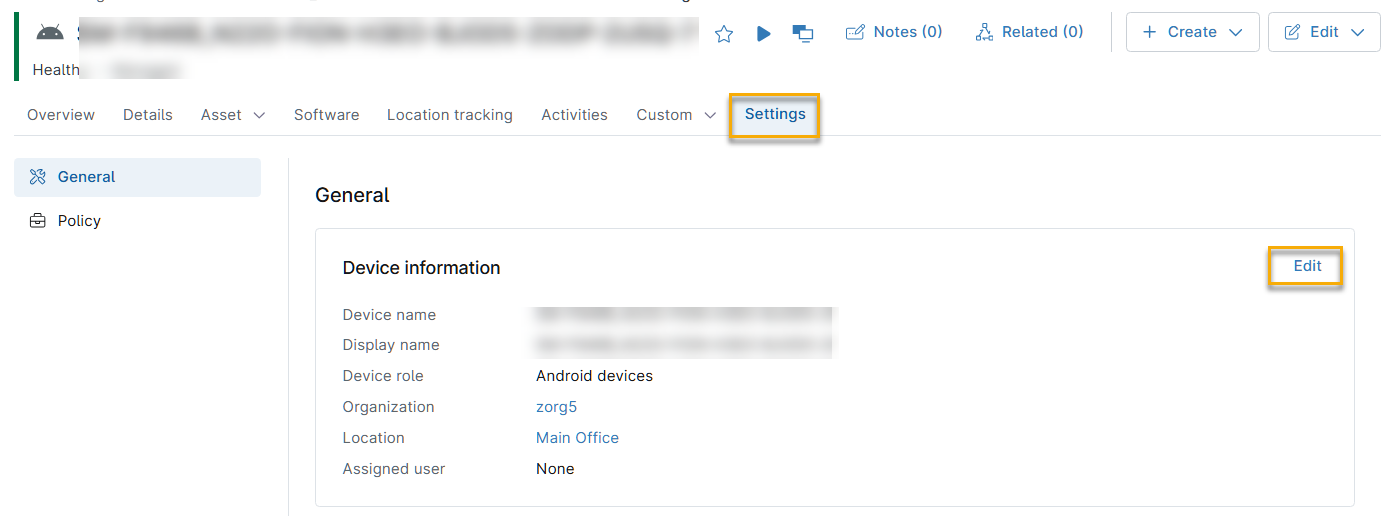
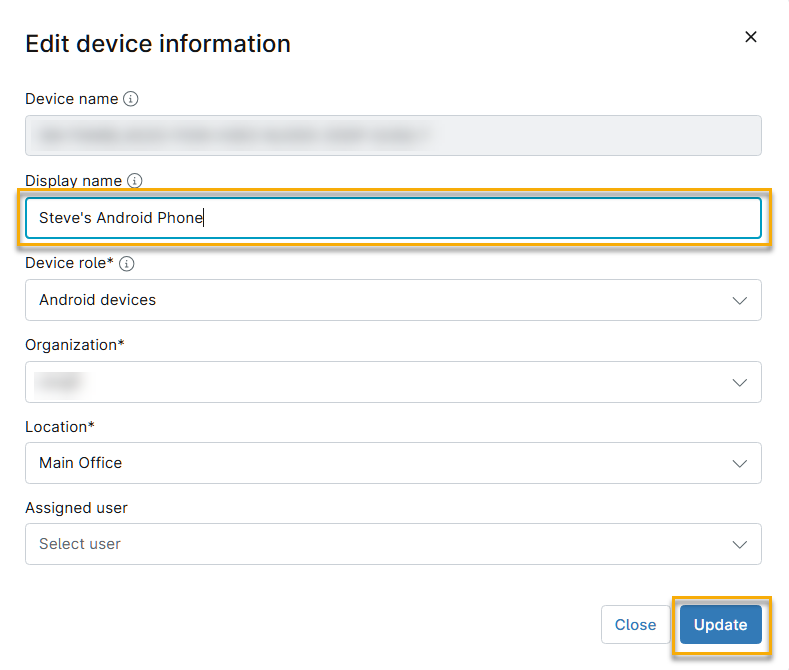
You can change your device's display name to simplify device identification.
- On the device's overview page, click the Settings tab, then click Edit in the Device information section.
- Enter a descriptive name in the Device display name field, then click Update.
Additional Resources
The following articles provide additional context for Android Work Profile management and troubleshooting in NinjaOne:
- NinjaOne MDM: Troubleshooting Android Work Profile Issues
- NinjaOne MDM: Troubleshooting: Cannot Select the “For Work” Usage Type When Enrolling a Device
- NinjaOne MDM: Troubleshooting: Android Attempts to Set Up a Work Profile When I Try to Add a Company Google Account
- NinjaOne MDM: Troubleshooting: My IT Administrator Does Not Allow a Work Profile on My Device
- NinjaOne MDM: Troubleshooting: My Android Device was Automatically Wiped
- Enroll an Android Phone After Factory Reset
- Android MDM: Policy Management