
Issue
Monitored devices are not reporting NetFlow data.
Environment
NinjaOne Network Management System (NMS)
Cause
There may be multiple reasons for the reported issue. Check the solutions below.
Resolution
If none of the solutions provided resolve the issue, please collect logs and send them to NinjaOne Support. For instructions, refer to the Collect Logs section of NinjaOne NMS: Troubleshooting: High CPU Usage for the NMSManager.exe process.
Verify the following:
- NinjaOne NMS is running the latest version of the NinjaRMM agent and the NMS delegate.
- NetFlow version is v5 / v9 / v10 (IPFIX).
- The delegate is not overburdened with an excessive number of devices. An advanced network adapter is recommended for network monitoring and is required for more extensive networks.
- If Monitor by under Settings on the device dashboard is set to "IP Address," the IP address used must be static.
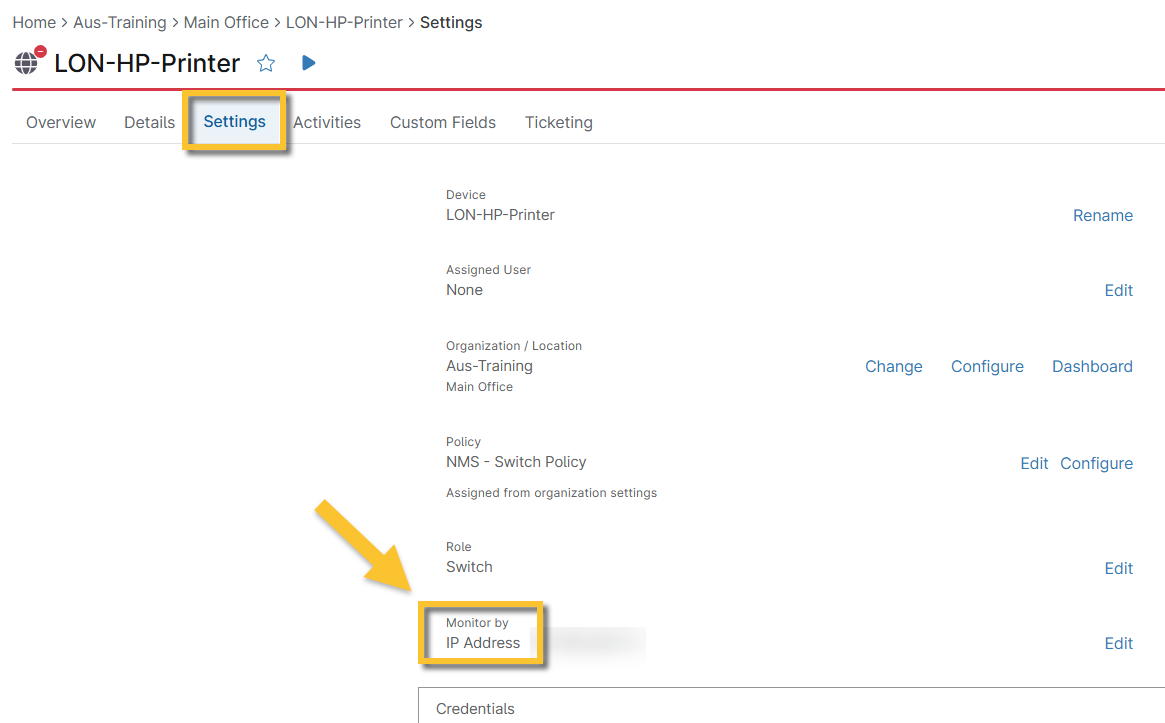
Figure 1: Settings → Monitor by category (click to enlarge)
- The NinjaOne NMS policy that governs the device has NetFlow traffic monitoring enabled.
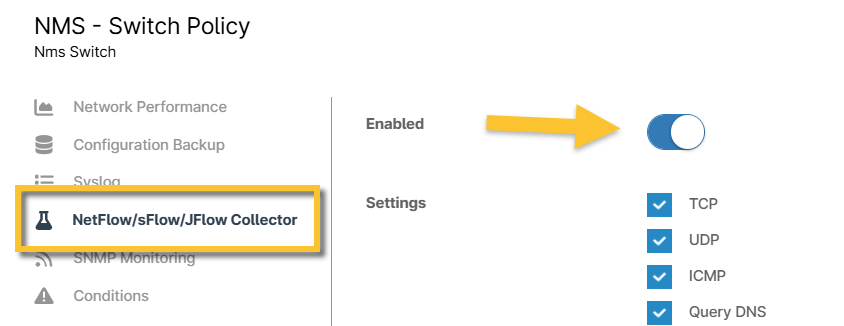
Figure 2: Enable NetFlow (click to enlarge)
- Adequate traffic is flowing on the device. If the device is experiencing minimal traffic, the data may be discarded by noise thresholds configured at the policy level under NetFlow/sFlow/JFlow Collector → Flow Noise Configuration.

Figure 3: Flow Noise Configuration (click to enlarge)
- The correct ports are used for the traffic type, as listed below. To check these ports, open the system command prompt on the machine running the NMS manager delegate and run the following command:
netstat -anop udp
Then, verify the process identification number (PID) for port 514 (local address) matches the one associated with the nmsmanager.exe process.- NetFlow/jFlow = 2055, 9555, 9995, 9996
- sFlow = 6343
- NetFlow v10/IPFIX = 4739
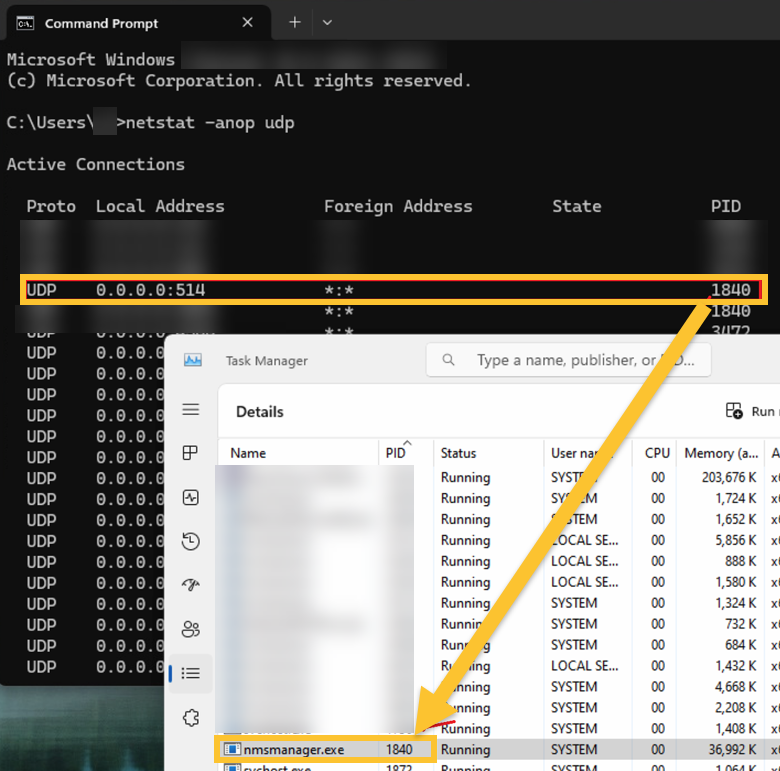
Figure 4: Match the PID in the command prompt to the PID in the task manager (click to enlarge)