Backup and recovery built into IT management
Protect servers, workstations, and SaaS data alongside the IT operations you already manage. Know what’s protected, recover quickly, and handle it all without adding more tools.
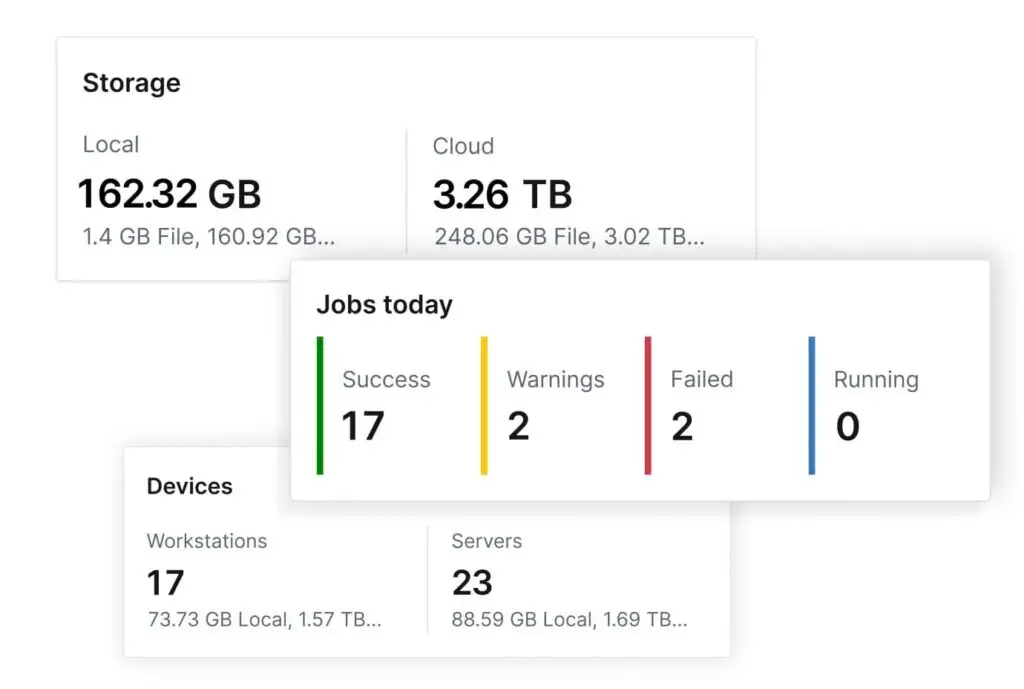
Backup that works the way IT does
Protect more from one platform
Protect critical business data across servers, workstations, Microsoft 365, Microsoft Entra ID, Google Workspace, and QuickBooks Online without a separate backup tool for every workload.
Reduce backup overhead
Manage device and SaaS backup alongside everyday IT operations, with fewer consoles, vendors, and workflows for your team to manage.
Recover with confidence
See backup health across workloads, catch issues quickly, and recover anything from individual files and SaaS data to full systems.
Why NinjaOne Backup®?
Customers love NinjaOne
hours saved per admin each week on backup management
higher backup success rates after switching to NinjaOne Backup
saved annually by 94% of customers surveyed




Features and Solutions

Backup built into IT operations
Manage device and SaaS backup alongside your everyday IT operations, with a single view of data protection across your environment.

Fast, simple deployment
Get device and SaaS backup running quickly, with no separate backup infrastructure or complex deployment projects.

Protection across devices and SaaS
Protect servers, workstations, Microsoft 365, Google Workspace, Entra ID, and QuickBooks Online, all with one tool.

Find and recover data fast
Search backed-up data to find exactly what you need and recover anything from individual files to full systems.

Backup visibility alongside IT monitoring
See backup status and issues right alongside your IT monitoring, so protection gaps never go unnoticed.

Secure by design
Proactively find and fix vulnerable, non-compliant, and unmanaged endpoints. NinjaOne has built in enterprise security and compliance standards.

FedRAMP
CLASS C CERTIFIED
Trusted for use in U.S. federal agencies and government supply chains

SOC 2 , SOC 3
Type II Attested
Verified controls for security, availability, and confidentiality

ISO/IEC 27001
Certified
International gold standard for information security management

GDPR
Compliant
Data protection aligned to EU regulations

HIPAA
BAA Available
Data protection aligned to healthcare regulations
NinjaOne named a Leader by Gartner®
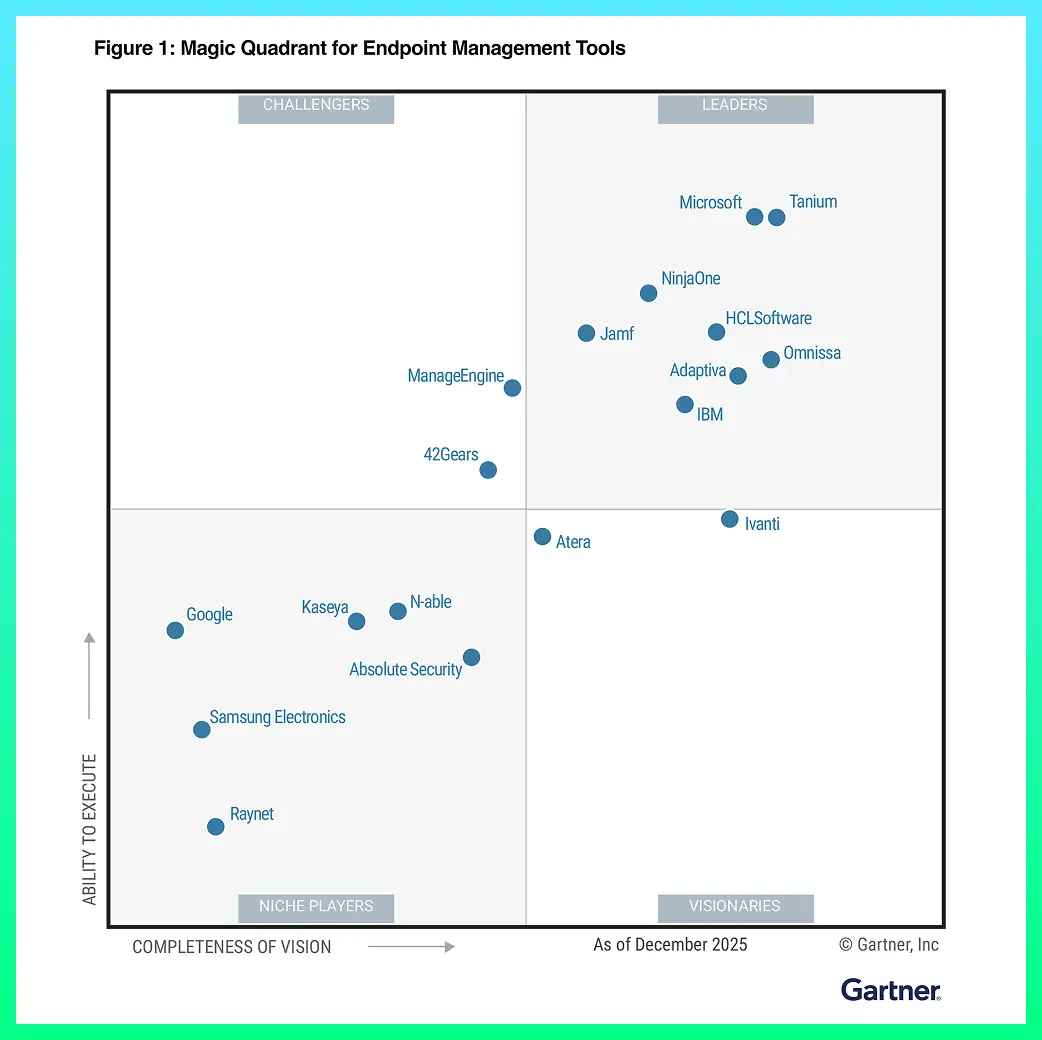
Discover value in 5 minutes.
This is why customers love us
100,000
Endpoints managed
“NinjaOne is a scalable solution. It’s built on a modern SaaS architecture and it’s future-proof.”

40%
More Cost Effective
“NinjaOne’s price point is 40% less than any other endpoint management tool on the market, while being more powerful and easy to use.”

10-15
Tools Replaced
“Before, I needed 10-15 different tools to execute what NinjaOne does in its centralized, single pane of glass.”

30%
Less time for patching
“We observed a 30% reduction in the time taken for patch deployments compared to our previous solution.”

2,000
Endpoints managed
“NinjaOne gives me much more flexibility and security in my work”

30%
Annual ROI
“[NinjaOne] has already shown its value in ROI…it’s at least a hundred thousand dollars annually.”

24x
Faster Endpoint Management
“Our processes have become 24x faster with NinjaOne.”

20-40
Hours Saved Each Week
“Leveraging the automations feature within NinjaOne has enabled me to save upwards of what would likely be 20 to 30 to even 40 hours per week.”

NinjaOne Integrations










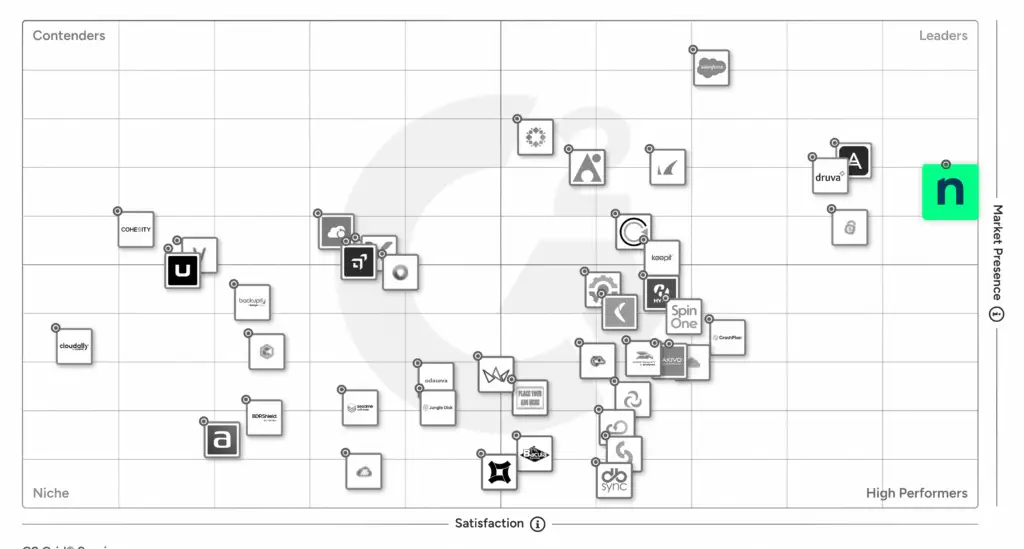
Rated #1 on G2
G2’s No.1-Rated Online Backup Software
Customers grant NinjaOne SaaS Backup a Satisfaction score of 100 and an Ease of Use score of 95. Both scores indicate customer trust in NinjaOne to keep their data secure and appreciation for the simplicity of using one unified platform to manage backups for every workload.
“NinjaOne Backup has already saved one of our clients from disaster!”
Rob Lloyd,
Technical Director



| NinjaOne | Average Ratings | |
| Likelihood to Recommend | 9.6 | 8.7 |
| Product Going in the Right Direction? | 9.9 | 8.6 |
| Ease of Admin | 9.4 | 8.9 |
| Ease of Doing Business With | 9.7 | 9.0 |
| Quality of Support | 9.4 | 8.7 |
| Ease of Setup | 9.4 | 8.9 |
| Ease of Use | 9.4 | 9.0 |

Resources
FAQs
How do I backup my files online?
NinjaOne Backup automatically backs up all your files online. When changes are made to a file, Ninja detects that change and backs up the changed file.
Is online backup safe? How do you securely backup data?
With NinjaOne Backup all data is encrypted in-motion and at-rest via secure AES 256-bit end-to-end encryption. Ninja’s security practices adhere to and exceed the strictest standards for data protection compliance practices.
What is a disadvantage of online backup services?
What is full data backup?
A full data backup is the process of creating one or more copies of all organizational data in one backup operation. A full backup is always required when a new endpoint is first backed up.
Is it backup or back up?
Typically people in the industry refer to it as “backup.” We typically throw our car in reverse when we want to “back up.”
How would you prepare for a backup and recovery plan?
NinjaOne Backup enables you to automate your backup plans, customize backups by devices, and restore files from the same screens. Customize backup plans to meet your data protection needs through schedules, file type and location filters, user permissions, network throttling, and revision management. With NinjaOne Backup, backup planning is easy and intuitive!
How Does NinjaOne’s Backup Software Work?
With NinjaOne Backup you can automate your backup plans, customize backup modalities by device and restore files from the same screens. Filter backup plans by schedule or file type, user permissions, network throttling, and audit management to fit your unique business data protection needs. With NinjaOne Backup you can plan your backups easily and intuitively!
Benefits of NinjaOne’s backup?
NinjaOne’s backup offers fully customizable file/folder or image backup plans, multiple restore options, remediation tools, proactive alerting, ransomware disaster recovery, and more for all your endpoints. NinjaOne’s Data backup tool is the best choice for businesses that want to view backup data and ensure that all information is protected from a centralized management platform that’s easy to navigate. Partner with NinjaOne to meet all your data backup, ROI, and RTO goals. Take a look at the testimonials page to find why Ninja clients love NinjaOne’s backup solution.
Do I need NinjaOne’s Backup Software?
NinjaOne’s backup software is the top solution for businesses or MSPs who want to conduct Windows, Mac, and server backups, balance data protection and storage requirements with customizable file/folder or image backups, and unify IT management with backup from a single, centralized platform. With NinjaOne, IT teams and MSPs use Ninja’s incremental, block-level backup, single pane of glass management, and reliable restore options to safeguard critical data for cloud-only, local, or hybrid environments. Add NinjaOne to your stack of backup tools to create a stronger, more effective data backup and recovery solution.
How much does NinjaOne’s Backup Solution cost?
NinjaOne offers flexible, pay-per-device pricing for Ninja backup. With customizable monthly payment plans, Ninja ensures that you only pay for the IT tools you need for your team. To receive a custom quote for your backup solution, visit the pricing page or reach out today. Start protecting your data now by partnering with NinjaOne.