

Specific policies can be assigned to device roles through the organization editor, but you can also assign policies to device roles per location. This guide will walk you through the steps to adding a location for an organization and setting up agent, NMS, virtualization, and/or MDM policies for that location.
- Go to Admin | Organizations to edit an organization.
- From the organization editor, click Locations and either select a location to edit or create a new one.
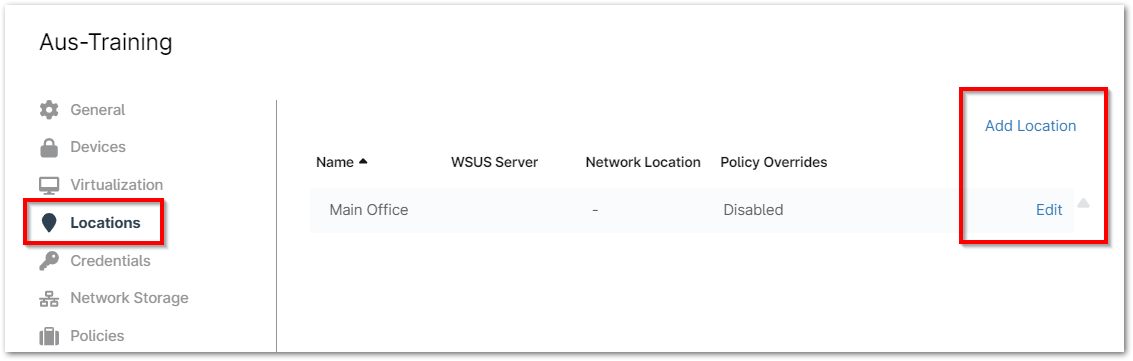
- In the Edit Location or Add Location modal, open the Policies tab and flip the toggle switch at the top so that it says Enabled.
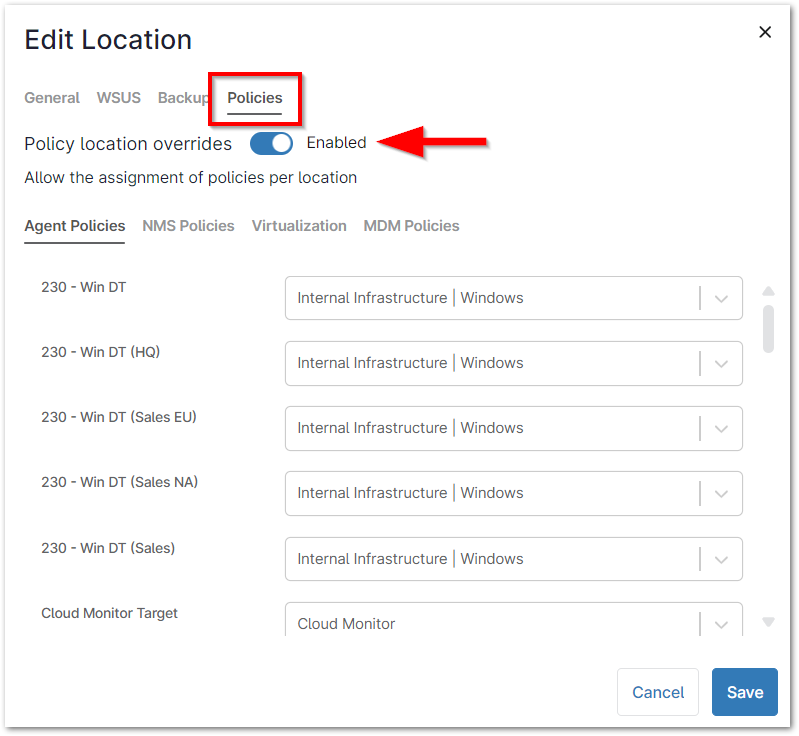
- Select the preferred policy for each device role, and then click Save.
- Note that you may set multiple policy types by location.
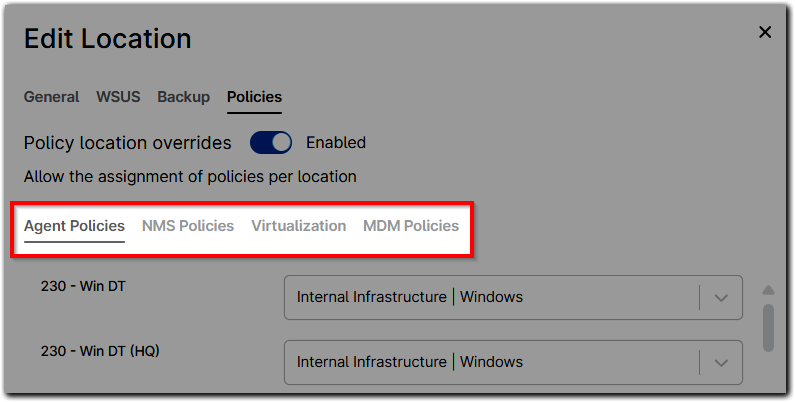
- Click Save in the modal and then again in the top right corner of the organization editor to set the changes.