
Topic
This article explains how to enable an identity provider (IdP)- initiated login with the Security Assertion Markup Language (SAML) for NinjaOne.
Environment
NinjaOne Identity Access Management (IAM)
Description
IDP-initiated SAML login is supported by NinjaOne. There are a few things to consider when enabling this option.
- IDP-initiated SAML: This is a new option offered by NinjaOne. You can use an IdP (whether via an icon from an Application Catalog or a direct link) to log in to NinjaOne. Your IdP may or may not require multi-factor authentication (MFA), based on the NinjaOne Platform: Enable Conditional NinjaOne Multifactor Authentication Bypass configuration.
- SP-initiated SAML: This option was previously supported by NinjaOne. You would access NinjaOne first and be redirected to your IdP to login, and then you would navigate back to NinjaOne.
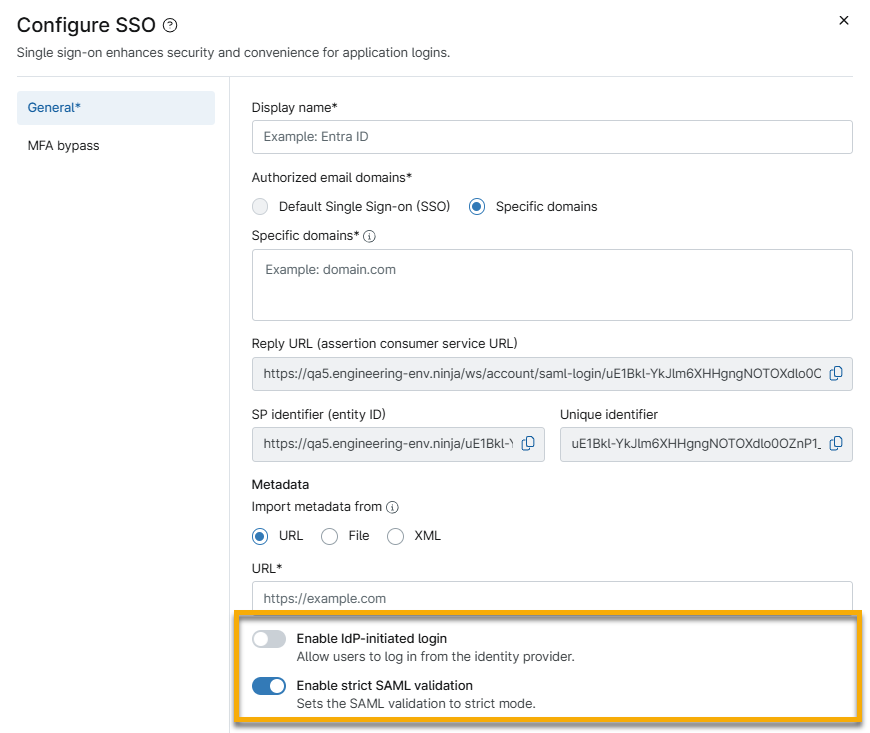
By default, IDP-initiated SAML is deactivated for existing and new NinjaOne IdP configurations. To perform IDP-initiated logins, activate the Enable IdP-initiated login toggle when configuring your IdP. When this option is deactivated, and you attempt an IDP-initiated login, you will see a generic error on the login page. Submit the Incident ID to NinjaOne Support to resolve the specific reason for the error.
Index
Select a topic to continue.
- Create a New Unique Identifier for Identity Provider Configurations
- IDP-initiated SAML Configuration for Branded Divisions
- SAML Encryption
- Additional Resources
Create a New Unique Identifier for Identity Provider Configurations
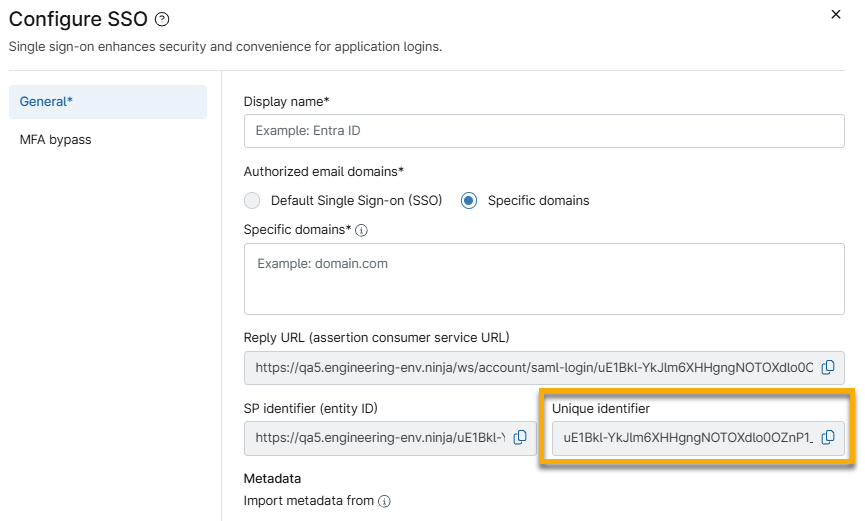
When configuring a new IdP in NinjaOne, you will see a new Unique identifier included. The purpose of this Unique identifier is to allow the creation of new NinjaOne from different divisions in the same IdP (if you have multiple divisions). The Unique identifier will always be the same for the same division. It will be included at the end of the SP identifier and Reply URL.
IDP-initiated SAML Configuration for Branded Divisions
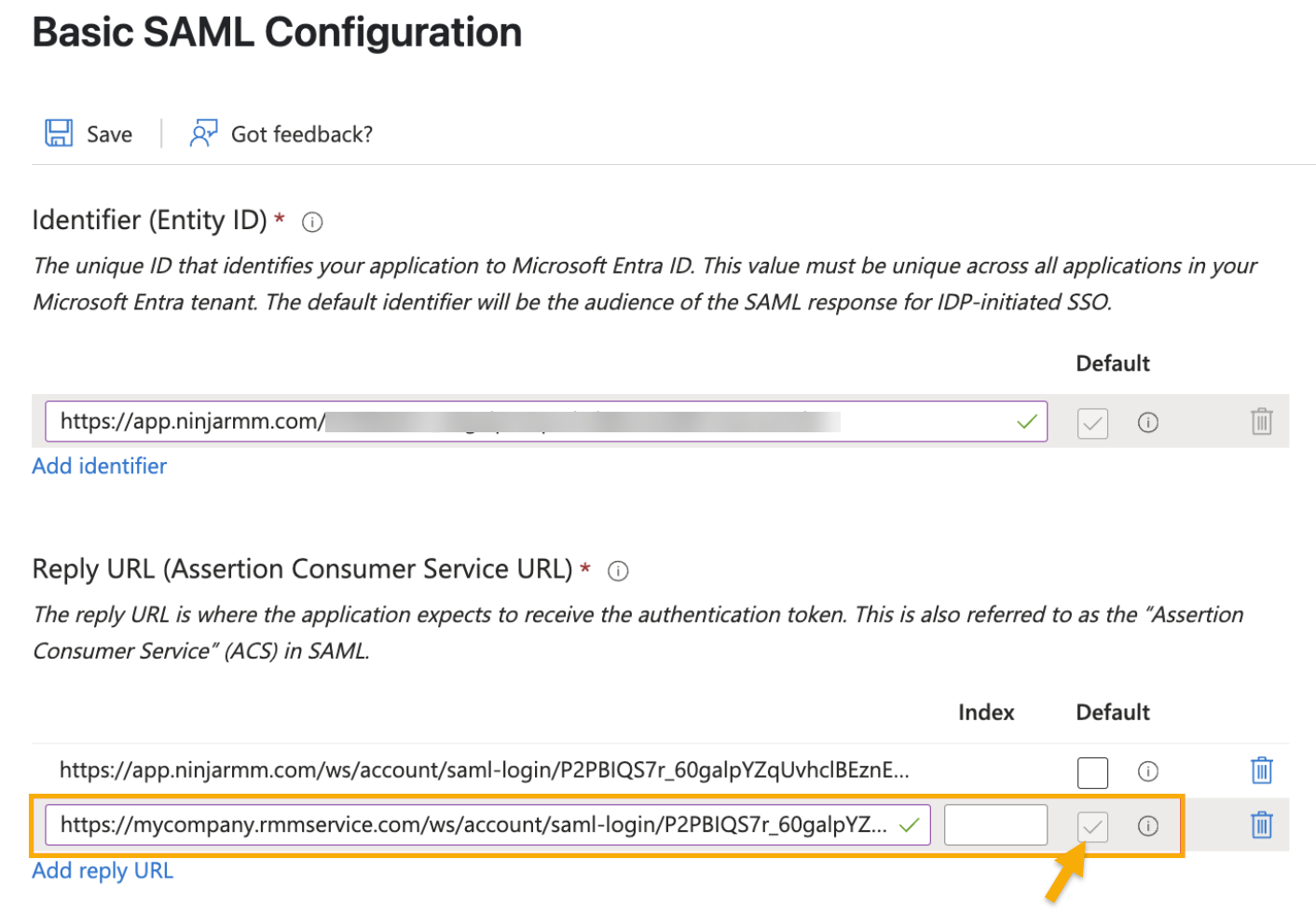
If you want the IDP-initiated login to use a branded URL, set up your IdP application configuration to use the branded Assertion Consumer Service (ACS) URL as the default. You can use the following categories for guidance:
Configuring a Branded URL for IDP-initiated in Entra
For the Reply URL (Assertion Consumer Service URL) in Azure, configure the URL you want IDP-initiated logins to land on to be the default. We recommend that you configure both the native and branded ACS URLs to support SP-initiated requests from both starting points.
SAML Encryption
With Security Assertion Markup Language (SAML) encryption, you can transform your SSO assertion data so it is protected from unauthorized access. This creates a high-trust relationship between your identity provider (IdP) and NinjaOne.
- After you have configured the General settings and optional MFA bypass, open the Advanced section of the Configure SSO dialog and activate the Require signed assertions and responses toggle.
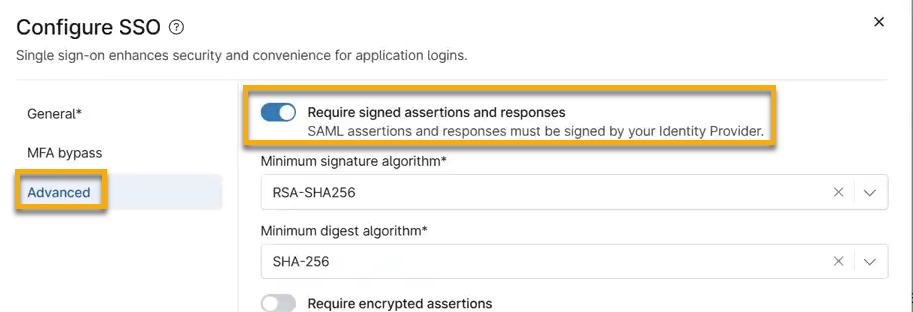
- Select your Minimum signature algorithm and Minimum digest algorithm from the drop-down menus to increase the complexity required when processing the IdP signatures. NinjaOne will accept any traffic coming from the selected signature or digest algorithm or higher.
- Activate the Require encrypted assertions toggle, and then select your algorithms and key length settings from the associated drop-down menus. We suggest selecting the minimum settings for what you need.
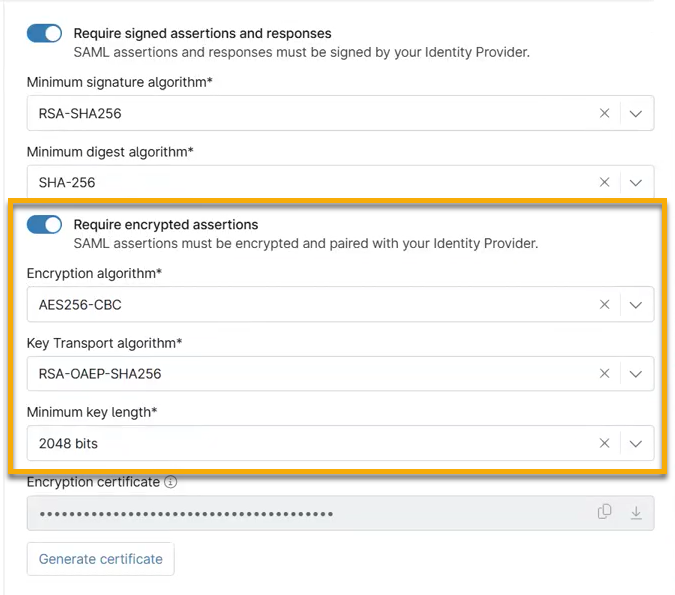
- Click Generate certificate. Copy the contents of the certificate or download the PEM file if your IdP accepts them.
- Navigate to your IdP site and log in. Upload the certificate PEM file or paste the copied data.
- Test the connection in NinjaOne.
- Click Save.
If your encryption expires, you can select Manage encryption certificate from the actions menu to renew it.

Additional Resources
To learn more about NinjaOne's identity services, refer to Identity Authentication and Management: Resource Catalog.
To learn more about enabling SAML for Okta, refer to Configuring NinjaOne SAML in Okta.