
Issue
This article provides support if your monitored endpoint is incorrectly reporting its online status.
Environment
NinjaOne Network Management System (NMS)
Cause
Below are possible resolutions for this issue. If none of the solutions provided resolve the issue, collect logs and send them to NinjaOne Support. For instructions, refer to the Collect Logs section of NinjaOne NMS: Troubleshooting: High CPU Usage for the NMSManager.exe process.
Resolution
- Make sure the NMS delegate is online.
- Restart the NinjaOne NMS Delegate and NinjaRMM agent service.
- Check the NinjaOne policy that manages the device for ping data and ensure it is turned on. You can find this data in the policy by clicking the Ping tab in Network Performance.
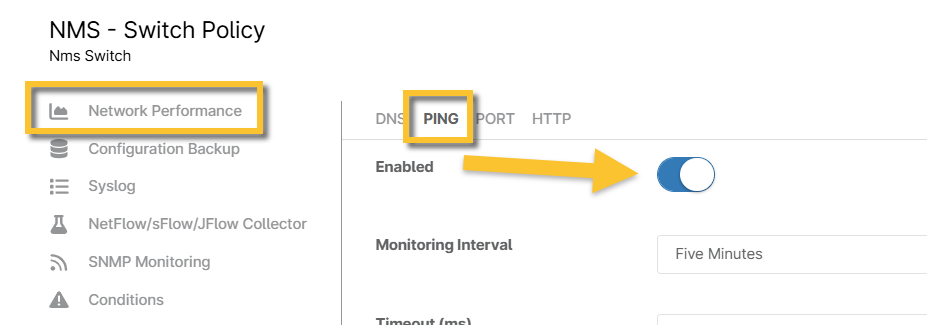
Figure 1: NMS policy configuration page Ping enablement (click to enlarge)