
Topic
This article describes the NinjaOne Agent's Uninstall prevention feature, which prevents end users from uninstalling the NinjaOne from a device.
Environment
NinjaOne Endpoint Management
Description
You can enable NinjaOne uninstall prevention to prevent end users from uninstalling NinjaOne from a managed device. When this feature is activated, users attempting to locally uninstall the NinjaOne Agent from their Microsoft Windows device will receive an alert stating "Uninstalling the program is disabled." This feature is currently for Microsoft Windows agents only.
Configuring Uninstall Prevention
After modifying the setting, it may take about 10 minutes for the changes to take effect.
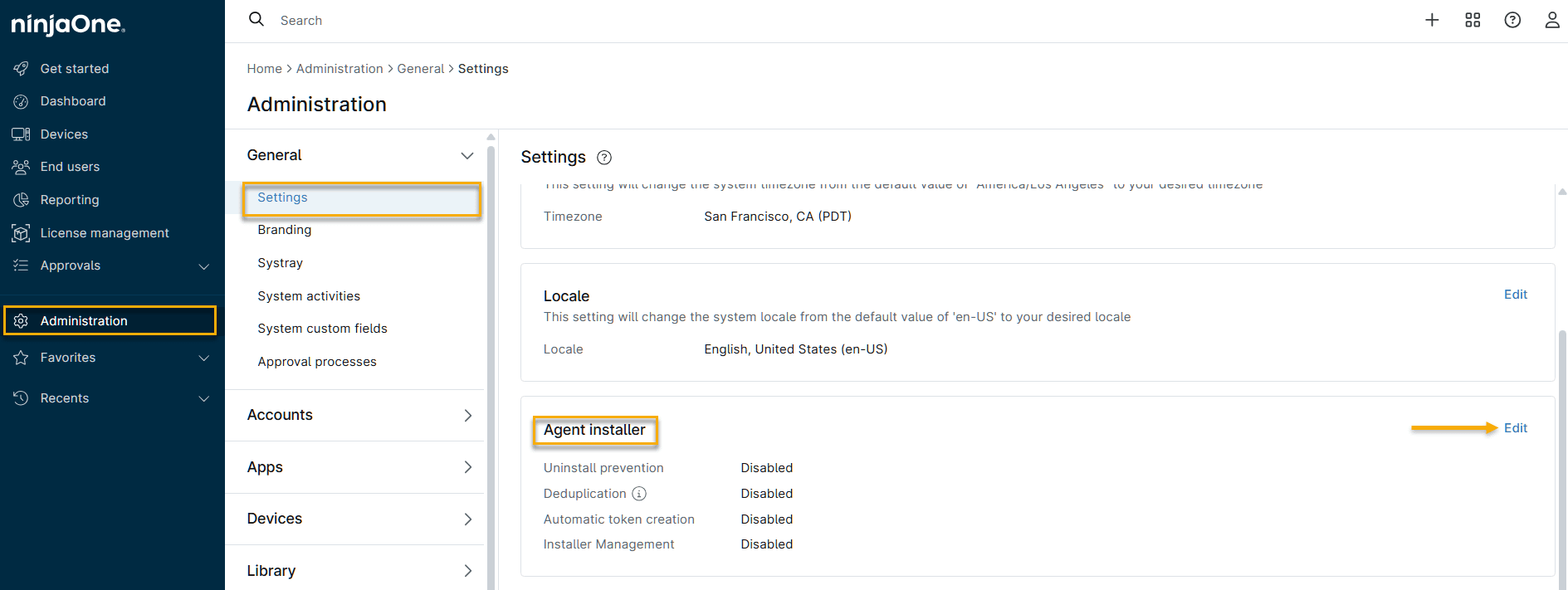
In NinjaOne, navigate to Administration → General → Settings → Agent installer and click Edit.

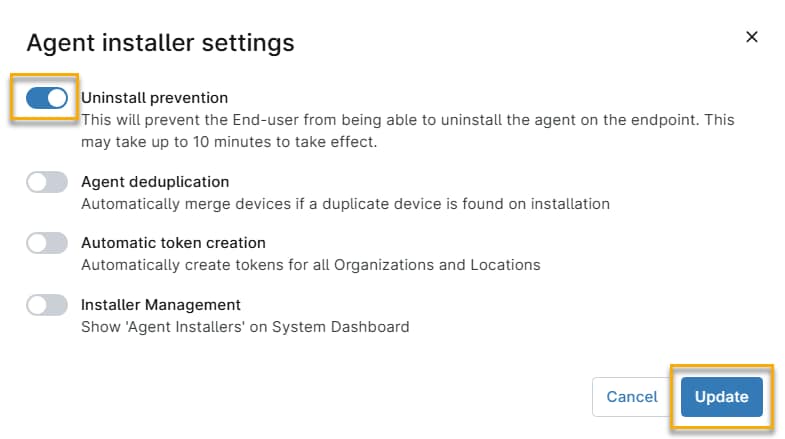
Figure 1: Administration → General → Settings → Agent installer (click to enlarge) In the Agent installer settings window, activate the Uninstall Prevention toggle, then click Save.

Figure 2: Agent installer settings (click to enlarge)
Uninstalling the Agent with Uninstall Prevention Active
Refer to NinjaOne Endpoint Management: Agent Removal Guide to learn how to uninstall the NinjaOne agent from devices with uninstall prevention activated.