
FAQs About Documentation:
 | When this article is updated, new entries are added to the top. |
Q: What size and/or types of attachments can be uploaded to the Attachment field?
- A: Attachment files currently have a 20-megabyte file size restriction. Additionally, attachment files can be any of the following file types: xml, html, pdf, log, csv, txt, zip, rar, tar, cab, jpeg, jpg, png, dot, wbk, doc, docx, rtf, xls, xlsx, ods, ppt, pptx, pps, ppsx, sldx, vsd, vsdx.
Q: How can I track changes that have been made to Documentation?
- A: All Documentation changes are logged in the Activity Feed. You can view these activities from the Activity Dashboard > Documentation activities in particular may be filtered for using the Type(s) > Configuration > Documentation filter.
Q: Who has access to Documentation?
- A: By default, system administrators have access. Access to Documentation can be granted to technicians/roles using User Permissions.
Q: How is data for the Secure field option stored?
- A: NinjaRMM implements the encryption technology of a cluster of Hardware Security Modules (HSM) in each of our environments. These HSM clusters are used to generate unique data encryption keys (DK) for each account, which are then used to encrypt and decrypt all secure notes, secure fields, and credentials. Additionally, system administrators are required to re-authenticate with MFA in order to access data from Secure fields.
Q: How can I assign a device as a documentation delegate for an organization in order to allow documentation fields to be updated via CLI/scripting?
Q: What is the expected outcome if I import documentation via CSV without completing certain custom fields? An error occurs when specific details are not completed.
- Sample Error Screenshot
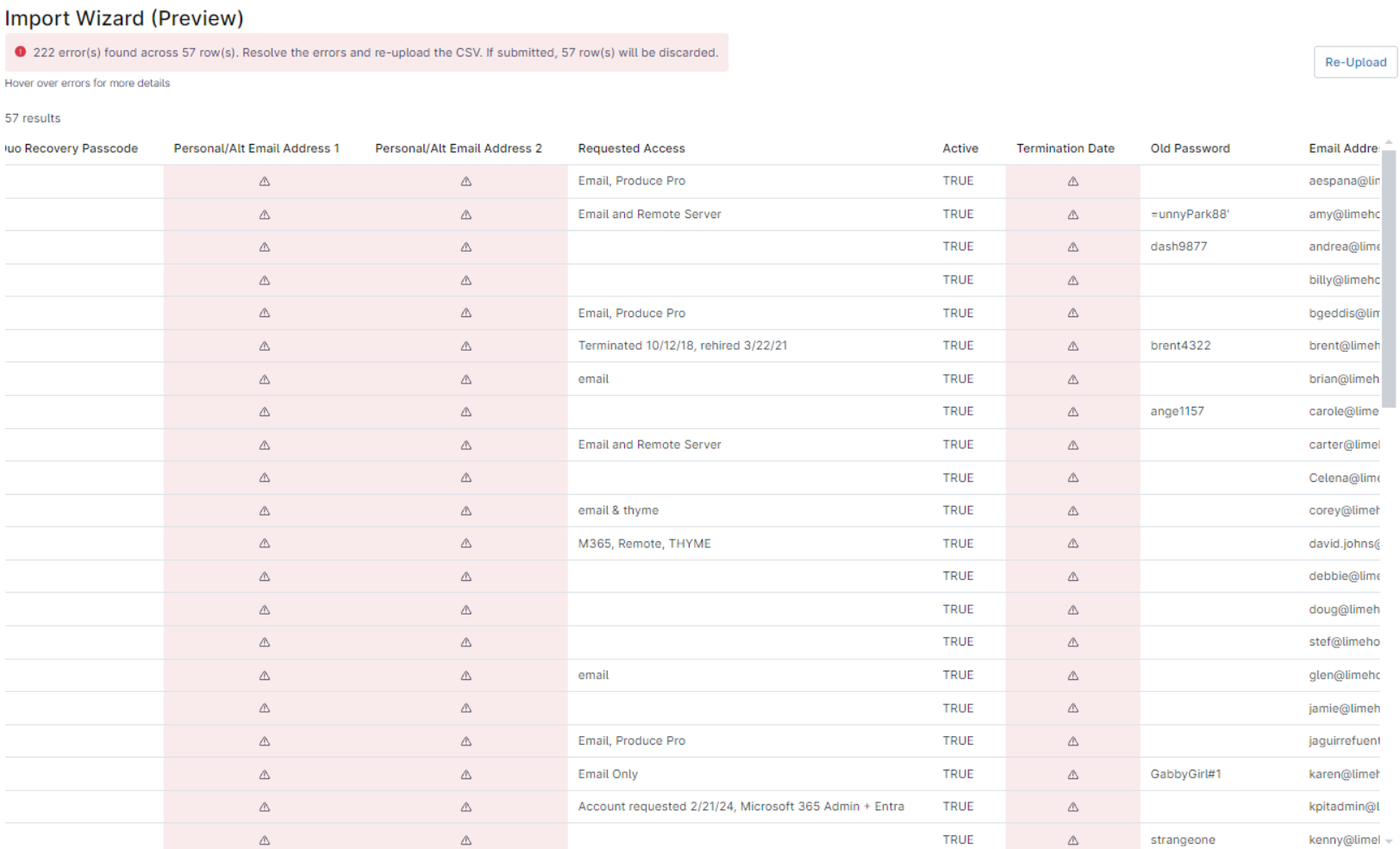
- Sample Error Screenshot
- A: The errors may occur due to the absence of the required value or the values present are improperly formatted.
Q: Can I do a keyword search in Documentation?
- A: Yes. Refer to NinjaOne Documentation: Knowledge Base.
Q: How do I import documentation via CSV?
- A: Refer to Documentation: Import via CSV with Migration Tool.