
Topic
This article discusses how to set up the process of relaying data from NinjaOne into a Security Information and Event Management (SIEM) solution using webhooks that are delivered as the activities occur in NinjaOne.
Environment
NinjaOne Endpoint Management
Description
While NinjaOne tracks historical actions taken within the platform, many organizations need to aggregate these logs in a SIEM tool. You can also retrieve this information via the API.
Before getting started, consider the following important notes:
- Webhooks enable real-time event transmission from NinjaOne to your SIEM.
- You can configure webhooks for specific events like device alerts, policy conditions, or integration-specific notifications.
- This article uses Splunk as an example for context, but you can implement this methodology with any SIEM tool that ingests webhooks.
- Different SIEM tools may have unique webhook configuration methods.
Index
Select a category to learn more:
Synchronize Activity Messages
NinjaOne is configured to stream webhooks into a Splunk HTTP Event Collector (HEC). To do so, perform the following steps:
- Use the following resource to create an HEC in Splunk: Set up and use HTTP Event Collector in Splunk Web - Splunk Documentation (external link).
- Access NinjaOne as a system administrator and navigate to Administration → Apps → API.
- Place your cursor over the question mark icon in the API title bar and click API documentation. You can also access this link from the help resources icon in the top-right corner of the console.
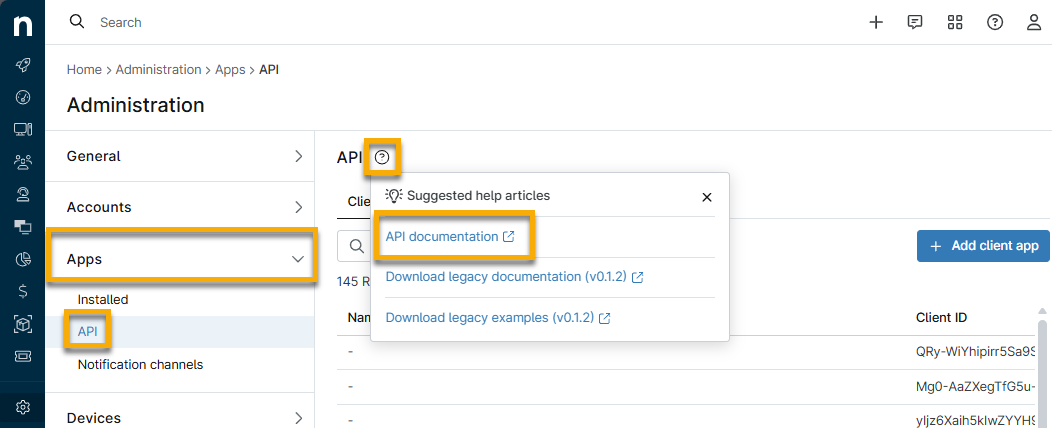
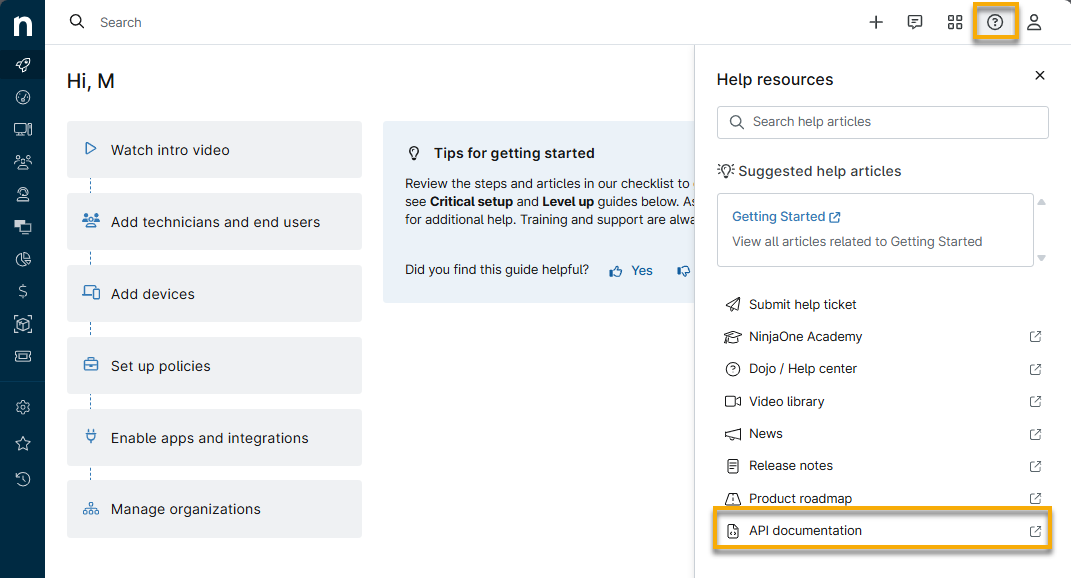
- From the Public API page, find the endpoint /v2/webhook. Refer to Ninja One Public API Reference | Steps to configure webhook integration to learn more about the requirements for using this endpoint.
- Use the provided documentation to decide which activity types you want to convey to the SIEM tool.
- NinjaOne categorizes activities based on the type of action they relate to. For example, CONDITION would retrieve only logs related to triggered alerts and resets. ACTIONSET would be any automation being executed or action taken by a technician.
- Not every activity type may be relevant to your data collection needs, so only select the ones that need to be logged in the SIEM tool. Additionally, you may append additional information by utilizing the EXPAND parameters.
- If you want to customize the payload, refer to the following section to learn how to do so. Example payload: Example configureWebhooks payload - Pastebin.com (external link).
- Click Try it out in the Public API and paste the following example payload into the Request Body field.
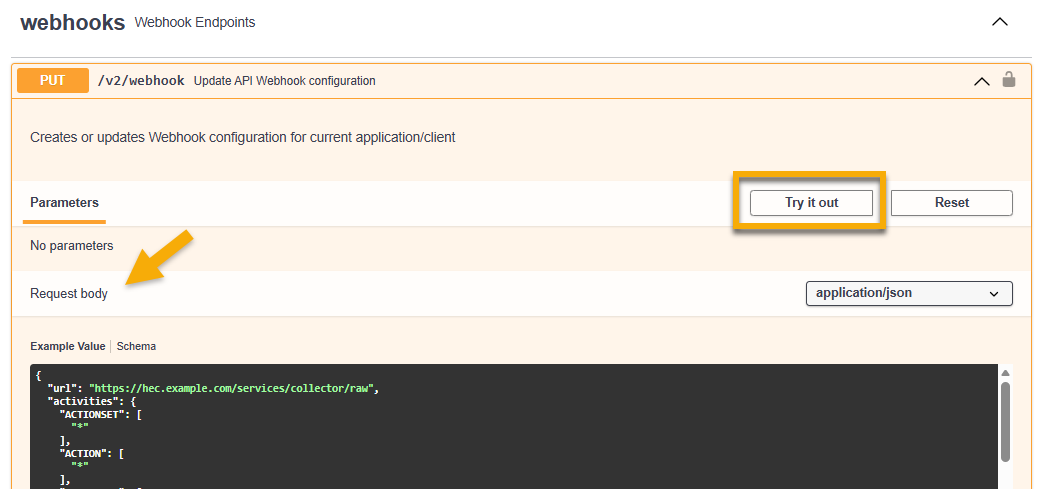
- Click Execute. A 204 response code should be visible upon completion.
Once this process is complete, NinjaOne activities will be sent as webhooks to the SIEM, where they can be ingested. From the Notification Channels menu in NinjaOne, you will notice a webhook entry with no name. It is important that you do not modify this entry in any way to ensure webhooks are continually streamed to your SIEM.
From General → System activities, enable the Webhook failure activity to notify you if there have been issues with webhooks failing or if the webhook becomes disabled, so you can identify and remediate quickly.
Customize an Example Payload
We created an example payload that you can customize at Example configureWebhooks payload - Pastebin.com. To do so, open the link and perform the following steps:
- Insert the URL of the Splunk HEC that was created in step 1 of this article's section titled Synchronize Activity Messages. Ensure that your URL ends with the following in order for the webhooks from NinjaOne to be successfully parsed:
/services/collector/raw - Customize the activityType you want to relay to the SIEM tool. Note that each activityType key uses an asterisk or wildcard (*) as the value in the JSON payload.
- Customize desired expansion parameters.
- Copy the token that NinjaOne created for Splunk HEC in step 1 of this article's section titled Synchronize Activity Messages. Paste the token into the value under headers in the JSON payload. “Splunk” or your other SIEM tool name must precede the token; for example: Splunk 123456.
Additional Resources
For more information about activities in NinjaOne, refer to NinjaOne Endpoint Management: Device and System Activity Notification Feed.
If you want to test webhooks before integrating them directly to your SIEM, Webhook.site - Test, transform and automate Web requests and emails (external link) is a useful website for validation.