
Issue
I need to optimize integration performance so that syncs do not trigger unless we make data changes to the devices.
Environment
- NinjaOne Integrations
- ServiceNow
Cause
The ServiceNow integration automatically uses change tracking to avoid writing unnecessary data to the ServiceNow CMDB. Each sync run stores hashes categorized by device data (storage, hardware, and installed software) and compares them against the previous run. If the hashes do not match, then NinjaOne will sync to CMDB.
Resolution
ServiceNow uses the following base trigger fields:
- Software Latest Install Date
- Minor OS Version
- Network Config (Private IPv4)
- User Accounts (Last Logged in user)
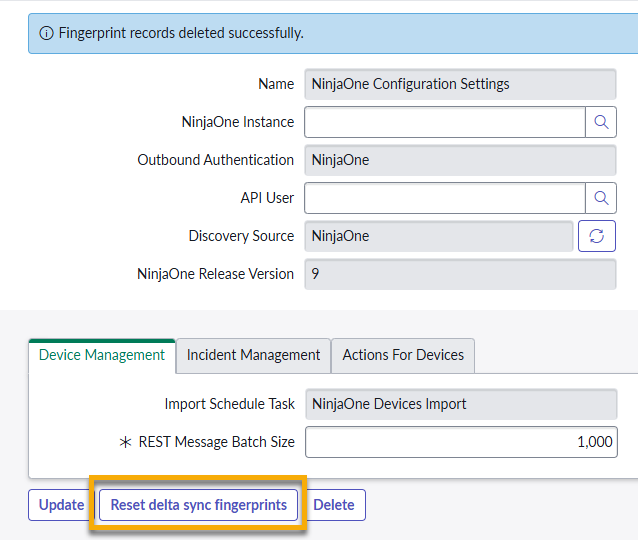
To troubleshoot a ServiceNow sync issue, administrators need to force a full device sync by removing the delta sync fingerprint for affected devices. The Reset delta sync fingerprints button gives system administrators direct control over the delta sync state. This action helps you confirm data is actually flowing to ServiceNow; without it, unchanged data will silently pass through without writing anything.
The reset action deletes all fingerprint records associated with NinjaOne devices in the ServiceNow instance. The sync engine then treats every device as changed and includes it in the next sync cycle. This option will not affect any other sync configuration (field mappings, schedules, filters). ServiceNow automatically rebuilds fingerprints during the following sync.
Additional Resources
Refer to ServiceNow integration documentation in NinjaOne to get the most out of NinjaOne's integration with ServiceNow.