
Topic
This article provides support if you experience performance issues with backup on your monitored endpoints.
Environment
NinjaOne Network Management System (NMS)
Possible Causes and Solutions
Below are possible reasons for this issue. If none of the solutions provided resolve the issue, please collect logs and send them to NinjaOne Support; instructions to do so are here (under Collect Logs).
- Verify that the SSH/Telnet credentials are assigned to the device. This data can be found in NinjaOne under the Settings tab on the device dashboard. You can change this data by moving your cursor over the field and clicking Edit.
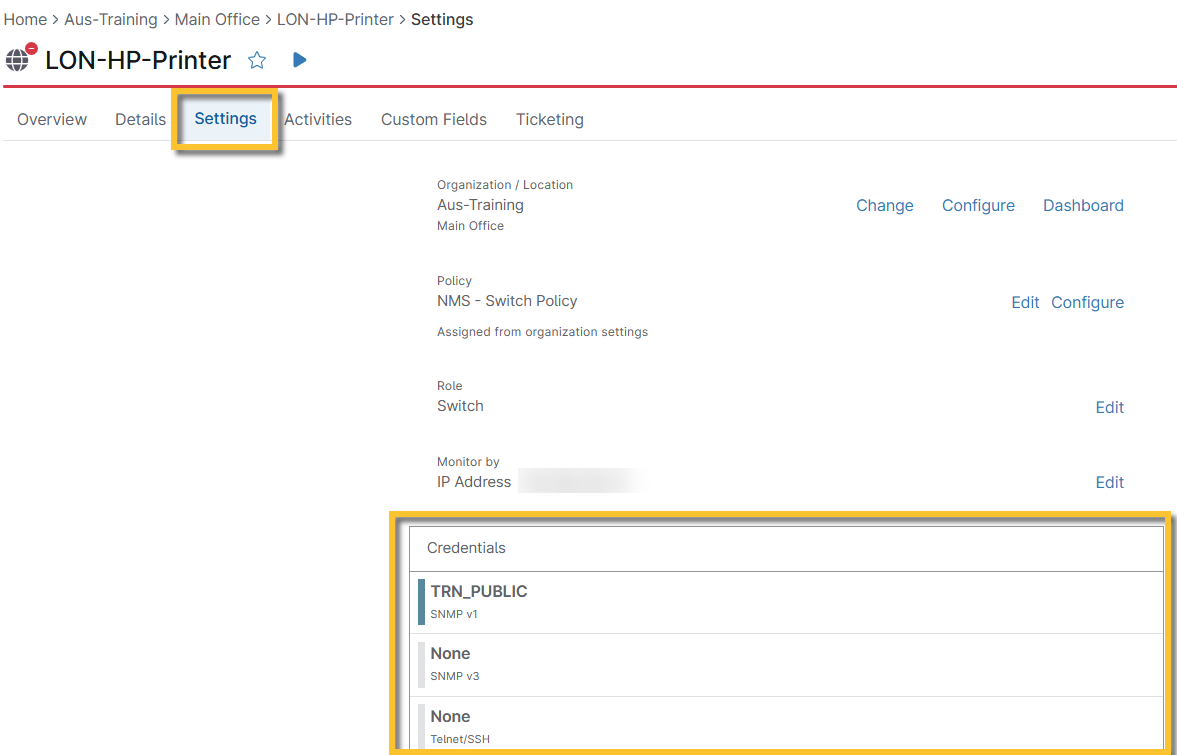
Figure 1: NinjaOne → NMS device dashboard → Settings
- Run a discovery job to make sure those credentials work.
- Make sure you are using a vendor who is supported by NinjaOne, which includes the following:
- Cisco
- HP/Aruba
- Fortinet (limited support)
- Dell (limited support)
- Ensure that the Configuration Backup settings are enabled at the policy level.
- If the device is connected over a VPN, increase the File transfer timeout. For Fortinet devices, we recommend increasing the threshold to 300 seconds.
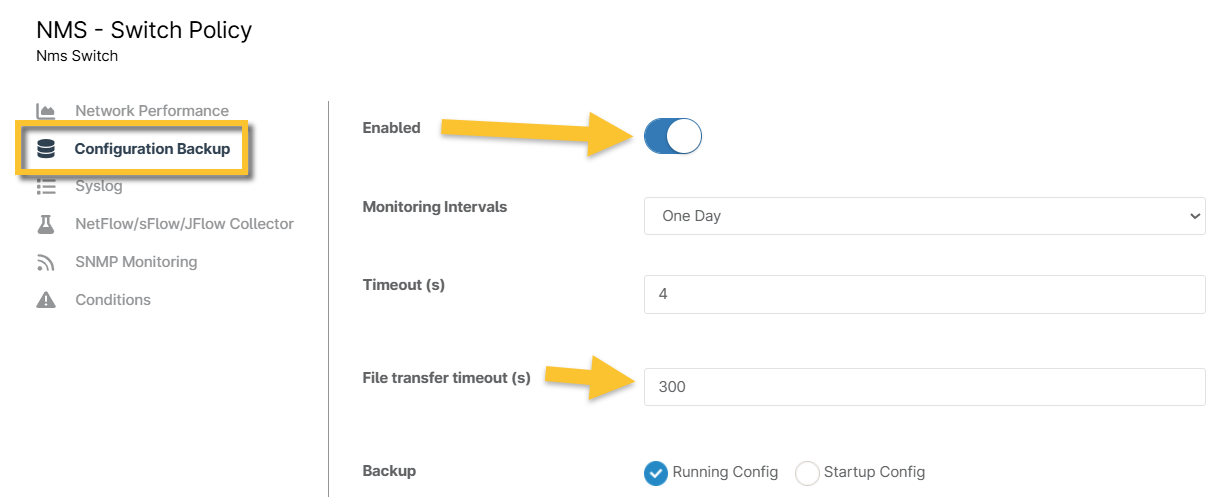
Figure 2: NinjaOne → NMS policy configuration page → Configuration Backup