
Topic
This article provides instructions for using the Passcode section for NinjaOne Mobile Device Management (MDM) policies that manage Apple mobile devices.
Environment
- NinjaOne Mobile Device Management (MDM)
- Apple iOS
- Apple iPadOS
- Apple macOS
Description
Click the Enabled toggle switch to allow configuration for password values, lock after failed attempts, passcode criteria, and update requirements, and auto-lock settings.
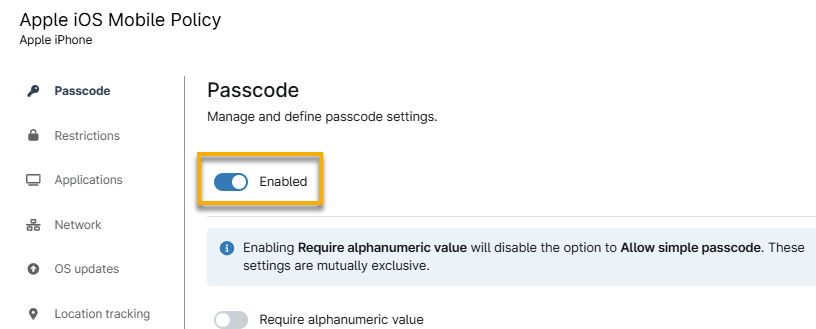
Refer to the following table for a description of each passcode setting.
| Passcode Setting | Description |
|---|---|
| Require alphanumeric value | Enforce using numbers (123) and alphabetical characters (Abc). |
| Allow simple passcode | Allow a simple passcode that contains repeated, increasing, or decreasing characters. |
| Maximum number of failed attempts | Specify the number of allowed failed attempts for a passcode. After six failed attempts, the policy imposes a delay before the user can try a passcode again, and the delay length increases with each attempt. NinjaOne will wipe the device if a user's failed attempts exceed the number set in the policy. |
| Maximum passcode age (days) | Specify the number of days for which the passcode can remain unchanged. After this time, the user must change the passcode before unlocking the device. The passcode will not time out if set to zero (0). User enrollments ignore this setting. |
| Maximum grace period for device lock | Determine the period during which the user can unlock the phone without entering a passcode. When the grace period expires, the system auto-locks the device, and the user receives a prompt to enter their passcode. |
| Minimum number of complex characters | Allow complex (or "special") characters for the passcode. A complex character is a character other than a number or a letter, such as "&, %, $, or #". User enrollments ignore this setting. |
| Minimum passcode length | Enforce passwords to use a minimum number of characters in a password. This parameter is independent of the optional Minimum number of complex characters setting. |
| Passcode history | The number you set here determines how many passcode entries the user can apply before they must create a new, unique passcode. For example, if you set this requirement to 3, a user can reuse a password up to three times before they need to update it with different characters. |
| Maximum auto-lock | Specify the number of minutes the device can remain idle before NinjaOne locks it and requires the user to enter their passcode. Users can edit this setting on their device, but the value cannot exceed the policy setting. |
Additional Resources
Use the following resources to learn more about managing Apple devices for NinjaOne MDM: