Issue
When selecting an environment, the URL for the REST messages does not update.
Environment
- NinjaOne Integrations
- ServiceNow
Cause
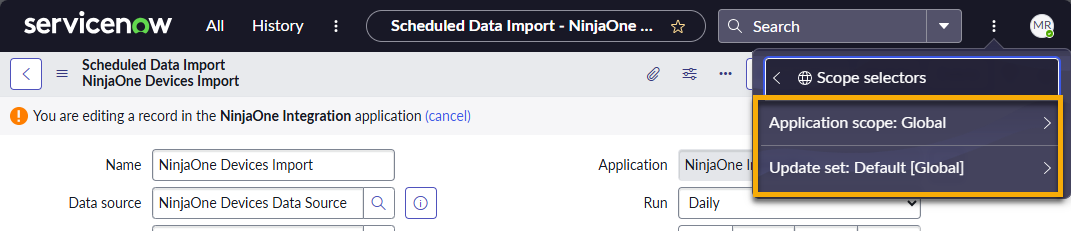
This issue is most likely caused by mismatched permissions that occur when accessing ServiceNow through the wrong application scope.
Resolution
To resolve this issue, change the application scope and update the sets.
- From the schedule data import page in ServiceNow, click the ellipsis icon and select Scope selectors.
- Select the NinjaOne scope option.