
Topic
This article describes how to use the Stagger feature to load balance patch download and installation across your NinjaOne-managed devices.
Environment
NinjaOne Patch Management
Description
The Stagger feature allows you to distribute patch installation times across your devices to avoid simultaneous updates, reducing network strain and keeping your infrastructure running smoothly. You can set distribution parameters for both your scan and update schedules.
How the Stagger Feature Works
The Stagger feature uses the following process:
When a device is ready to start a staggered scan or update schedule, NinjaOne calculates a random delay value within the defined stagger window (from 0-59 minutes and 0-23 hours).
NinjaOne runs the job at: Scheduled Start Time + Randomized Value (randomized to the minute).
A new randomized value is chosen every time the schedule runs.
Each NinjaOne agent chooses its own start time independently. Because each device randomizes within the same window, the distribution naturally spreads start times across the entire device population, producing an even distribution with minimal overlap.
Stagger Parameters
The policy's patching settings page displays up to two parameters for adjusting stagger.
- Stagger over: This parameter lets you distribute the start times for your devices' scan and update actions. NinjaOne will balance each device's action start time to fit the range you select.
- Duration: This option sets a maximum time limit for how long a Microsoft Windows operating system (OS) schedule is allowed to run. When used with a staggered patch schedule, the duration countdown begins after the delayed schedule start on the device. This option is only available for Windows OS patching.
Navigating to the Stagger Settings
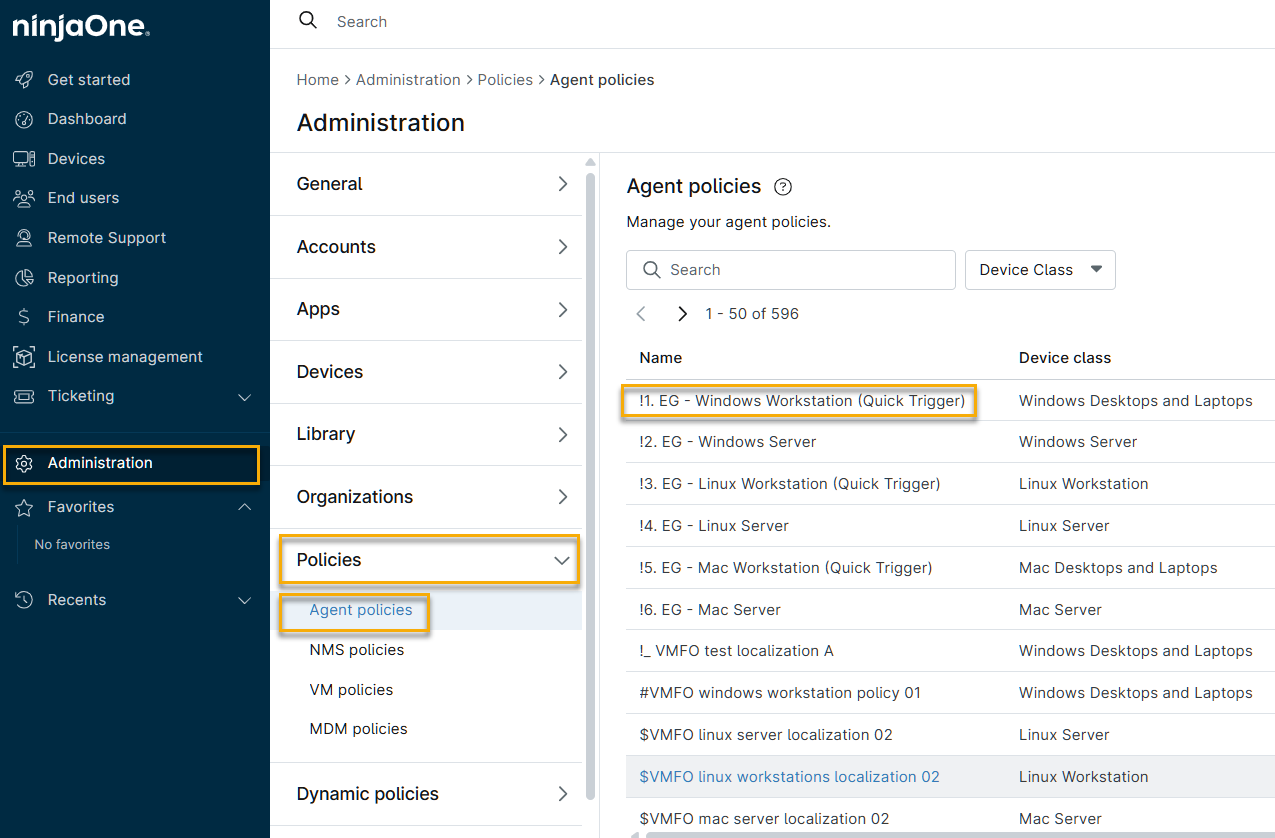
- In NinjaOne, navigate to Administration → Policies → Agent policies, then choose a policy from the list.
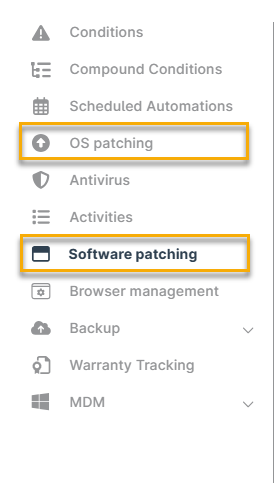
- On the policy's configuration page, choose a patching option (either OS patching or Software patching).
- Click either your Scan Schedule or Update Schedule to open scheduling options and use the counters to set your stagger and duration times.
