Topic
This article describes how to configure multi-factor authentication (MFA) timeout settings for NinjaOne Remote.
Environment
NinjaOne Endpoint Management
Description
NinjaOne enables you to configure independent MFA timeout durations for access to remote tools. After the timeout period for a category expires, NinjaOne requires you to reauthenticate via MFA before allowing remote tool access. To configure MFA timeout settings, proceed to the next section.
Configuring MFA timeouts
You can find the MFA timeout configuration menu in NinjaOne's Security settings tab. You must have System Administrator permissions to access the Security settings tab.
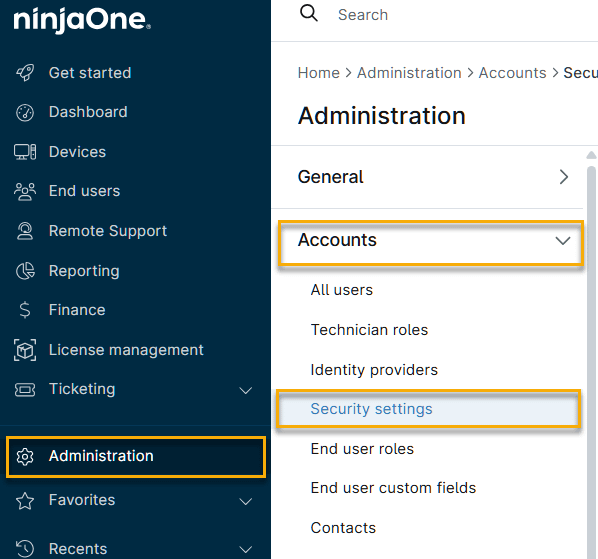
- In NinjaOne, navigate to Administration → Accounts → Security settings.
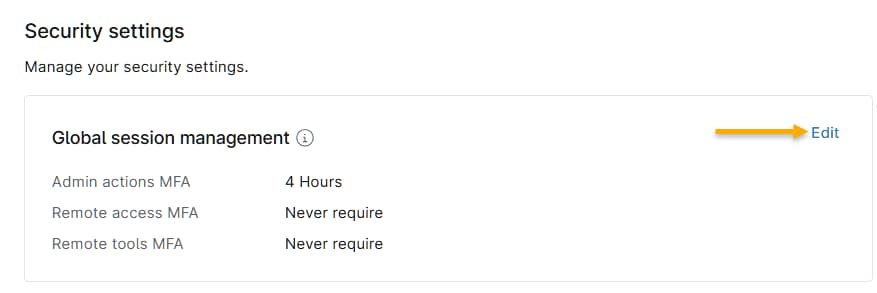
- On the Global session management card, click Edit.
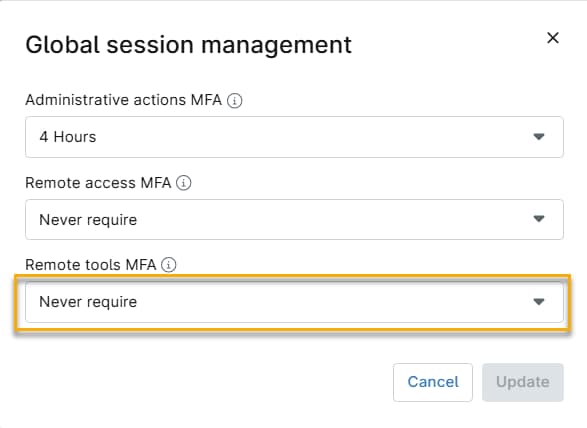
- The Global session management dialog will open. Use the Remote tools MFA drop-down menu to set the timeout duration. When finished, click Update.