
Topic
This article describes the concept of ring deployment in NinjaOne and how to use it for staggered patching in your environment.
Environment
NinjaOne Patching
Description
Ring deployment is a software update strategy in which new patches are first released to a small group of devices for pilot testing. After passing an initial evaluation, the release scope expands to larger groups. The term "ring deployment" gained popularity with Microsoft's Windows 10 Insider (Preview) program. This approach releases new Microsoft Windows updates in phases, known as "rings." Before, many referred to them as staged, phased, wave, or progressive rollouts.
Developers use this method to test changes with a small group of users before gradually expanding the release to a larger audience. Patch administrators increasingly adopt ring deployments to minimize risks from buggy updates, compatibility issues, and other unexpected problems.
NinjaOne implements ring deployments by combining device roles (assigning different roles for each wave of patch releases) with inherited policies. Select a topic to continue.
- Create Device Roles for Rings
- Configure Patch Management Policies
- Monitor Patch Deployment
- Adjust Deployment Based on Results
- Best Practices
- Additional Resources
Create Device Roles for Rings
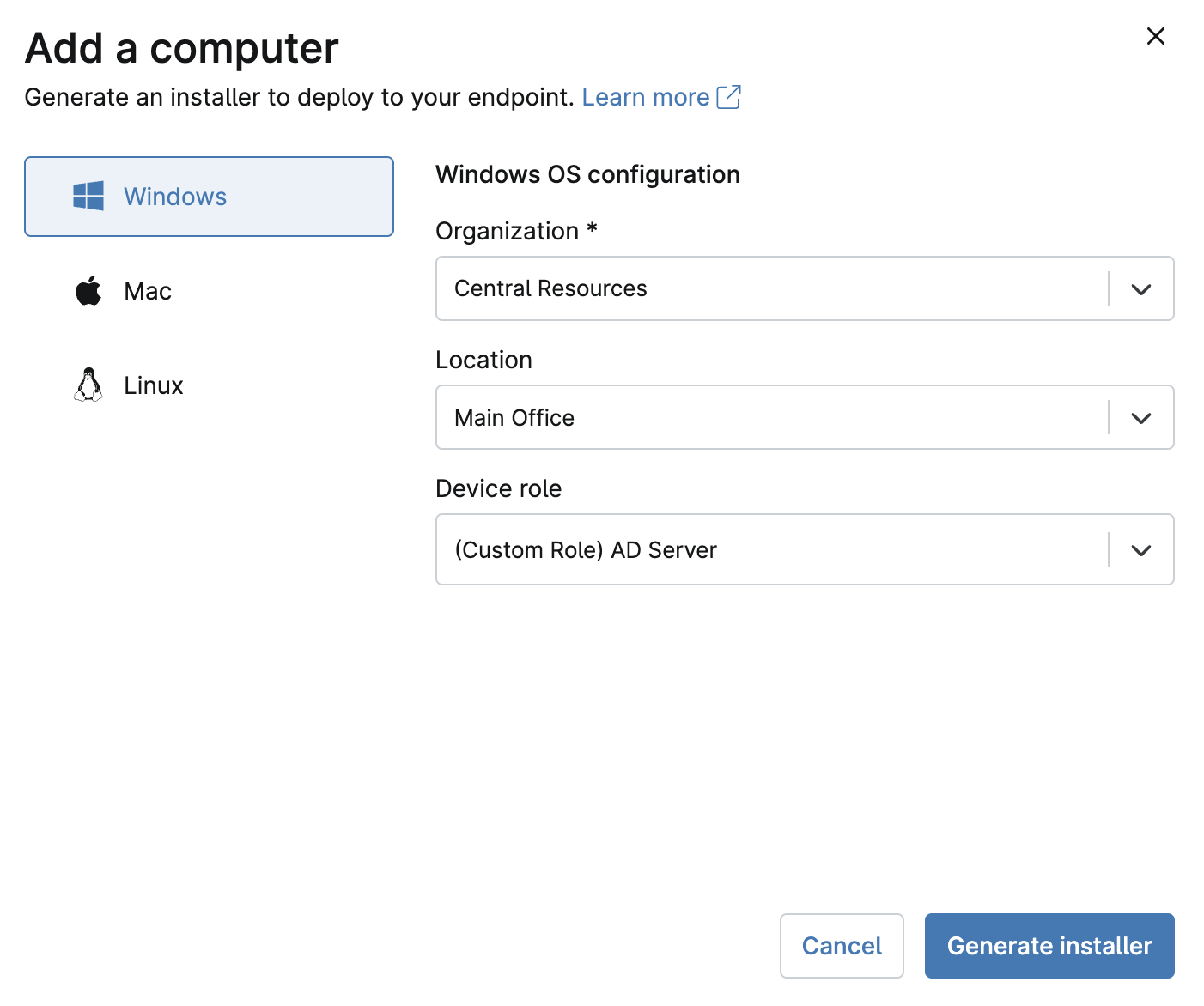
We recommend creating specific device roles to simplify the process of assigning new endpoints to a predefined "ring." NinjaOne can dynamically manage the rings as devices are assigned to the role for each respective ring.
- In NinjaOne, navigate to Administration → Devices → Roles.
- Create separate roles for each ring (such as Ring 1, Ring 2, and Ring 3). Refer to NinjaOne Endpoint Management: Device Roles for more information on creating and assigning roles.
- Assign devices to these roles based on your deployment strategy. For example, test devices might be placed in Ring 1, while you might locate other, more critical devices in later rings.
Create and Configure Patch Management Policies
Next, you must create the management policies that correspond to each ring by doing the following:
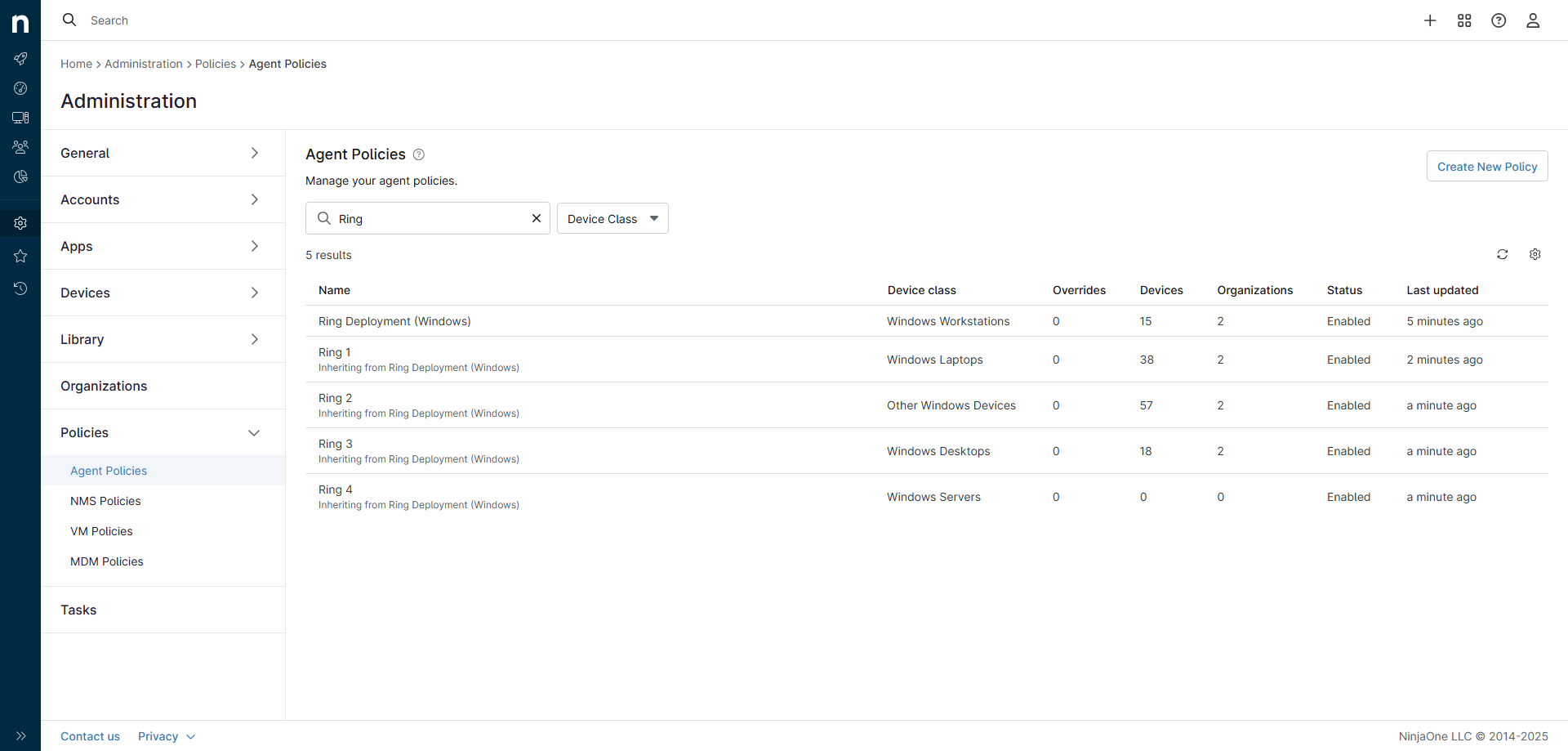
- Navigate to Administration → Policies → Agent policies, then click Create New Policy.
- Create a parent policy to hold your ring policies.
- Create patch management policies for each ring.
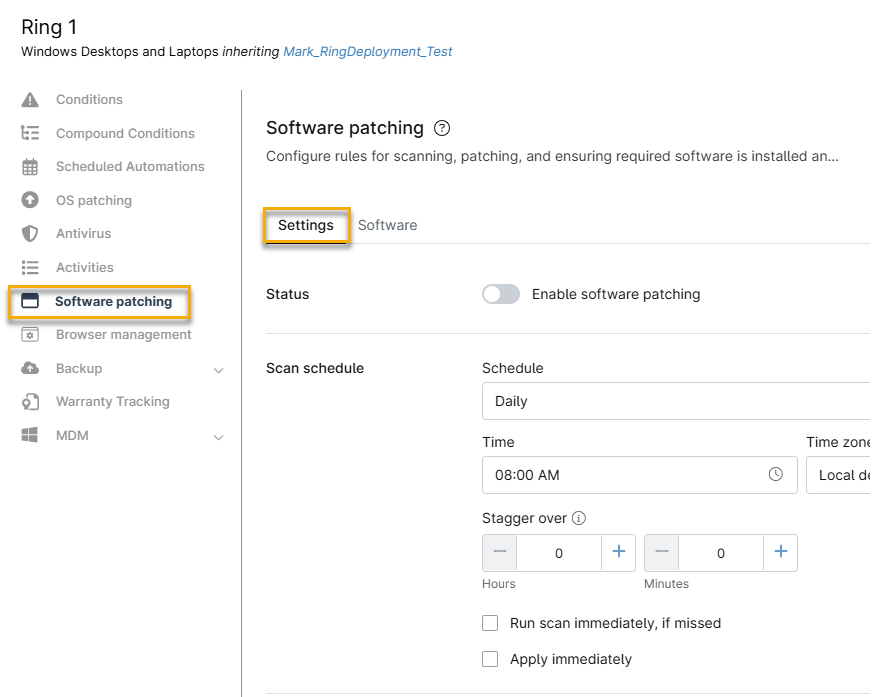
- On each ring policy's configuration screen, click Software patching, make sure the Settings tab is selected, and configure the following settings:
- Scan Schedule: Set a specific time for patch scans.
- Update Schedule: Set a specific time for patch application, allowing sufficient time between scans and updates to ensure optimal performance. We recommend intervals of at least one hour apart.
- Reboot Settings: Configure the endpoint's reboot behavior based on your organizational needs.
- Approval Settings: Use Auto, Manual, or Reject for patch approvals. For ring deployment, you can manually approve patches for the first ring and monitor the results before the scheduled deployments begin for subsequent rings.
Refer to NinjaOne Patching: Windows Third-Party Software Patch Management for more information on policy configuration.
- After configuring the policies, assign them to each respective role (ring). Verify that each ring has its own policy to allow for staggered deployment.
Monitor Patch Deployment
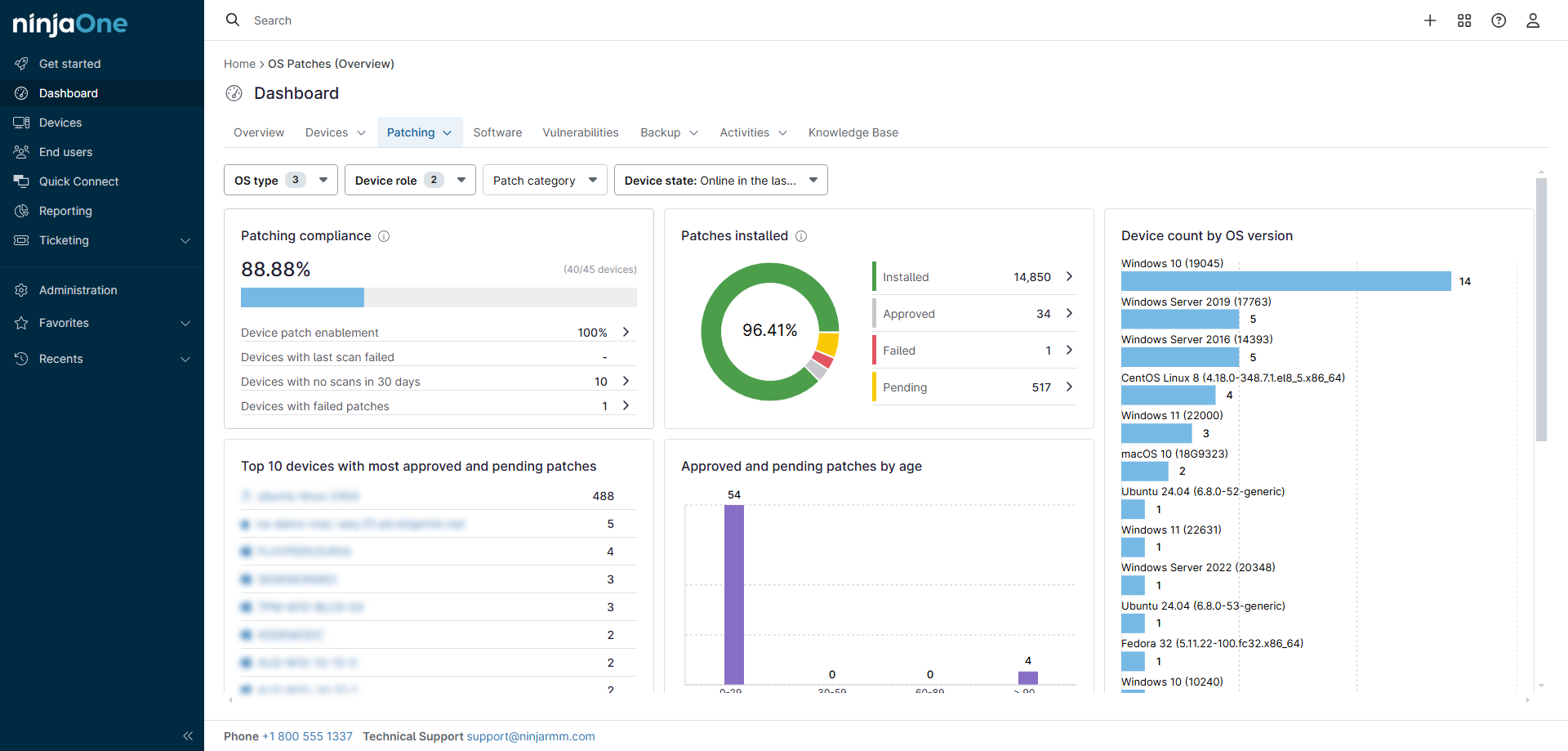
Use the Patch Management dashboard to monitor the status of patch scans and deployments. Check for Pending, Approved, Rejected, Installed, and Failed patches. Review the Device state to ensure devices are online and reporting correctly. Pull logs from affected devices to investigate any failed patches.
Adjust Deployment Based on Results
After you deploy patches to Ring 1, monitor for any issues or failures. If you don't detect any problems, you can allow the scheduled deployments to proceed for subsequent rings. If you detect problems, you can deactivate the patch application schedule for the remaining policies.
Best Practices
Keep the following best practices in mind when working with ring deployments:
- Before deploying critical updates widely, test them on a small subset of devices in Ring 1.
- Ensure that reboot schedules align with business hours to minimize disruption.
- Use the Reporting feature to generate summaries of patch deployment progress and results for each ring.
Additional Resources
The following additional articles will help you obtain maximum value from your patch management features: