
Topic
If you need to search for the devices that may be attached to a certain policy, you can do so from the following locations in the NinjaOne console.
Environment
NinjaOne Endpoint Management
Description
Select a topic to continue.
Device Search Grid
- Navigate to the Devices tab in the left navigation pane and open the Additional Filters+. Select Policies.
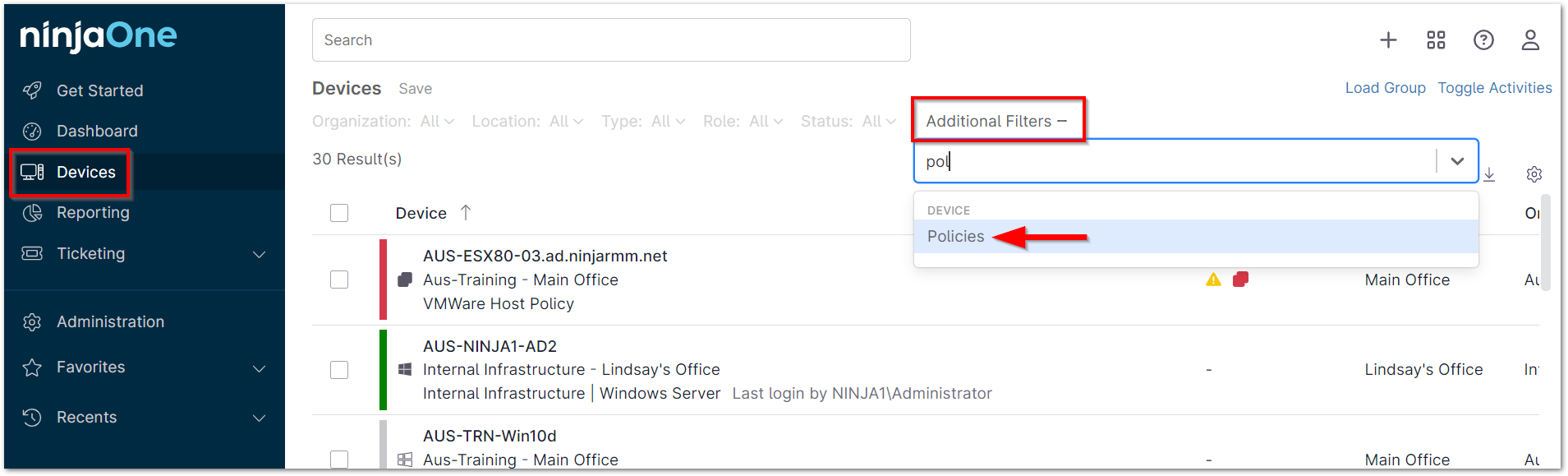
- Select the policy (or policies) that manage the device(s) you would like to view.

- Click outside of the module to view the resulting device list.
Administration
- Navigate to Administration > Policies. Review the Devices column to see the number of devices under a policy. In the screenshot example below, there are four devices under the Internal Infrastructure | Windows policy.
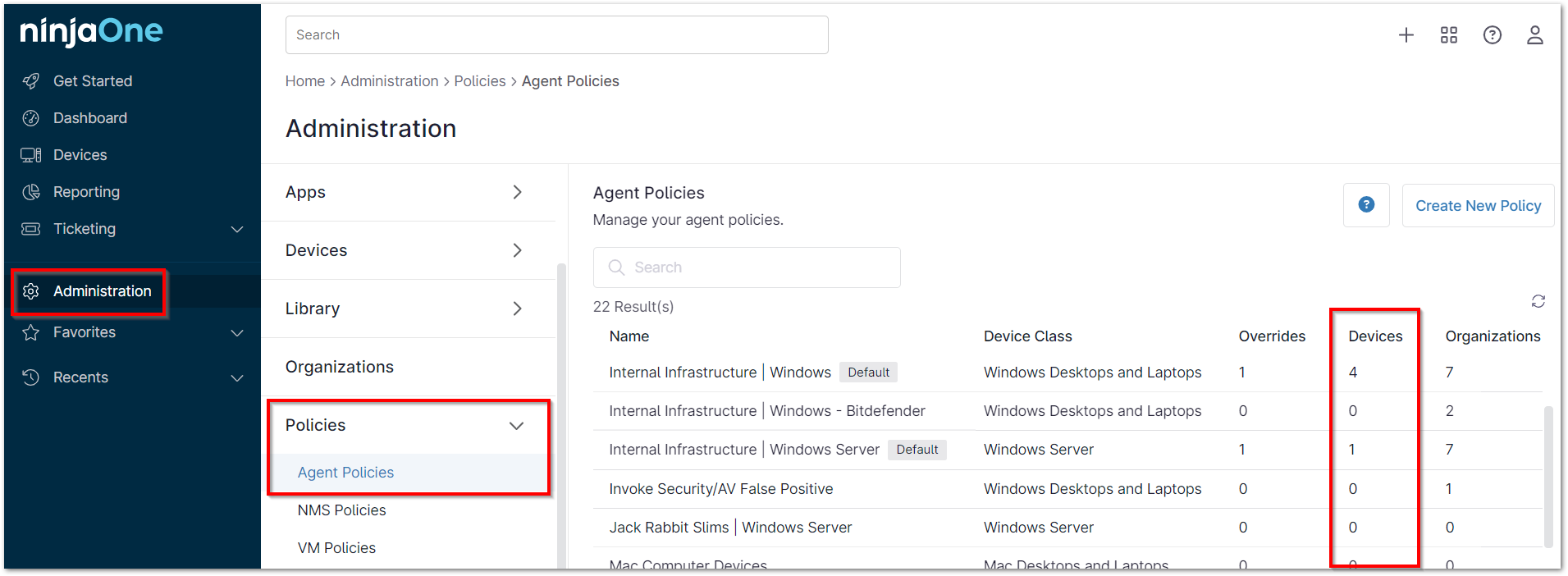
- Click on the number, which serves as a hyperlink, to navigate to the Device Search Grid. The Device Search Grid automatically updates to filter for the specific list of the devices under the policy selected.
