
Topic
This article explains how to back up and download Microsoft Teams private chats.
Environment
- NinjaOne SaaS Backup
- Microsoft 365
Description
Microsoft Teams private chats are direct messages between individual users that are not part of a larger team chat.
NinjaOne SaaS Backup includes private chat backup by default for organizations with the Archiver plan. However, backup does not start automatically. To begin backing up private chats, you must first complete the credential setup and then activate backups.
The following instructions explain how to set up and activate private chat backups.
Setting up Credentials
Credential setup authenticates and authorizes access to the Microsoft 365 environment.
To set up the credentials for an organization, follow these steps:
- Log in to the NinjaOne SaaS Backup end-user portal and click the Private Chat tab from the dashboard.
- Click Go to Credential Settings.
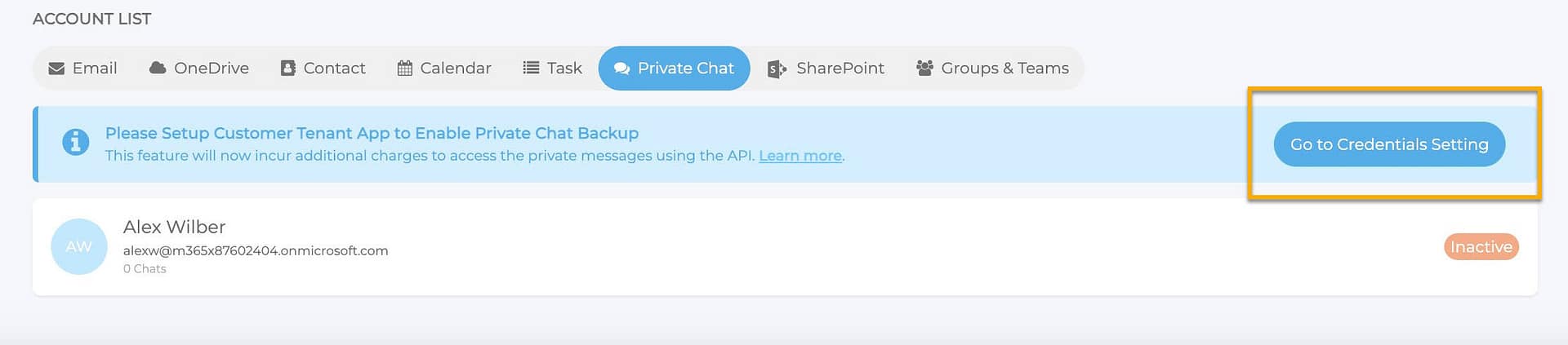
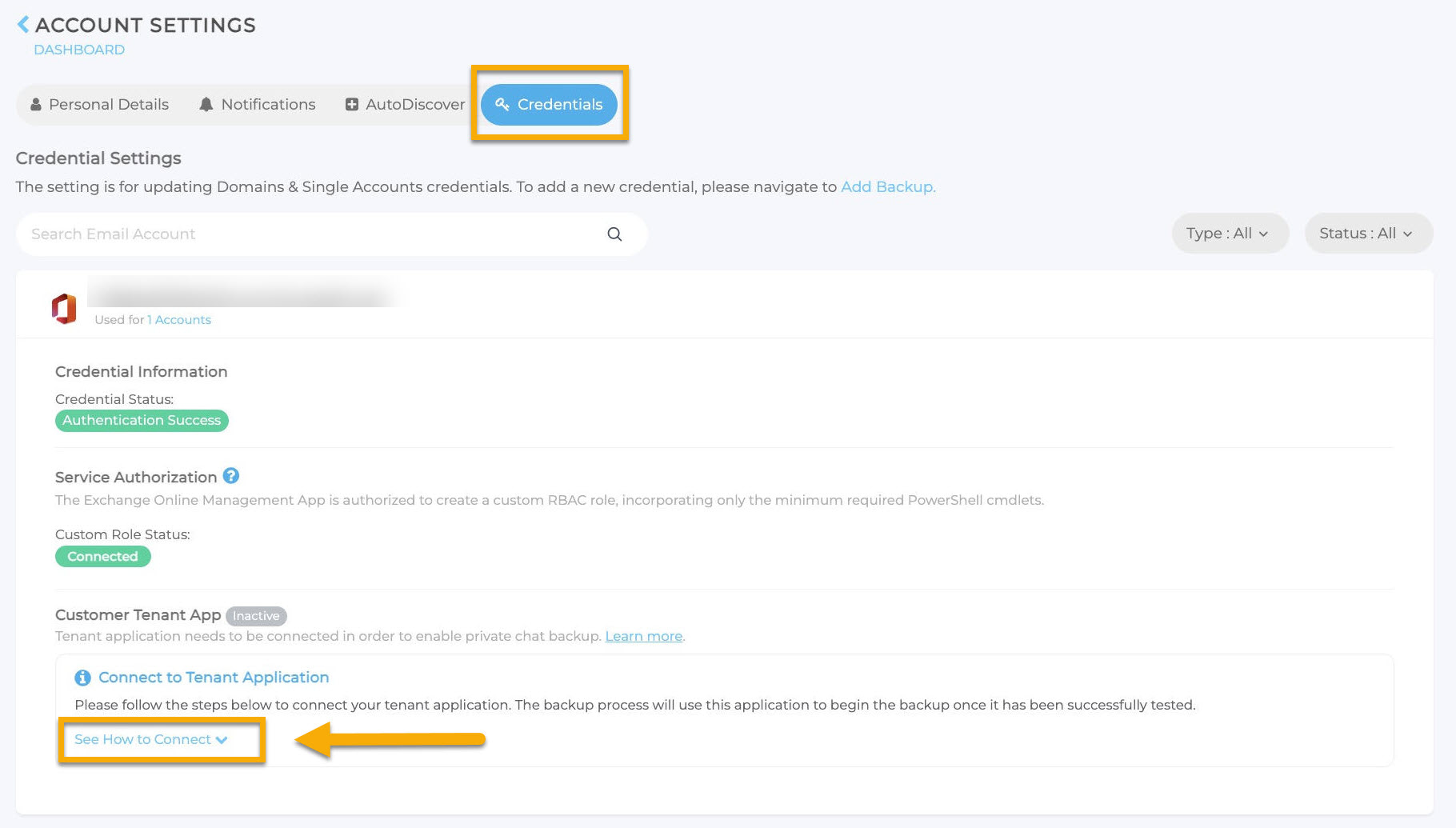
- NinjaOne SaaS Backup will redirect you to the Credentials tab on the Account Settings page. Click Reauthenticate to authorize the backup admin account to reauthenticate. Once reauthentication is complete, all Microsoft 365 (M365) accounts currently backed up will display in the Private Chat tab with an INACTIVE status.
- Expand the See How to Connect section.
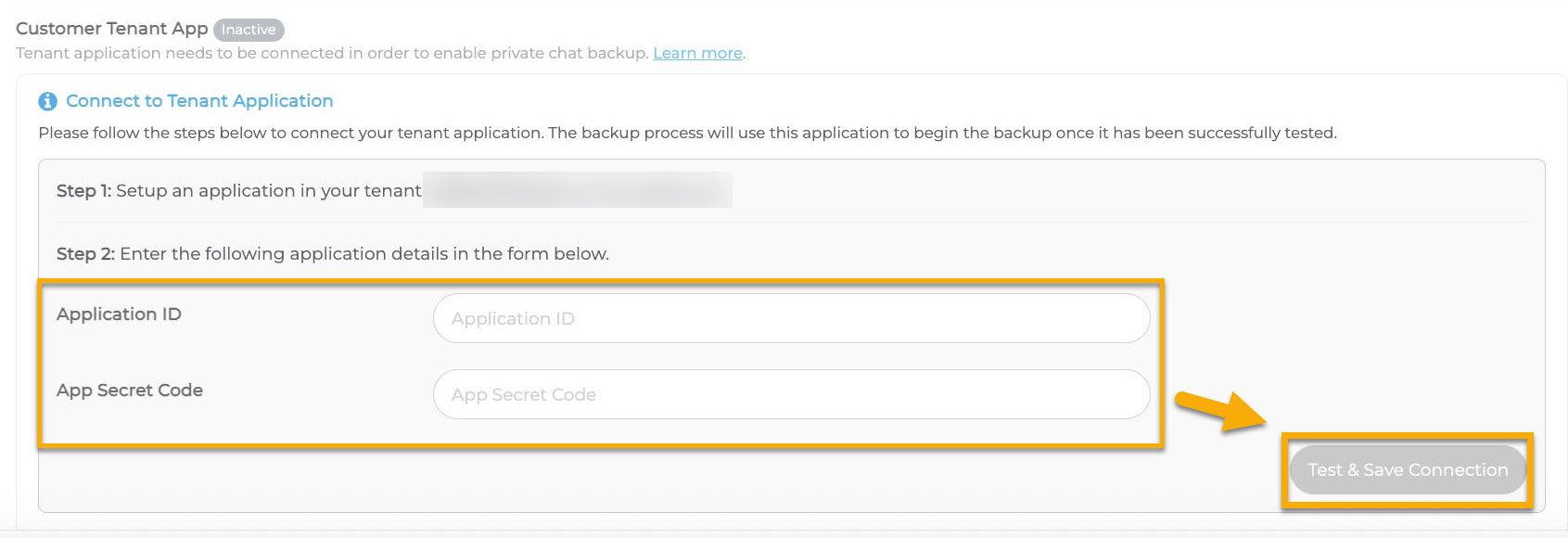
- Enter the correct application ID and application secret code, then click Test & Save Connection to complete the setup. For more information, you can download and review the Private Chat Backup User Guide (DOCX) file attached directly to this article.
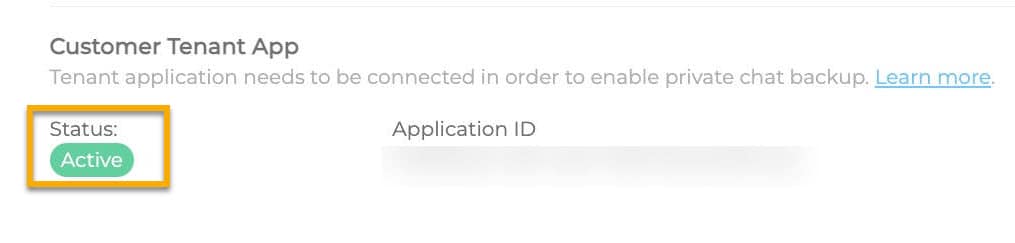
Once the setup has completed successfully, the form will no longer appear, and a Status: Active message will display.
Activating Private Chat Backup
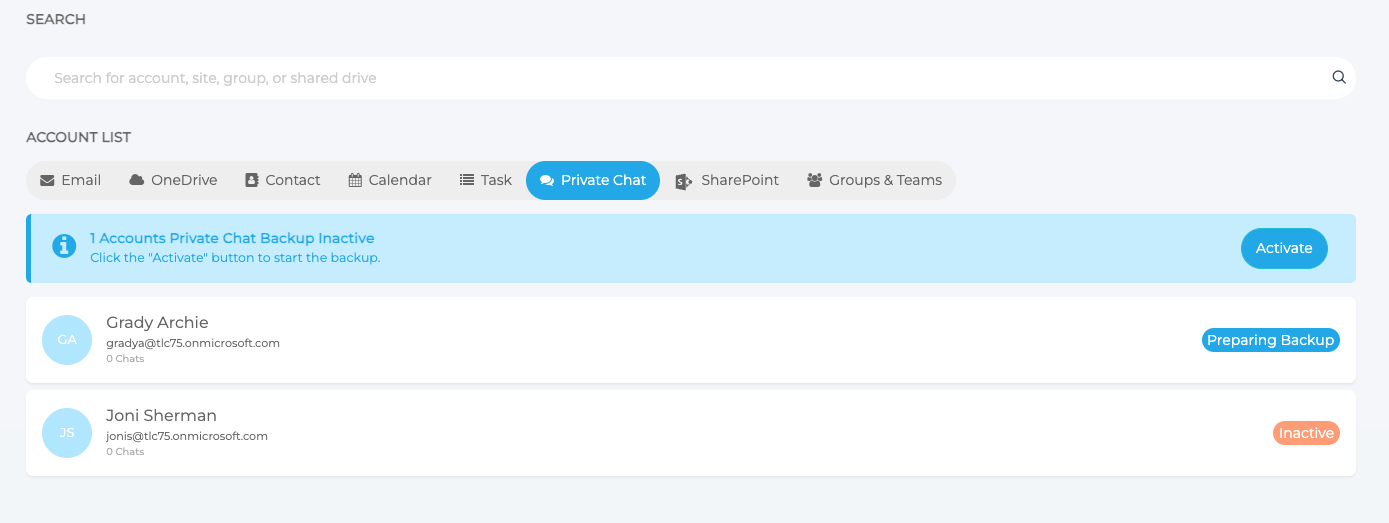
After the initial setup, private chat backups will be inactive for all users. You'll need to activate private chat backup before performing backups. Follow these steps to activate private chat backups:
- On the Private Chat tab, you can activate in bulk or individually:
- To activate in bulk on all accounts, select all accounts and then click Activate.
- To activate individual users, select the private chat account and click Activate.
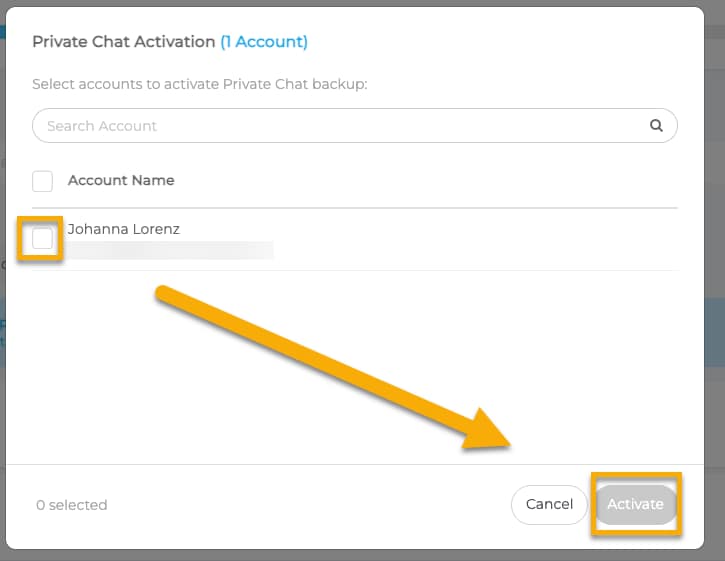
- In the Private Chat Activation dialog, select the private chat accounts you wish to back up, then click Activate.
You can review the last backup status on the Private Chat tab once NinjaOne SaaS Backup has completed the backup.
Private Chat Download
Follow these steps to download a private chat:
- Log in to the end-user portal, and from the end-user portal dashboard page, select the Private Chat tab.
- Move your cursor over the email address. The Download option will display.
- Click Download. You can select from three file formats: EML, PDF, and CSV.
- Select the required file format. You can choose to download text only or text with attachments.
- Once you select the required download option, a prompt will appear to initiate the download. Select the desired date range and then click Generate Download.
- Click Yes, continue to proceed. You can check on the status of the download by navigating to System Status → Downloads.
- Once the download completes, click the link to download the data.
Additional Resources
The NinjaOne Dojo provides documentation for the NinjaOne SaaS Backup integration. For resources specific to the full NinjaOne SaaS Backup platform, including release notes and troubleshooting guides, visit the NinjaOne SaaS Backup Help Center.