

For more detailed information about scripting and custom fields, please see Custom Fields and Documentation: CLI and Scripting. For more information about scripting, please see Automation Library (Scripting).
Important Notes:
- When you create your custom field, you need to make sure that you set the Scripts permission to ensure that you can read or write to the field from your scripts — as appropriate for the script you're using.
- Writing to custom fields will overwrite the current value.
- To create a new custom script that pushes information to custom fields, navigate to Administration > Library > Automation > Add > New Script.

From here you can access the new NinjaOne custom snippets. Custom snippets are building blocks within scripts that say, "read this" or "write this". They assist in the creation of a script used for custom fields.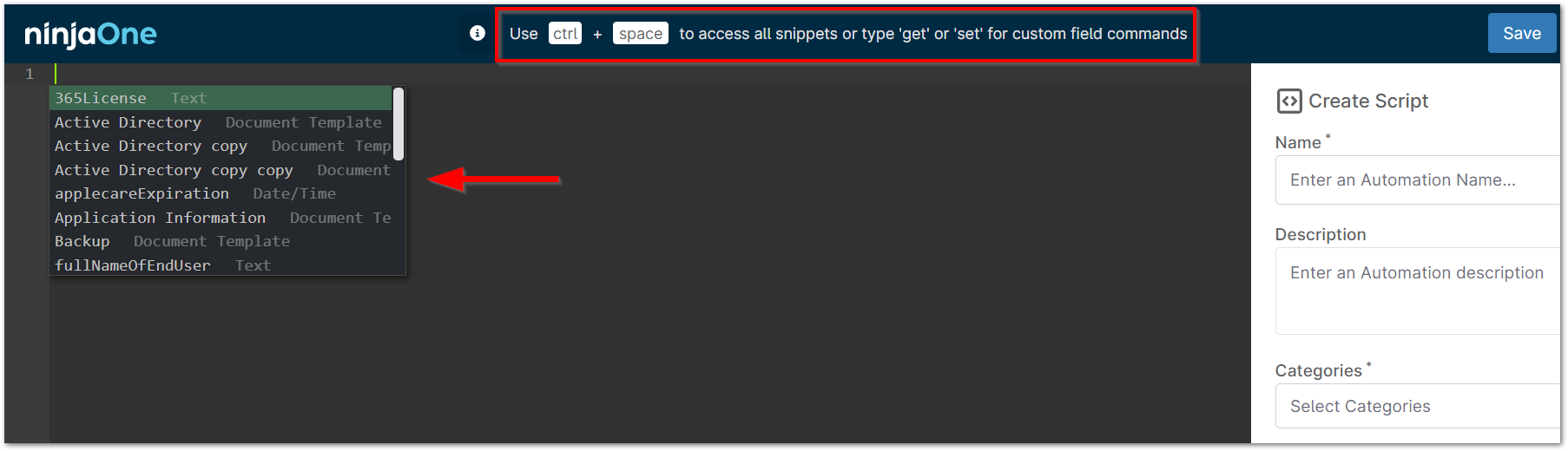
- Select the programming language of choice, operating system, and architecture. Use ctrl + space on your keyboard to bring up the snippets menu.
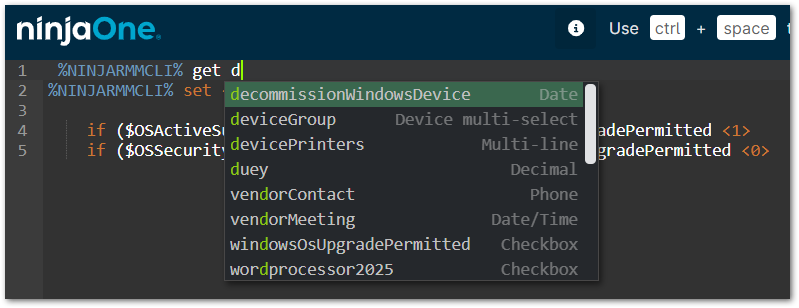
Now, when you run the script on a device (either by Scheduled Task, Scheduled Script, or ad-hoc), you can have information automatically pulled from or populated to the referenced custom field.
Check out our custom and shared scripts page in the Dojo for additional resources.