
Topic
This article explains how to search for devices by their custom field value.
Environment
NinjaOne platform
Description
When performing a device search filtering on custom fields, the results reflect the hierarchy of custom fields. For example, if a checkbox field is used at the location level, all the devices for that location are returned when you search for that field being used. This allows you to target scripts and application installations against devices based on inherited values.
- Open the Devices search page. Refer to Find and Manage Endpoints from the Devices Search Page for more information about how to use this page.
- Click More Filters and choose Custom Fields.

- Use the Add button to create "all" or "any" parameters. You can then search for devices that meet all or any of the selected filters.
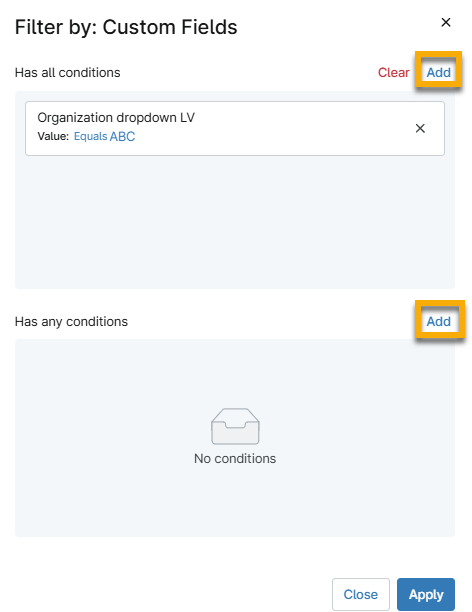
- Click Apply.