
Issue
I can review Configuration Items for an individual site in my Autotask environment, but they do not display when I use the search function in Autotask.
Environment
NinjaOne Integrations: Autotask
Cause
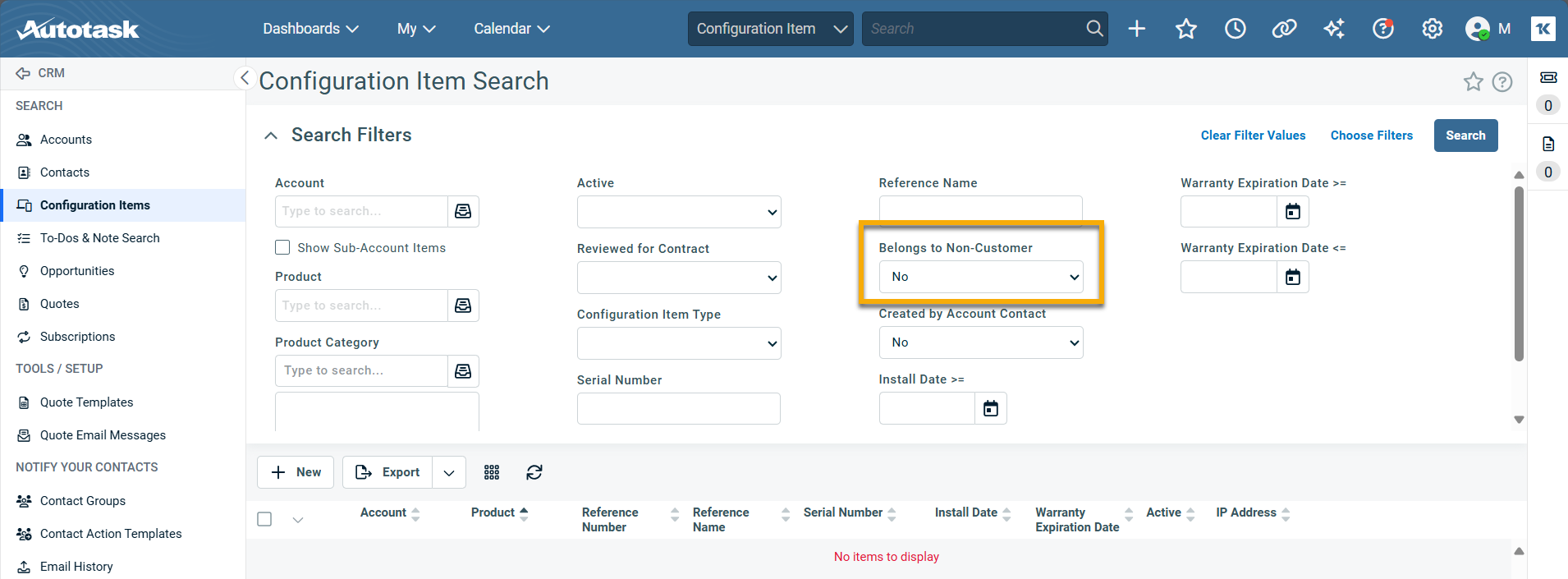
This may occur if the Site Type is not set to Customer. The Configuration Item search in Autotask has the Belongs to Non-Customer filter set to No by default.
Resolution
Change the Belongs to Non-Customer filter to Yes to review results that belong to non-customer sites.
Additional Resources
Refer to the following resource to learn more about third-party applications that can integrate with NinjaOne: Integrations and Third-Party Apps: Resource Catalog.