
Topic
This article explains how to assign ownership or device access to end users in NinjaOne.
Environment
NinjaOne Endpoint Management
Description
End-user sharing allows you to easily grant end users access to their own machines through NinjaOne. You can also assign device ownership to an end user for reporting purposes.
Granting access to a device is a separate process from assigning the device to a user. Multiple users can access a device, but only one user can be assigned responsibility for it.
Select a category to learn more:
Give a User Ownership of a Device
By assigning a device, you give ownership of it to someone. There are two ways you can assign a device in NinjaOne:
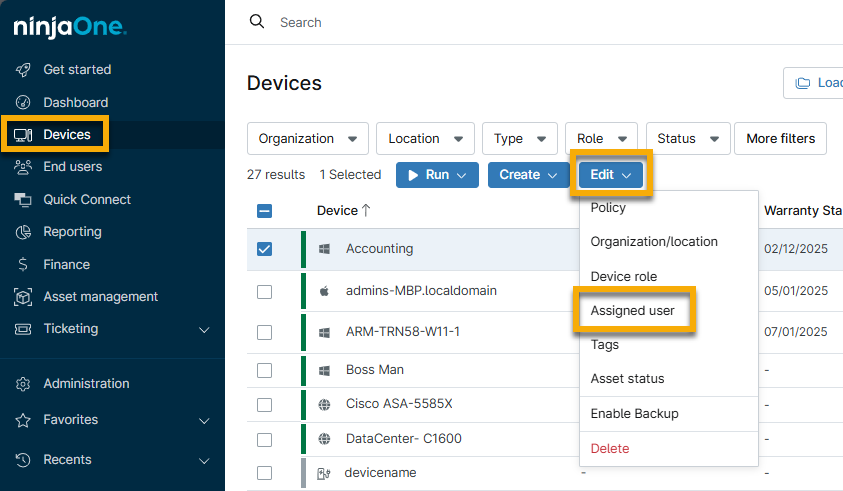
Assign Ownership from the Devices Search Page
To change a device's assigned user from the Devices search page, select a device and click Edit → Assigned user and select a new owner from the modal.
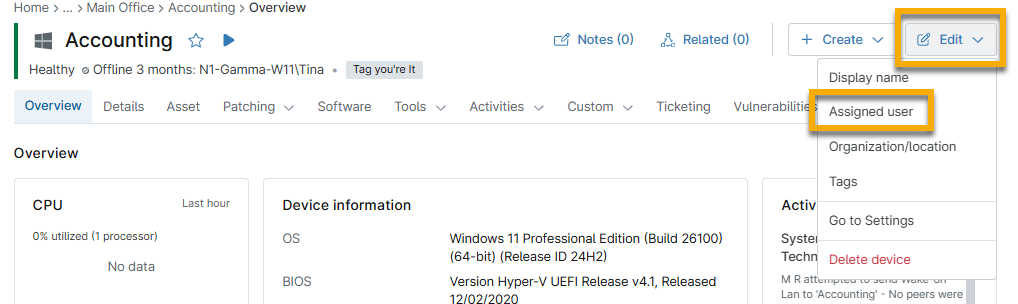
Assign Ownership from the Device Dashboard
To change a device's assigned user from the device dashboard, click Edit → Assigned user in the top right corner of the page and then select a user from the modal.
Give a User Access to a Device
You have two choices when giving access to devices:
Grant Device Access to a Single User
To grant a single user access to a device, perform the following steps:
- Open an end user configuration page. You can do this from the end user dashboard (select an end user and then click Edit Settings), or from Administration → Accounts → All users.
- On the end user configuration page, select the Devices tab on the left and click Add Device(s) in the top right corner of the page.
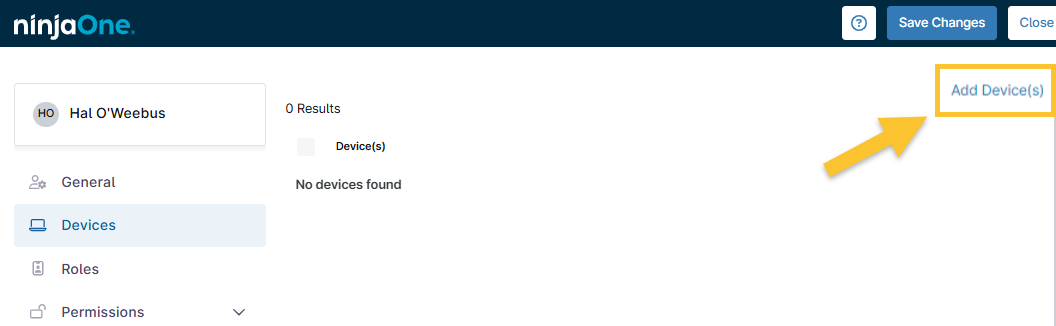
Figure 3: NinjaOne end user configuration page → Devices → Add Device(s)
The Add Device(s) modal displays with a list of devices managed by the organization to which the end user has been given access.
- Use the checkboxes to select the device that you'd like to grant the end user access to, and then click Save.
- Click Save again on the configuration page.
Grant Device Access to Multiple Users
To grant multiple users access to a device, perform the following steps:
- To assign devices to multiple users within an organization, navigate to the End Users tab of the organization configuration page and click Assign Devices in the top-right corner of the page.
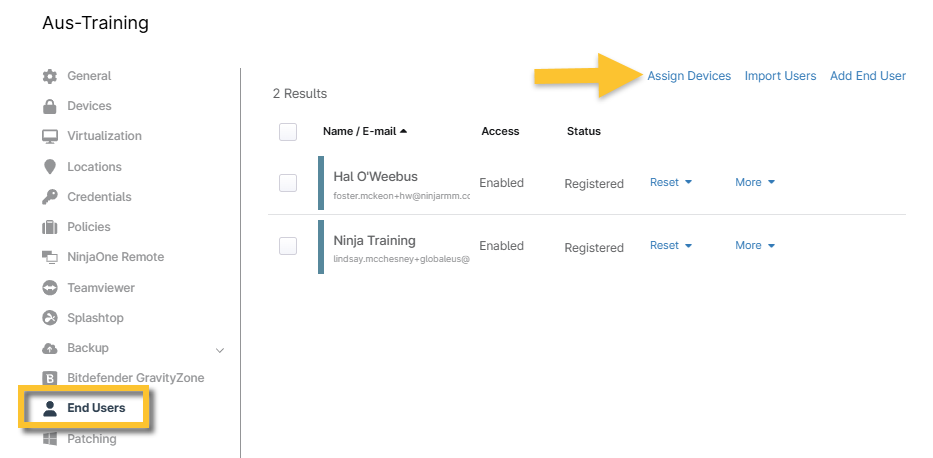
Figure 4: NinjaOne organization configuration page → End Users → Assign Device(s)
- From the drop-down menus, select the device you'd like to grant each user access to.
- Click Save in the top right corner of the page.
Additional Resources
For information about user management, refer to User Management: Resource Catalog.