
Issue
This article explains how to take action on your NinjaOne-managed devices from the ServiceNow platform.
Environment
- NinjaOne Integrations
- ServiceNow
Description
Our integration with ServiceNow empowers system administrators to take actions on their devices directly within ServiceNow, such as turning on maintenance mode for your devices without switching platforms and tracking patch data against vulnerabilities or service level agreements. These actions include:
- Enter Maintenance Mode (one hour)
- Exit Maintenance Mode
- Remote backgroud support
- Remote support
- View device
- Patch software
- Patch operating system (OS)
Index
Select a topic to learn more.
Configure Device Actions in ServiceNow
To configure the actions that you can take on your devices, perform the following steps:
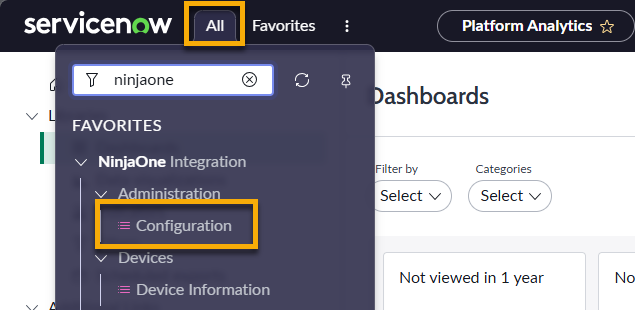
- In ServiceNow, open the All drop-down menu and type "NinjaOne." Select Configuration.
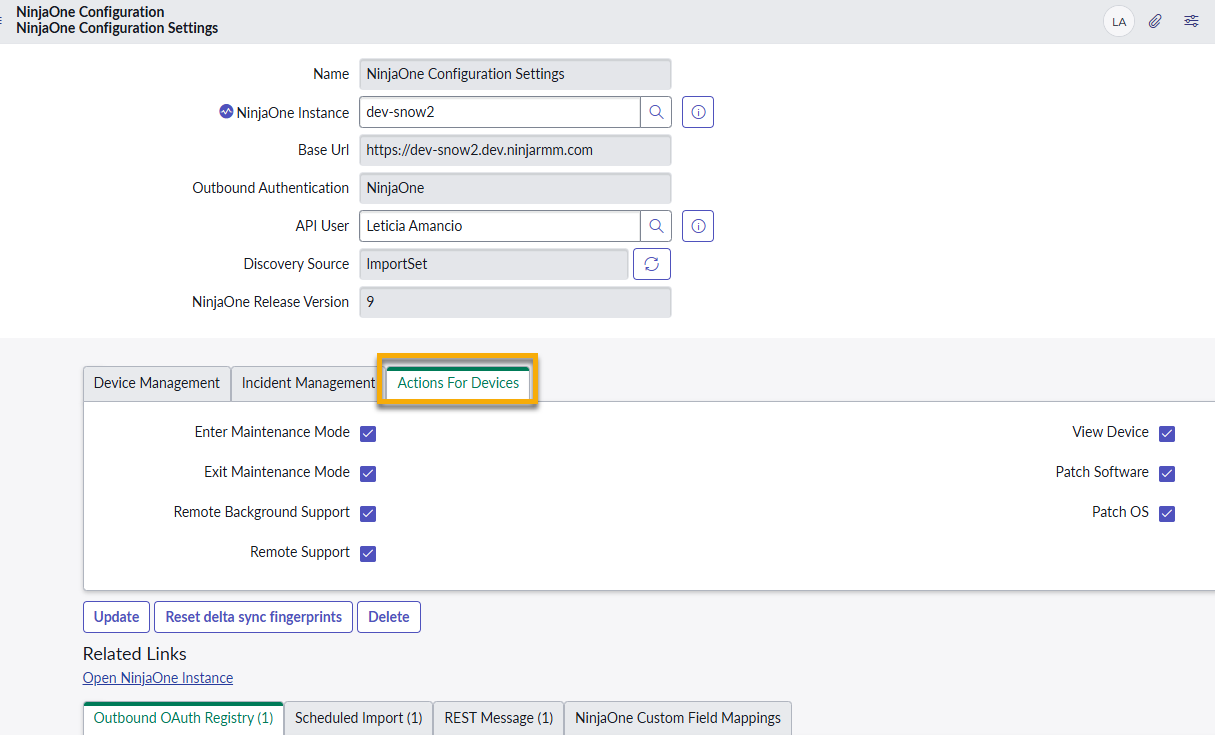
- Open the NinjaOne Configuration Settings page.
- Click the Actions For Devices tab and select the checkbox for each action you want to activate for managed devices.
Run Device Actions in ServiceNow
After you configure the actions, you can run them from the device page in ServiceNow.
- In ServiceNow, open the All drop-down menu and type "NinjaOne." Select Device Information.
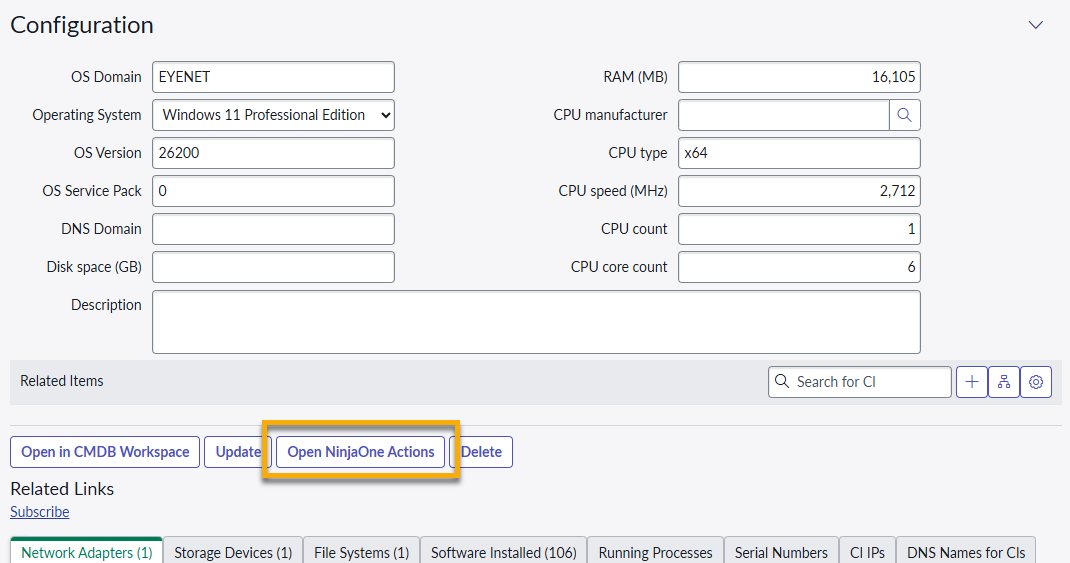
- Select a configuration item.
- Click Open NinjaOne Actions.
- Select an action from the drop-down menu in the Choose NinjaOne Action dialog and then click Run.
Running the action will open a new tab to your NinjaOne instance, where the action will take place.
Additional Resources
Refer to ServiceNow integration documentation in NinjaOne to get the most out of NinjaOne's integration with ServiceNow.