
Topic
This article demonstrates how to view vulnerability data within NinjaOne and identify recommended actions.
Environment
NinjaOne Endpoint Management
Description
Vulnerability Management for networks and systems is an ongoing, iterative process that requires continuous attention and adaptation to emerging threats and vulnerabilities. It's a critical component of an organization's overall cybersecurity strategy, helping to protect assets and data from potential breaches and attacks.
The NinjaOne Vulnerability Management application in NinjaOne helps you identify and remediate known Common Vulnerabilities and Exposures (CVEs) on managed endpoints.
Select a topic to learn more:
- Activate Vulnerability Management Features
- Find Vulnerability Data on the Dashboards
- Additional Resources
System Requirements
Currently, the vulnerability tools work with the following operating systems:
- NinjaOne Patch: Microsoft Windows and Apple macOS.
- Real-Time Software Assessment: Windows.
Activate the Vulnerability Management Feature
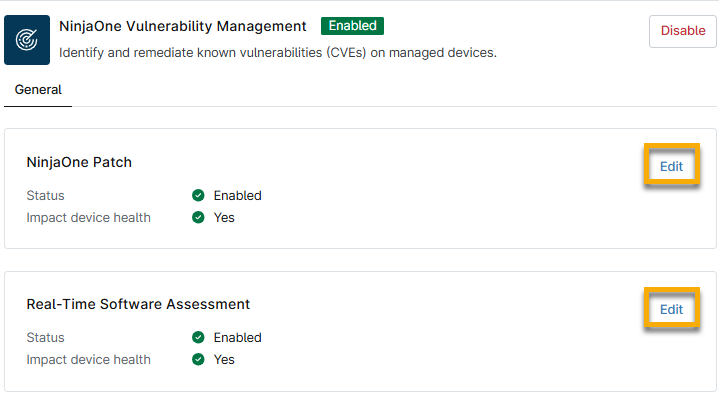
Access the application from Administration → Apps → Installed. Select the NinjaOne Vulnerability Management application and activate it.
Click Edit for each option to configure whether data should be visible in the Vulnerabilities tab on the dashboards or whether they should impact device health:
- Status is Enabled: Refer to the section of this article titled Dashboard Vulnerabilities Tab to learn about how NinjaOne presents this data.
- Impact device health is Yes. Refer to the section of this article titled Dashboard Health Status to learn about how NinjaOne presents this data.
Refer to the following table for a description of each section.
| Vulnerability Management Section Name | Definition or Purpose |
|---|---|
| NinjaOne Patch | Configure the behavior of CVEs identified by NinjaOne Patch scanning. |
| Real-Time Software Assessment | Configure the behavior of CVEs identified by the NinjaOne Real-Time Software Assessment. As software on devices changes, the associated Common Vulnerabilities and Exposures (CVEs) update automatically, without impacting endpoint. Refer to NinjaOne Endpoint Management: Real-time Software Assessment Overview for Vulnerability for more information. |
Find Vulnerability Data on the Dashboards
You can view vulnerabilities from several locations on the system, organization, or device dashboards, including:
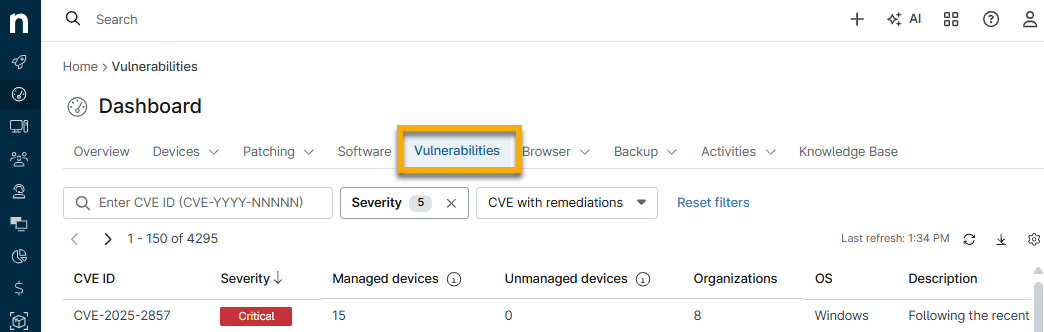
Dashboard Vulnerabilities Tab
This tab is available on the system, organization, and device dashboards. The page groups data by CVE, with each row in the dashboard table representing a single CVE and its related devices. This data is filtered by the set of devices visible to the calling user, so the dashboard only contains counts of visible devices.
Refer to NinjaOne Vulnerability Management: Common Vulnerabilities and Exposure (CVE) Data to learn more about this tab.
Dashboard Health Status
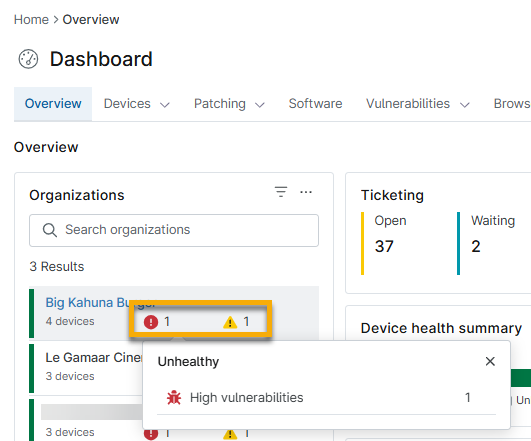
Move your mouse cursor over icons next to the organization name on the system dashboard to view the number of devices affected by vulnerabilities and their risk levels. Click the hyperlink to navigate to the Devices search page with the Vulnerabilities filter applied.
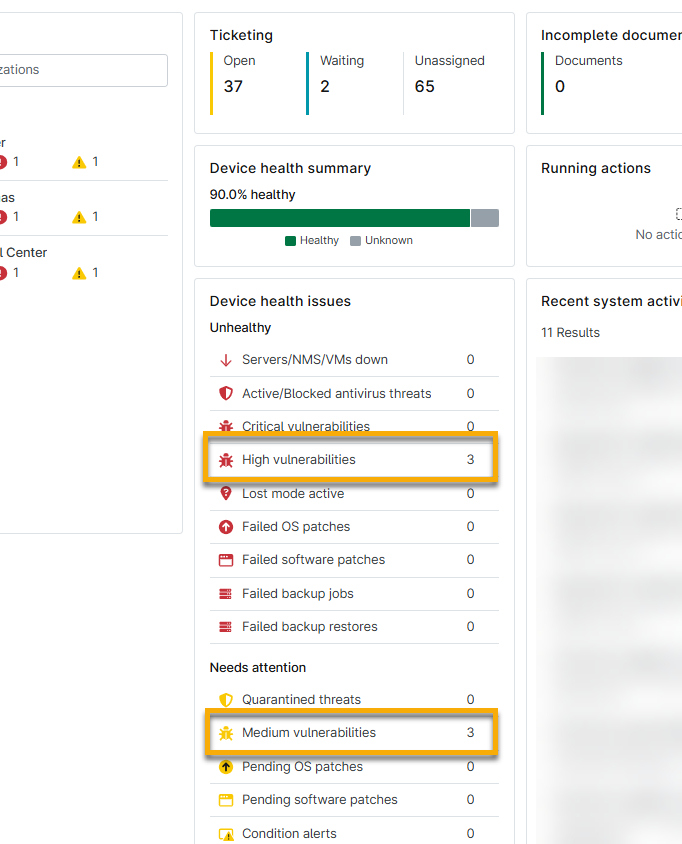
Click the numbered links in the Device health issues widget on the system or organization dashboard to view vulnerability details. You will navigate to the Devices search page, which NinjaOne filters to show the affected devices; from there, you can perform various device actions. Refer to our Find and Manage Endpoints from the Devices Search Pages article to learn more.
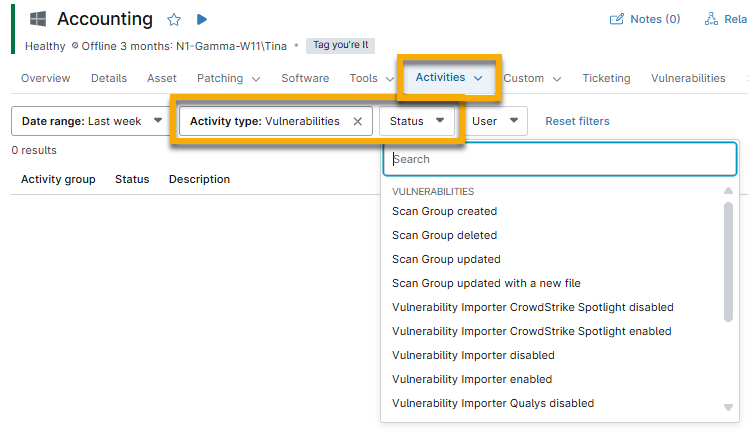
Dashboard Activities Tab
From the system, organization, or device dashboard, open the Activities tab and select All.
Select Vulnerability from the Activity type drop-down menu and then select an option from the Status drop-down menu to organize the data.
Additional Resources
Refer to the following resources to learn more about vulnerabilities and patching in NinjaOne: