
Environment
Topic
Frequently asked questions:
- Will scripts be queued which couldn’t run during scheduled automations?
- How long will pending scripts stay in the queue?
- What version of PowerShell is used by NinjaOne automation?
- Can I restrict or assign scripts to specific users?
- Does NinjaOne officially support bash scripts?
- Will my script run as System or as Current User?
- If I edit a script in the library, will this affect existing scheduled scripts and tasks?
- What happens if I delete a script that is referenced in a scheduled script or task?
- Can I upload a script to run against both Mac and Windows devices?
- Can I view and edit the built-in scripts/actions?
- Is there a character limit for new categories that I create?
- How do parameters work with my custom scripts?
- What happens if I attempt to issue a reboot via a custom script?
- Is it possible to restore a deleted script?
- Are scripts encrypted when they are transmitted from NinjaOne to an endpoint's local library?
Will scripts be queued which couldn’t run during scheduled automations?
Scheduled automations and scheduled tasks will not execute (they will be canceled) unless the device is online at the time the action is scheduled. An activity is logged in the feed against the device to notify of this event.
How long will pending scripts stay in the queue?
No time limit/indefinite.
What version of PowerShell is used by NinjaOne automation?
This is dependent on what version of PowerShell is natively installed on the agent the script is being run on. The agent determines the executing PowerShell version, rather than NinjaOne. Typically, PowerShell 2 and above is used — exceptions are outlined in the script notes. 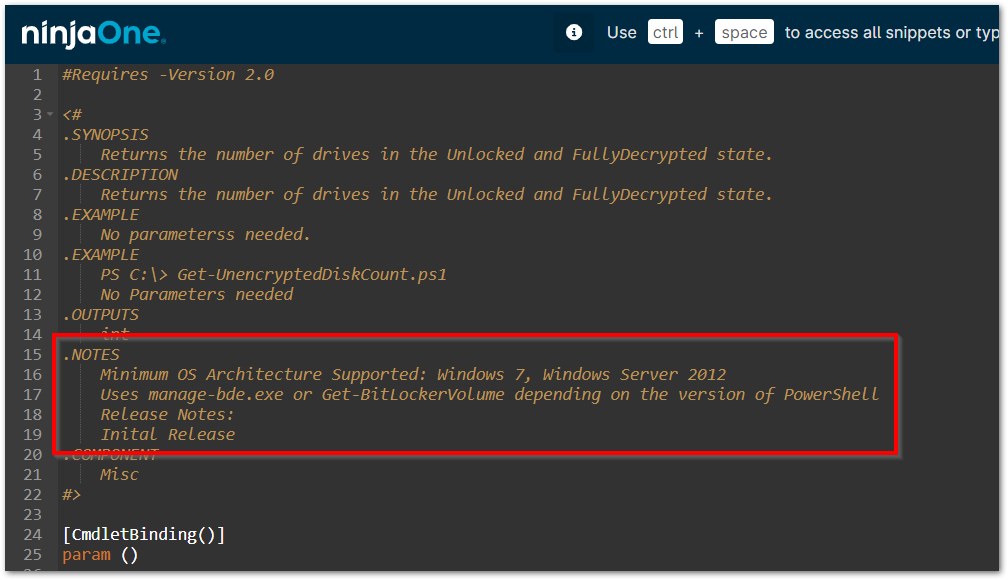
Can I restrict or assign scripts to specific users?
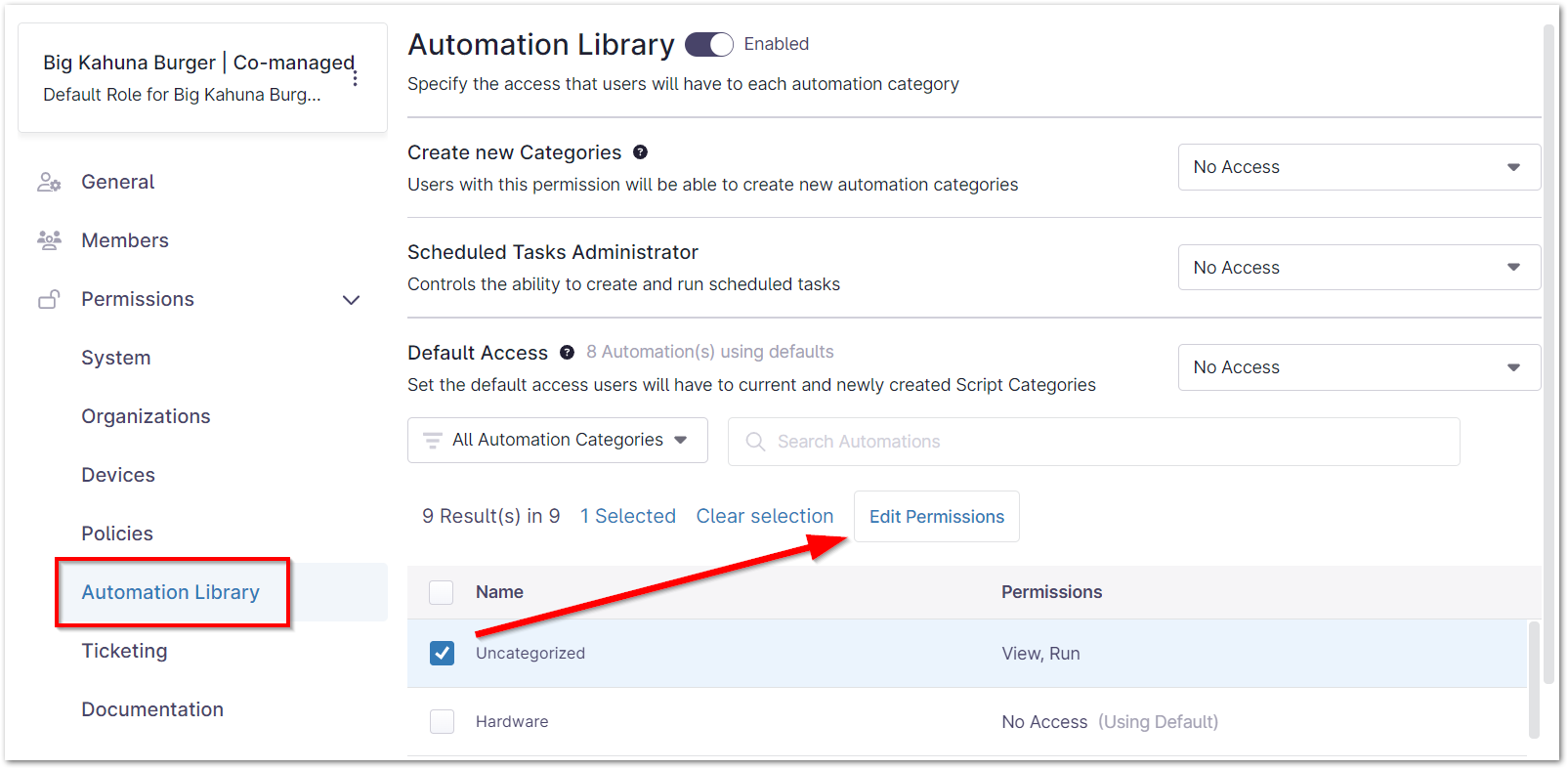
Yes; Restrictions to scripts can be managed through categories and permissions:
- In the Automation Library, assign the script to a category.

- From the technician role editor, select the permission level you want the technician to have for that category.
Does NinjaOne officially support bash scripts?
NinjaOne does support bash scripts; however, it is not part of the scope of our Support Team to troubleshoot customer scripts (i.e., if the root of the problem is the script itself).
Will my script run as System or as Current User?
When you run a script on a device (whether it be via scheduled task, scheduled script, or ad hoc), you will be prompted to specify whether you wish to run the script as system, the current user, or using credentials available via your credential store.
If I edit a script in the library, will this affect existing scheduled scripts and tasks?
Yes, any edits made in the library will be propagated to any scheduled scripts/tasks that currently reference the script.
What happens if I delete a script that is referenced in a scheduled script or task?
The script will no longer be referenced in the scheduled script/task(s).
Can I upload a script to run against both Mac and Windows devices?
NinjaOne does not support scripts running against multiple platforms. However, a script can be uploaded for each Mac and Windows platforms separately.
Can I view and edit the built-in scripts/actions?
You can currently only view and edit the scripts that you created. The native scripts that NinjaOne provides by default cannot be viewed or edited.
Is there a character limit for new categories that I create?
Yes, there is currently a 50-character limit for category names.
How do parameters work with my custom scripts?
For an explanation of parameters, please see: Script Library: Parameters.
What happens if I attempt to issue a reboot via a custom script?
Since the NinjaOne agent is not able to plan for reboots issued via custom scripts, doing so may cause issues with the agent.
To resolve the issue, the custom script in question should be either deleted or modified to remove the lines in the script that issue a reboot. NinjaOne's native reboot script may be used to issue reboots on machines.
Is it possible to restore a deleted script?
It is not possible to restore deleted scripts. Deleted scripts need to be recreated.
Are scripts encrypted when they are transmitted from NinjaOne to an endpoint's local library?
Yes — transmission of a script from the server to the agent is encrypted, like all other communications between the NinjaOne servers and NinjaOne agent.