
Topic
This article contains frequently asked questions about the Antivirus Reporting section of NinjaOne.
Environment
NinjaOne Reporting
Questions
Select a question to review the answer:
- How do I enable antivirus reporting?
- Where is NinjaOne getting this information?
- Is there a way to set up monitoring and alerting for antivirus software installed on a device?
How do I enable antivirus reporting?
- Create a new summary report. Refer to Getting Started with Reports in NinjaOne for instructions.
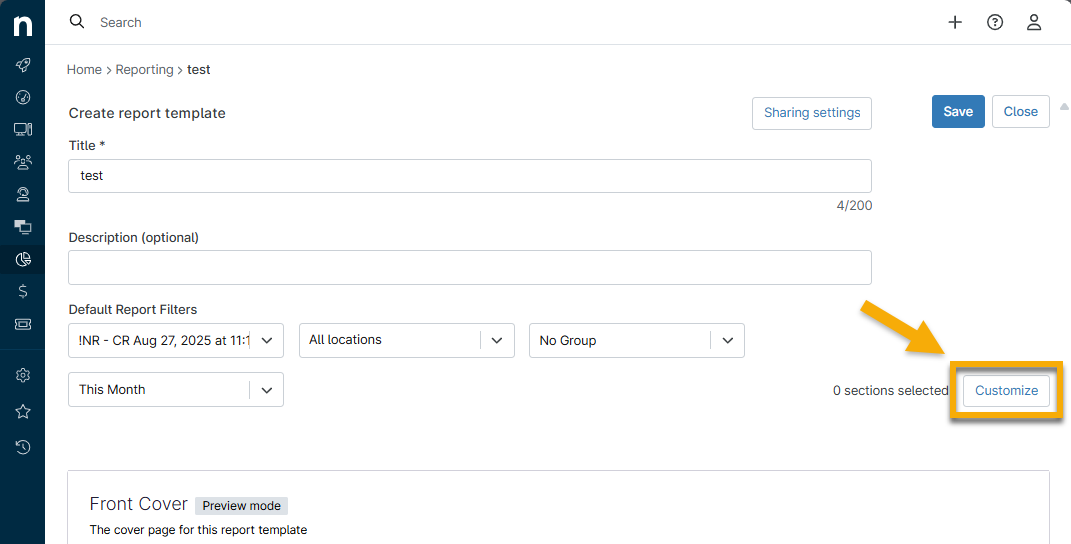
- After clicking Create on the Create New Summary Report modal, the template displays. Click Customize to add sections.
- Select "Antivirus" from the drop-down menu and then click OK.
- Click Save.
Where is NinjaOne getting this information?
NinjaOne is integrated with Windows Security Center (external link). For more information about this, refer to Reporting: Why does my Antivirus report show no information?
Is there a way to set up monitoring and alerting for antivirus software installed on a device?
You can use the software condition to monitor whether antivirus software is installed. This condition only works for Microsoft Windows devices; however, a workaround can be applied to Apple macOS devices by using tasks. Refer to Reporting: Resource Catalog.