
When adding a Windows Event condition in NinjaOne, you must specify two things:
- Event ID
- Source
NinjaOne uses the 'Provider Name' for the 'Source'. The Source / Provider Name fields can support wildcards (*) if needed.
To Get a 'Provider Name':
- Open the Windows Event Viewer.
- Scroll to the event that needs notifications.

- Open the Details tab and select XML View; look for Provider Name.
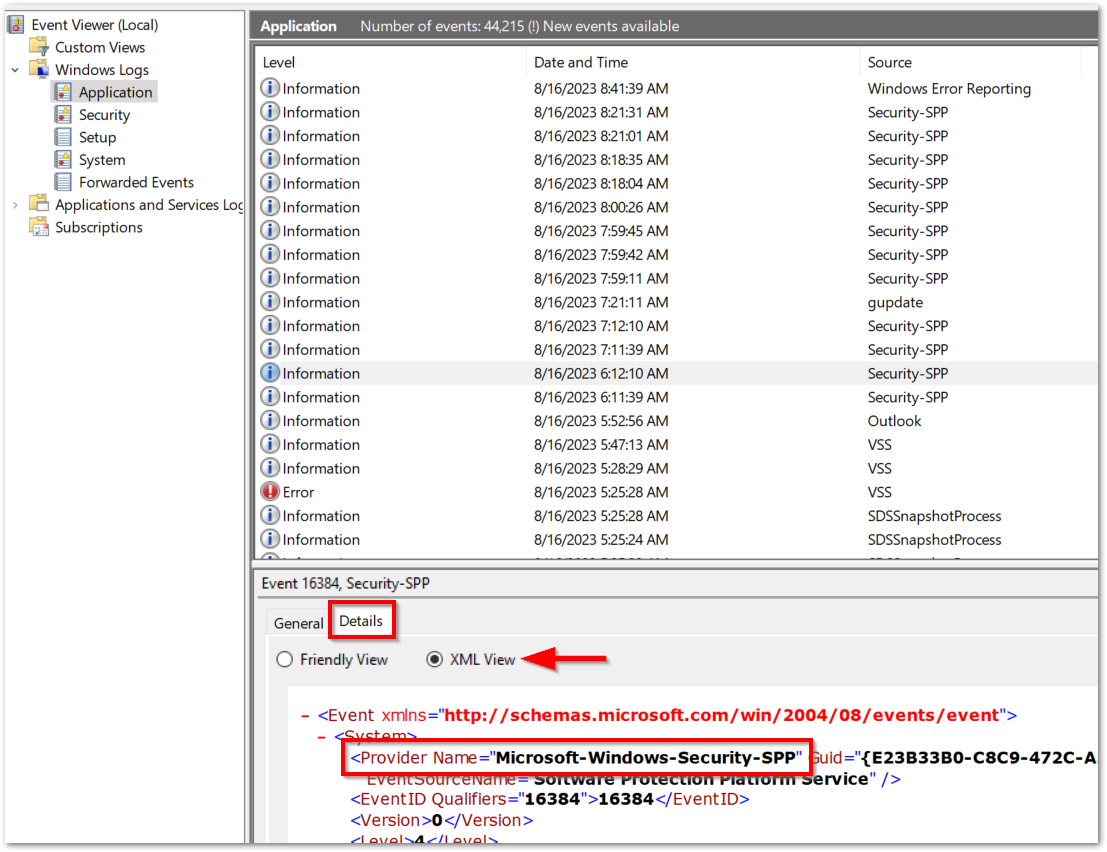
This Provider Name is what you need to enter for the source in your Windows Event condition.Important Note: The source you have to put in your NinjaOne condition must match the format from your Event Viewer Details tab (e.g., "Microsoft-Windows-Security-SPP", not "Windows Security").