
Topic
This guide provides instruction for generating a NinjaOne agent installer for a Windows device. Refer to our System Requirements and OS Support article before installing NinjaOne on your endpoints.
For information about installing on Mac devices, refer to How to install NinjaOne on a Mac device.
For information about installing on Linux devices, refer to How to install NinjaOne on a Linux device.
Environment
- NinjaOne Agent
- Microsoft Windows
Description
Generating a NinjaOne Installer
 | In order to generate the NinjaOne Installer, you first need to set up an organization and create a policy. |
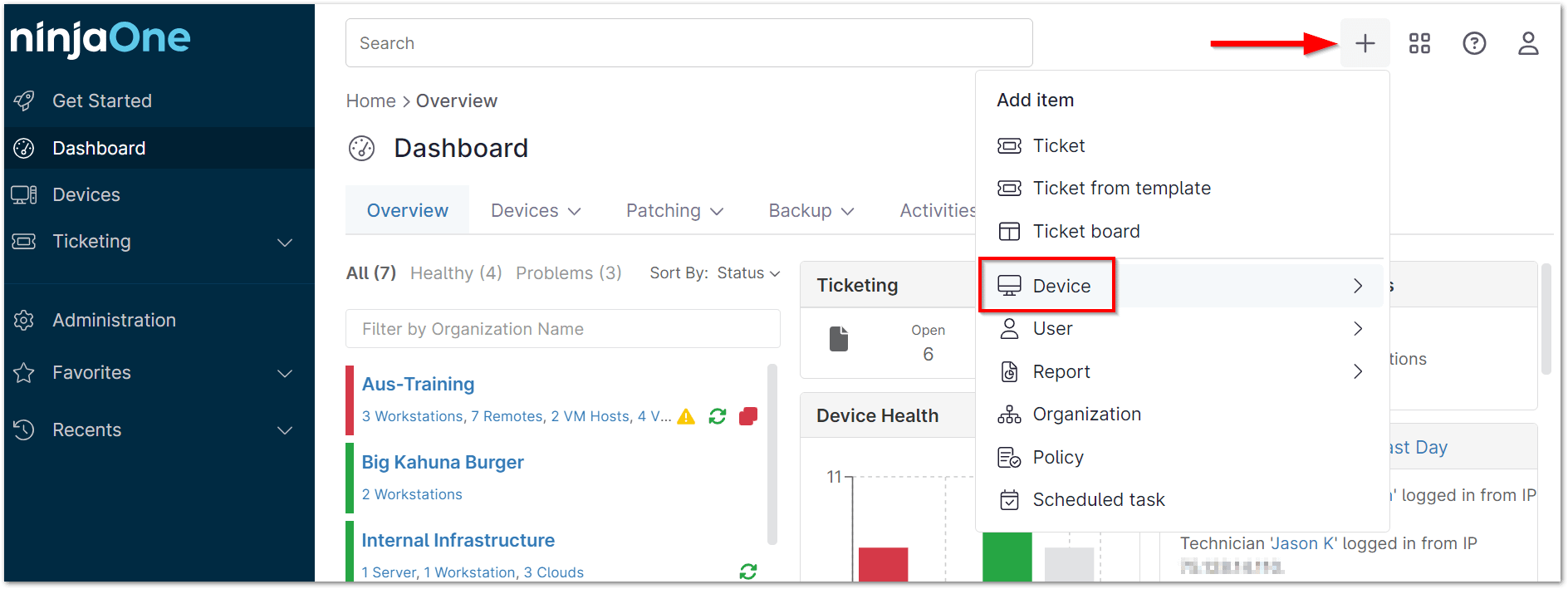
- Once you have setup an organization and created a policy in NinjaOne, click the + sign in the upper right of the Ninja console and choose Device.
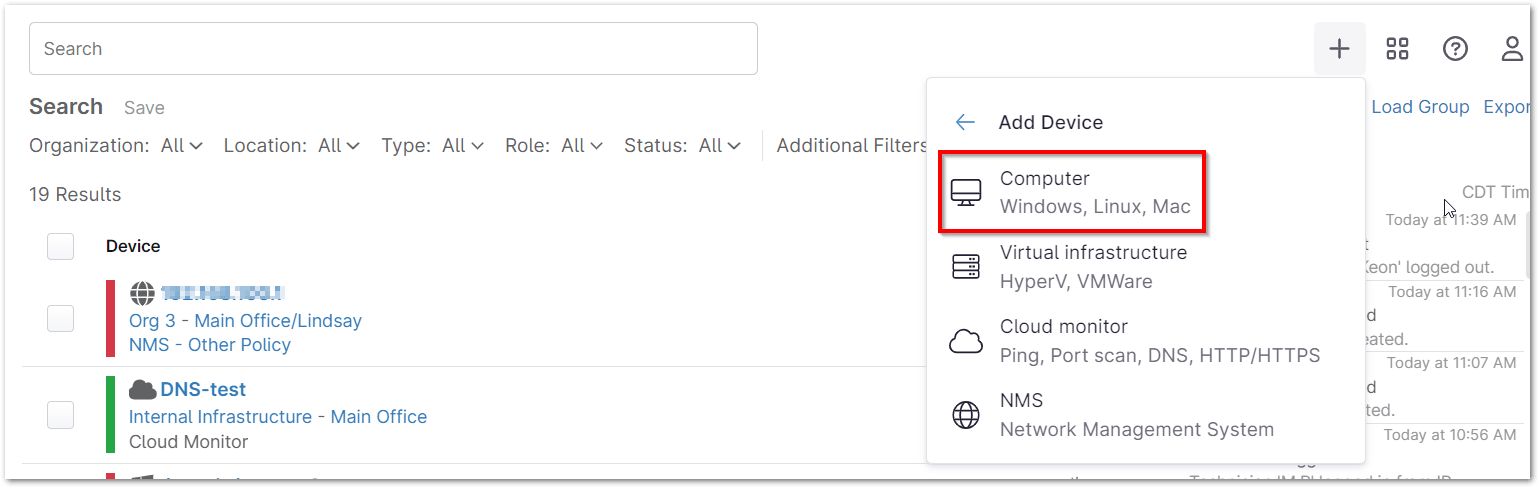
- Select Computer from the menu.
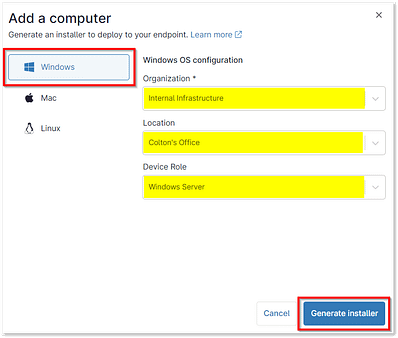
- Select Windows and designate the Organization, Location, and Device Role that this device belongs to. Select the Generate Installer button.
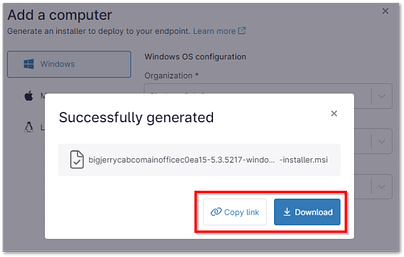
A message displays at the bottom while the installer generates. - Once the installer has been generated, it can be downloaded using the Download button, or the link to the installer can be copied to your clipboard using the Copy link button.
Copying a Link to the Installer
If you'd like to send end users a link that they can click to download the installer, click Generate Installer and select Copy link.
- Division cached installers are cleared.
- A minor or major agent upgrade is released.
- A bug fix for an installer-related issue is released.
In all other circumstances, the download link remains available for use.
Here are other options for deployment on multiple machines: Mass Deployment of NinjaOne Installer.