Topic
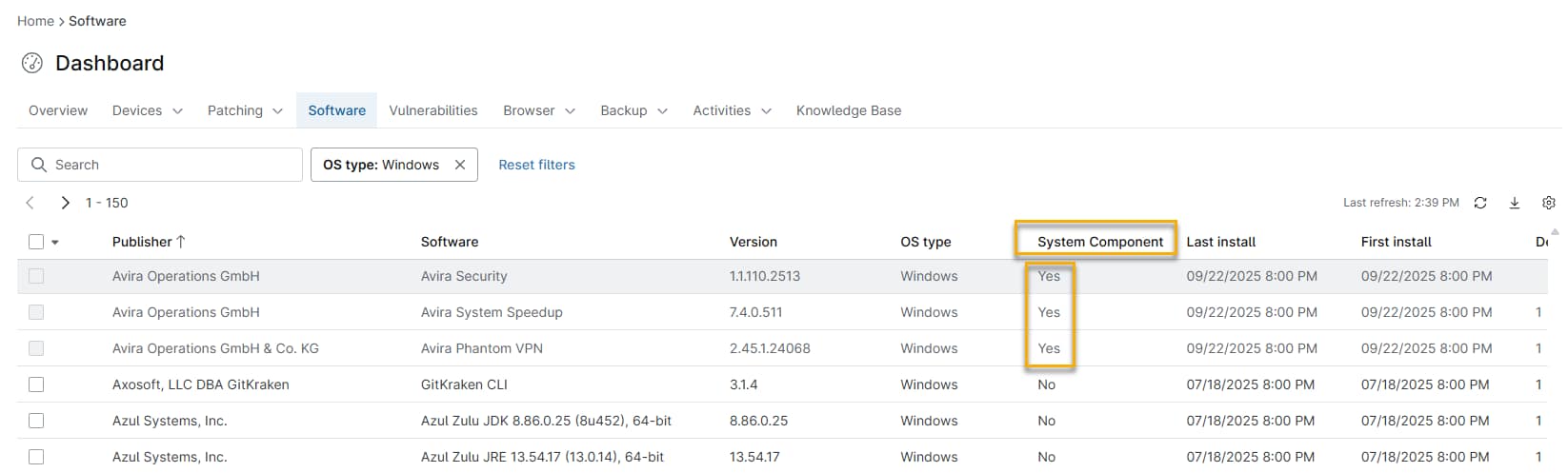
This article discusses how to display hidden system component software in the Software Inventory.
Environment
NinjaOne Endpoint Management
Description
System component software runs in the background on Microsoft Windows devices and does not usually require administrative interaction. However, Administrators might need to understand how this software is installed across an organization to make informed decisions about licensing, security, and compatibility.
Showing Hidden Software
Follow these steps to enable hidden software detection:
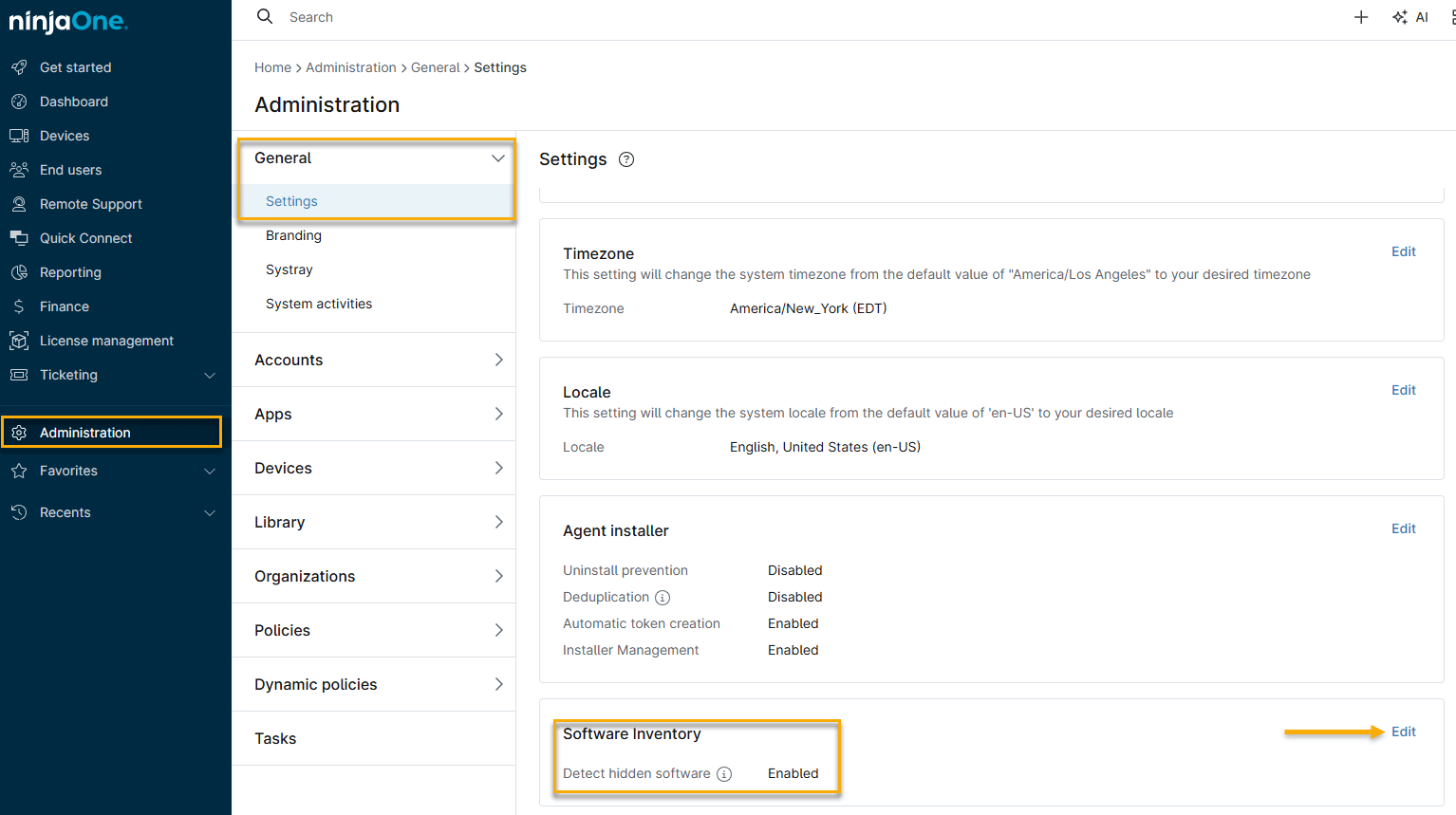
In NinjaOne, navigate to Administration → General → Settings → Software Inventory.
- In Software Inventory, click Edit, then activate the Detect hidden software toggle. NinjaOne may take a few minutes to display all hidden software.
Viewing Hidden System Software in the Software Inventory
Follow this procedure to view the software components after making them visible.
In the NinjaOne dashboard, click the Software tab. The Software Inventory will open, and NinjaOne will indicate hidden system software with a Yes in the System Component column. NinjaOne will also include this column in exports of the Software Inventory table.