
Topic
This article describes how to integrate a Dropsuite instance into NinjaOne SaaS Backup.
Environment
- NinjaOne SaaS Backup
- Dropsuite
Description
If you're a Dropsuite customer, you can add your Dropsuite accounts to NinjaOne SaaS Backup to enable dashboard and integration capabilities between both platforms.
Prerequisites
You will need your Dropsuite API tokens for this procedure. You can obtain them by navigating to Settings → API Settings in your Dropsuite partner portal.
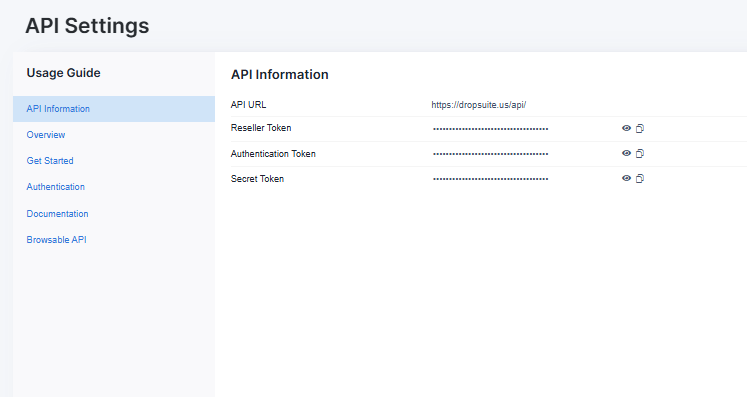
To integrate your Dropsuite instance into NinjaOne, follow these steps:
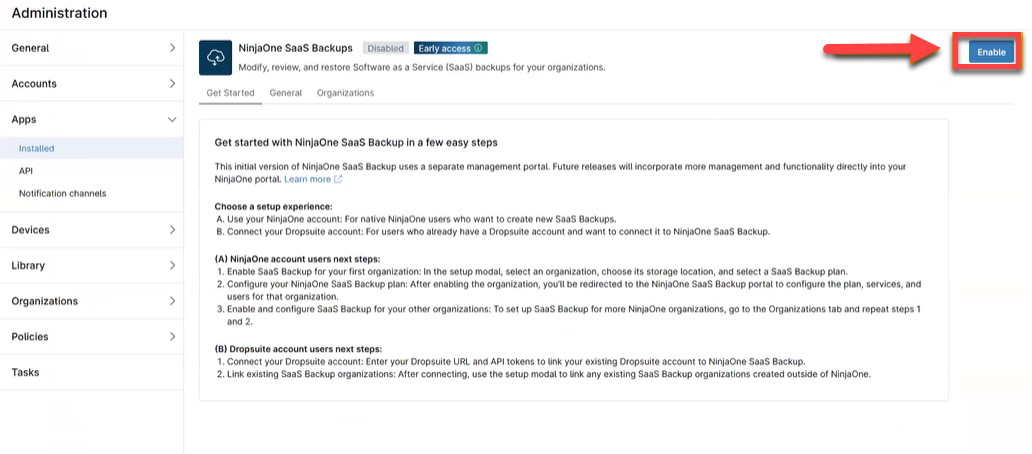
1. From the NinjaOne dashboard, navigate to Administration → Apps.
2. On the NinjaOne SaaS Backups tile, click Enable.
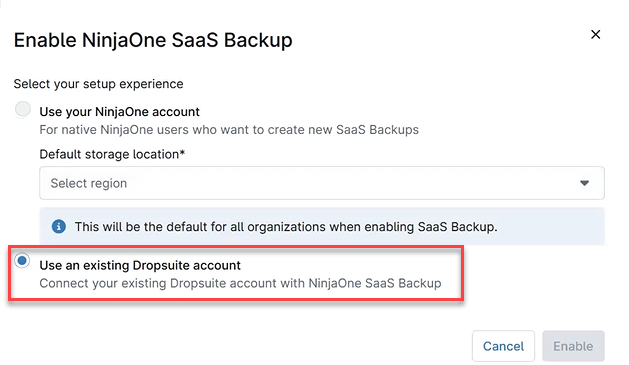
3. The Enable NinjaOne SaaS Backup dialog box will open. Select Use an existing Dropsuite account.
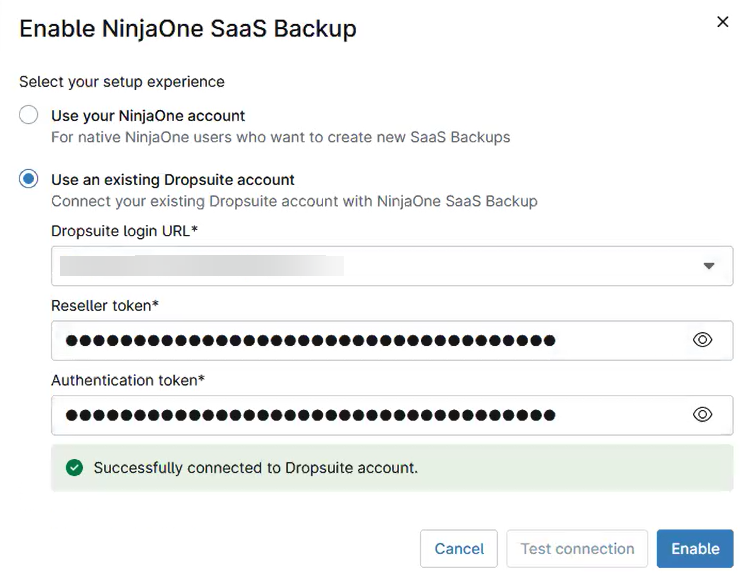
- In the Dropsuite login URL drop-down menu, select the URL for your Dropsuite partner portal.
- Input your reseller and authentication tokens in the corresponding fields.
- Click Test connection to verify the connection to Dropsuite. If NinjaOne was able to contact your Dropsuite instance, you'll receive the message, "Successfully connected to Dropsuite account."
- Click Enable.
- The Link organizations prompt will open to assist you with linking your Dropsuite organizations to your NinjaOne organizations. Click Continue.

- In the Link existing SaaS backup organizations dialog box, locate your NinjaOne organization and use the corresponding drop-down menu to select the Dropsuite organization you wish to associate with it.

- Click Apply.
You can now manage your connected Dropsuite instance directly from NinjaOne.
Additional Resources
For information on linking NinjaOne SaaS Backup organizations to NinjaOne, refer to NinjaOne Backup: Linking SaaS Backups to A NinjaOne Organization.