
Topic
This article explains where to find and how to use NinjaOne's Public API.
Environment
- NinjaOne Documentation
- NinjaOne Public API
Description
NinjaOne system administrators can download, upload, create, and edit any files stored in NinjaOne Documentation through custom fields, apps, services, or related items.
Select a category to learn more:
Where to Find the API Resources
For a full list of all query parameters, refer to the NinjaOne Public API documentation, which you can access from the Help resources menu in the top right corner of the NinjaOne console. The link is at the bottom of the menu.
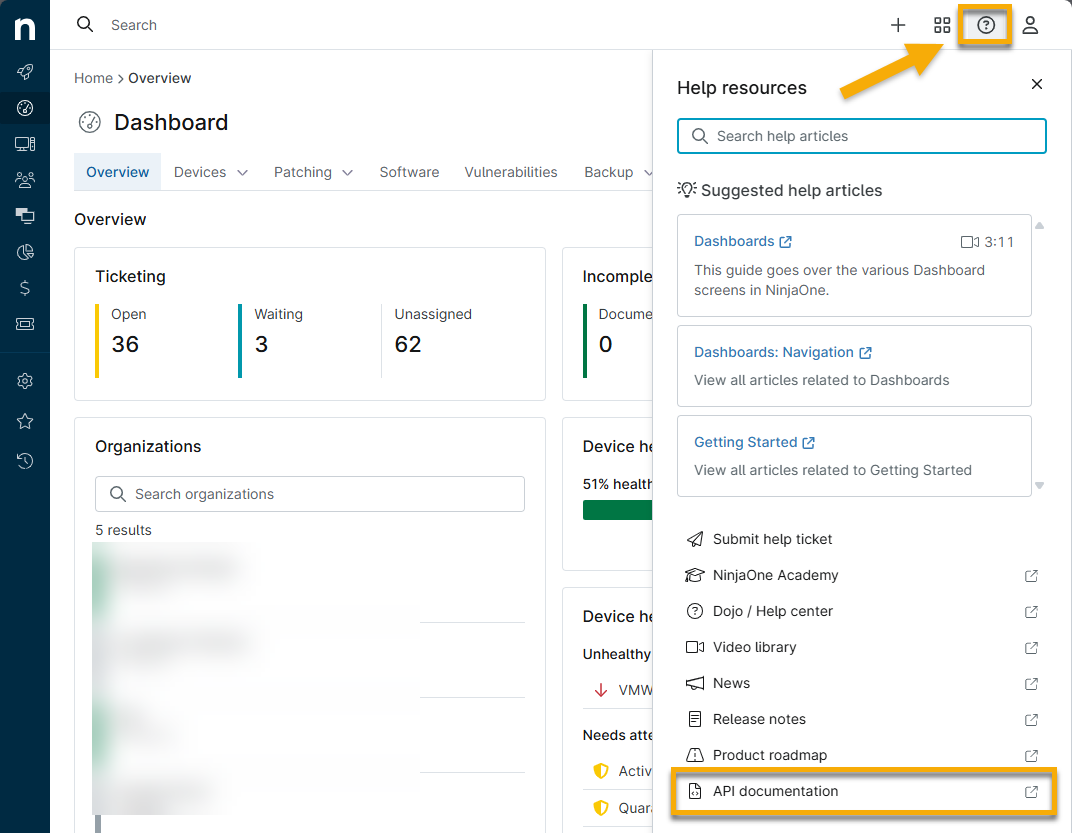
Figure 1: Access NinjaOne's public API documentation (click to enlarge)
Once in the Public API, expand the dropdown for the query and click Try it out. Some queries, such as the one in Figure 2, may require you to input a parameter.
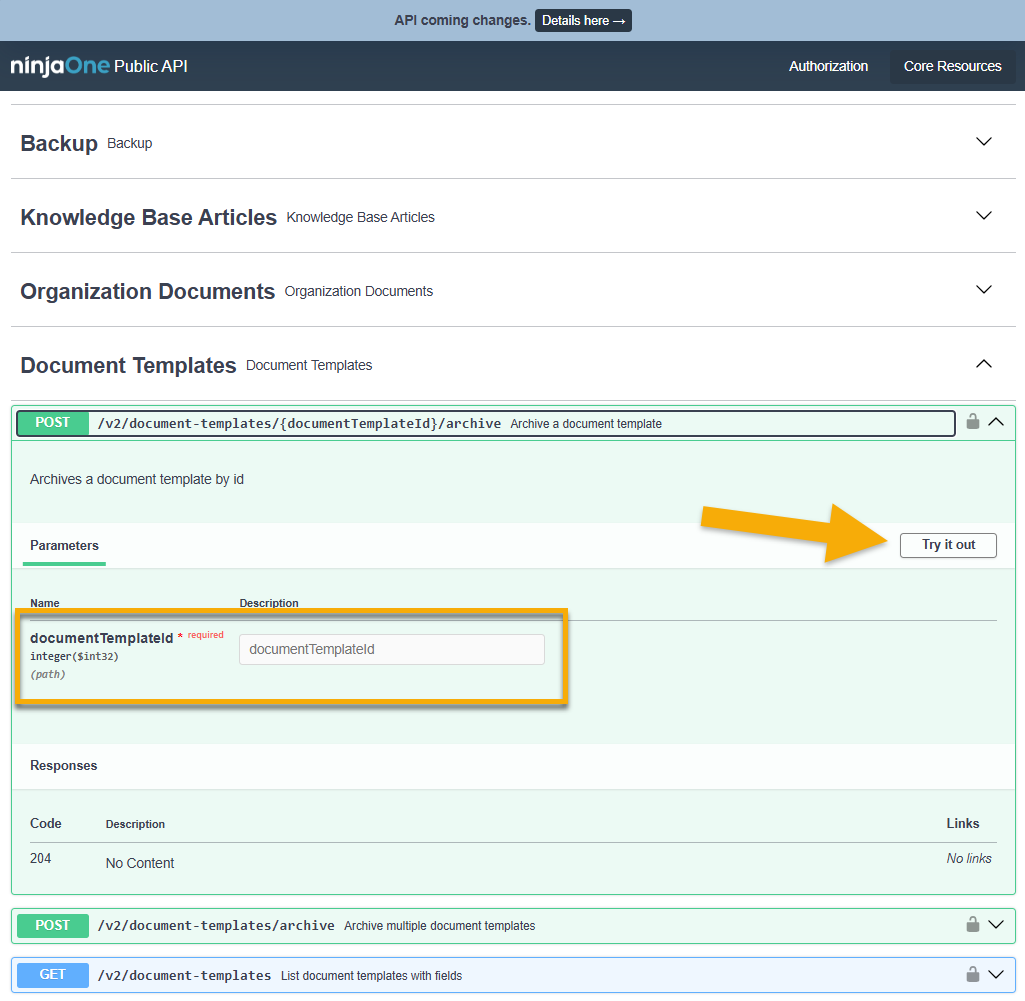
Figure 2: Trial NinjaOne's public API endpoints
How to Apply the API Endpoints
You can create and update documentation fields through public API endpoints with client_credential authentication, allowing the integration of third-party services.
To use the API endpoints, enter the Web address (URL) for your instance, followed by the API endpoint. If the API references the organization and document ID, you can find these in the NinjaOne address bar once the document is open on the dashboard.
In Figure 3, the organization ID is "289" and the document ID is "921" (where "630" refers to the folder titled "Printer"):
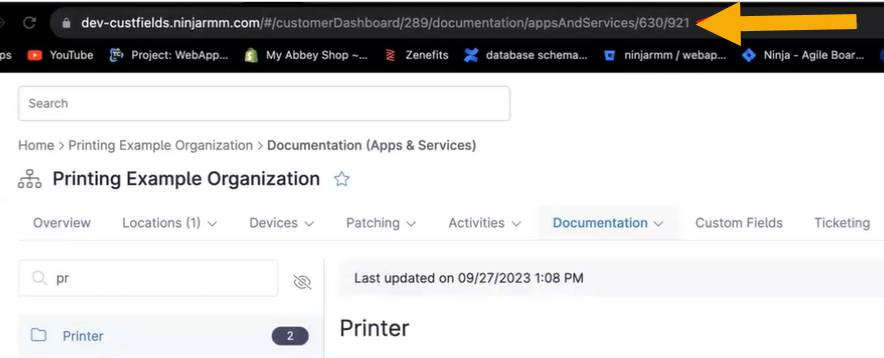
Figure 3: API references in the URL
https://[domain].ninjarmm.com/api/v2/organization/289/document/921Figure 4 uses the Postman software as an example. Once updated, refresh the page in NinjaOne to see the changes.
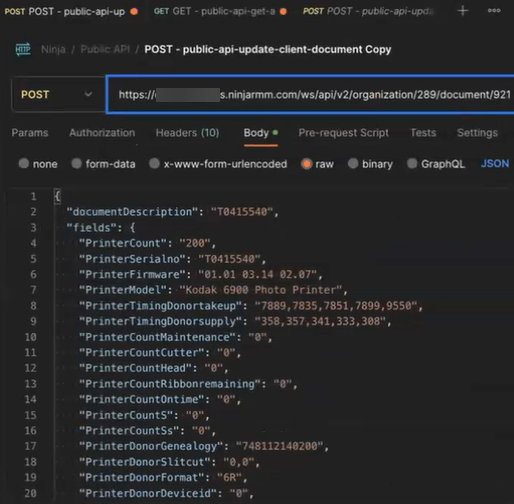
Figure 4: Example of endpoint deployment
Additional Resources
Refer to the following resource(s) to learn more about NinjaOne API.