
Topic
This article explains how to change the name of the device that is shown in NinjaOne.
Environment
NinjaOne Endpoint Management
Description
You can update the display name for any device in NinjaOne through the Settings tab on the device dashboard.
The NMS-type devices use a different process; for more information, refer to the section titled Updating NMS Device Names.
- Click Devices on the left navigation pane and find the device you want to update. To learn more about using this page to search for devices, refer to Find and Manage Endpoints from the Devices Search Page.
- Open the Settings tab. The General section is open by default; click Edit in the Device information widget.

- Change the Display name and then click Update.

- Observe the changes in the system.

Updating NMS Device Names
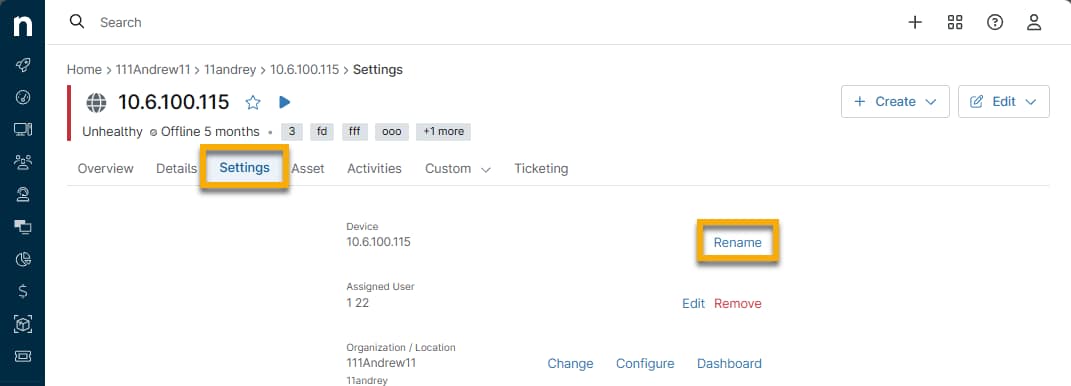
To update the display name of an NMS-type device, open the Settings tab on the device dashboard and click Rename next to the Device field. Enter the new name into the available field and then click Save.
Additional Resources
Refer to the following resource(s) to learn more about device management in NinjaOne: Device Enrollment & Management: Resource Catalog.