
Topic
This guide explains how to access the NinjaOne SaaS Backup partner portal directly from NinjaOne.
Refer to our NinjaOne SaaS Backup Resource Catalog article for additional user guides.
Environment
NinjaOne SaaS Backup
Description
Once you've enabled your first organization via the SaaS Backup application in NinjaOne, the system creates a standalone NinjaOne SaaS Backup partner portal (formerly called Dropsuite) for you. The integration creates an account in this standalone partner portal based on the email address of the Ninja technician who enabled the app.
Accessing the NinjaOne SaaS Backup Partner Portal
Access the partner portal directly from NinjaOne by following these steps:
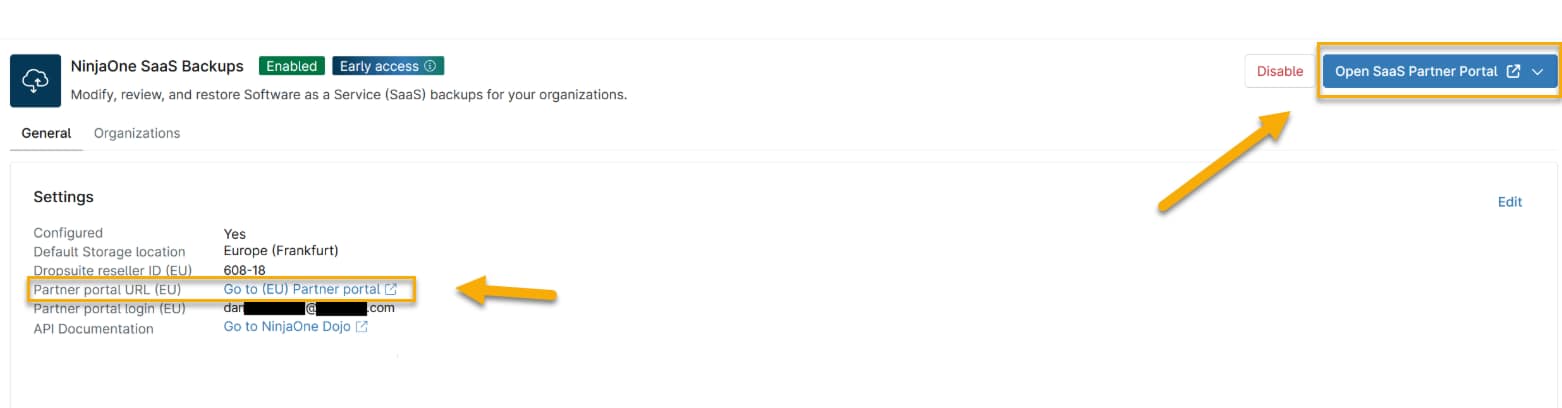
- In NinjaOne, navigate to Administration → Apps → NinjaOne SaaS Backup.
- On the General tab, select the Go to Partner portal link listed under Settings, or click the Open SaaS Partner Portal button on the top right of the page. Either method will take you to your partner portal.
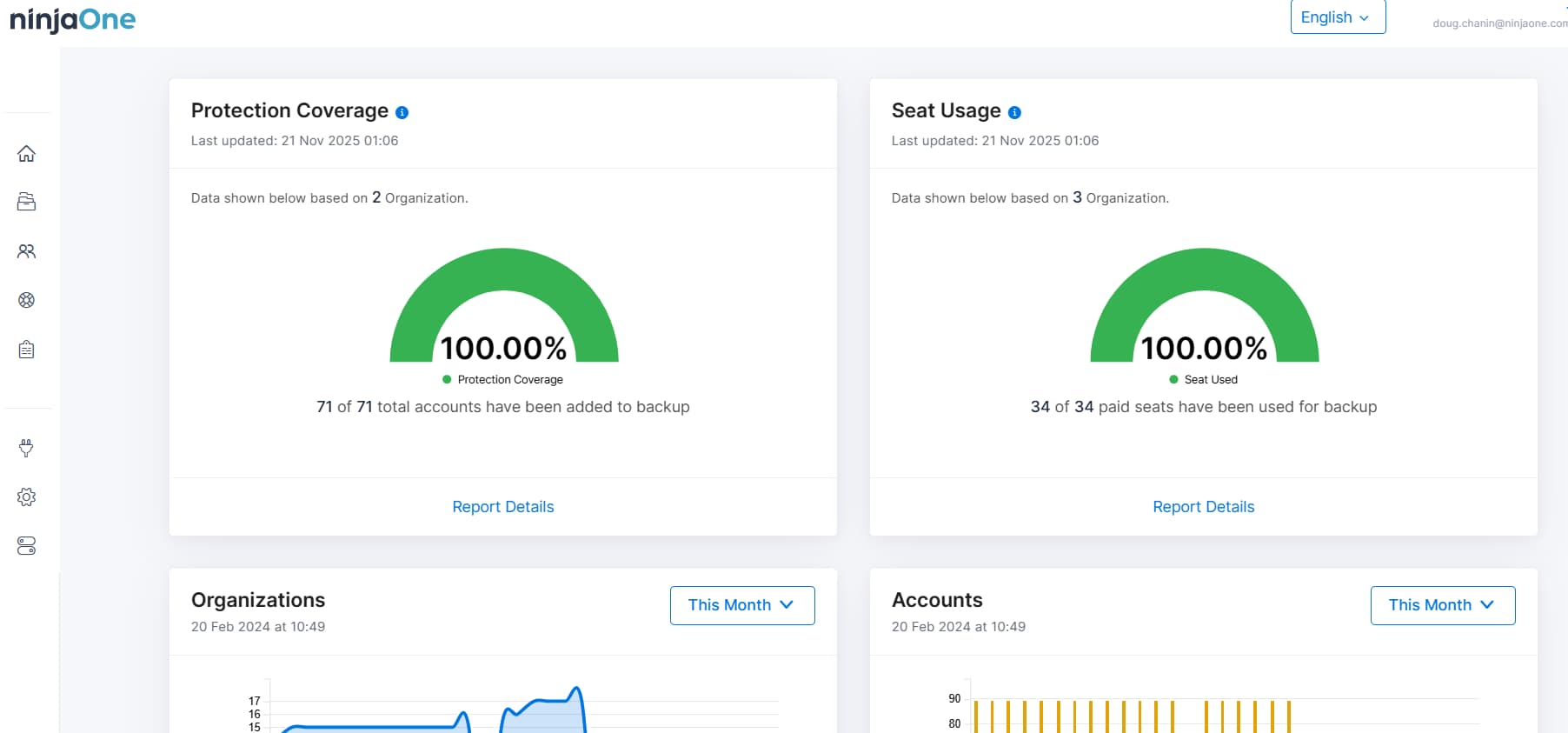
The NinjaOne partner portal will open. While many NinjaOne SaaS Backup features can be accessed and managed directly in NinjaOne (with more to come), you will need to access the partner portal for others for now.
Additional Resources
Review these resources for more information about NinjaOne SaaS Backup.
- NinjaOne SaaS Backup: The SaaS Backup Dashboard
- NinjaOne SaaS Backup: Partner Portal Guide
- NinjaOne Backup: Linking SaaS Backups to a NinjaOne Organization
- NinjaOne SaaS Backup: Frequently Asked Questions (FAQ)