


Key Points
- Key RMM Features: Patch management, remote access, automation, integrations, alerting, and scalability.
- Top RMM Solutions: 1. NinjaOne, 2. Action1, 3. Atera, 4. Site24x7, 5. Syncro, 6. Pulseway, 7. LogMeIn Resolve, 8. Hexnode, 9. Datto, 10. Naverisk, 11. Auvik, 12. SuperOps, 13. Pandora RMM, 14. N-sight RMM, 15. ConnectWise RMM.
- Choosing the Right RMM: Match features for needs, check integrations, vendor support, and scalability.
- RMM Best Practices: Plan rollout, test in phases, set proactive alerts, and maximize automation.
- RMM is essential for MSP growth: choose a scalable, future-proof solution.
Remote monitoring and management, or RMM in short, is a software widely used by many managed service providers (MSPs) today. The best RMM software allows your organization to gather information from multiple endpoints and networks remotely and perform remote IT management tasks without disruption.
RMM tools are invaluable for MSPs to improve the performance of endpoint management workflows through IT automation tools, especially as demand for outsourced IT expertise continues to rise. In fact, the global managed services market is projected to grow at a 13.6% compound annual growth rate (CAGR) from 2023 to 2030, highlighting the accelerating need for scalable, automated IT management solutions. This warrants a reliable RMM solution that MSPs can leverage not only to further advance their operations but also to maintain customer trust and satisfaction with their services.
For a quick visual overview, watch our video guide: A Guide to the Best RMM Software for MSPs
Best RMM software for MSPs at a glance
| Rank | RMM provider | Features | Free trial? |
| 1 | NinjaOne | NinjaOne is an all-in-one RMM platform built for MSPs that centralizes all the tools users need to monitor and manage endpoints. It offers patch management, remote access, backups, and mobile device management (MDM) in a single, intuitive interface. NinjaOne is our pick for the best RMM software, as it also enables users to automate IT processes for more efficient workflows. |
14 days |
| 2 | Action1 | Action1 is a cloud-based RMM solution that specializes in patch management and software deployment for Windows environments. It also offers remote access. | Free for 200 endpoints; 15 days for enterprises |
| 3 | Atera | Atera offers an all-in-one RMM software with PSA capabilities. It offers automated patching, network monitoring, and endpoint management tools. | 14 days |
| 4 | Site24x7 | Site24x7 delivers server and cloud monitoring, patch detection, and performance tracking across hybrid environments. It provides centralized visibility into endpoints and cloud infrastructure, including AWS, Azure, and GCP. | 30 days |
| 5 | Syncro | Syncro’s RMM solutions combine RMM tools with PSA software to help simplify MSP workflows. It includes patching, remote access, automation, and a built-in helpdesk. | 14 days |
| 6 | Pulseway | Pulseway’s RMM solution provides real-time remote monitoring, automation, and remote control. Its instant alerts, custom scripting, and integrated patching tools allow MSPs to manage endpoints remotely. | 14 days |
| 7 | LogMeIn Resolve | LogMeIn Resolve offers an RMM solution with features such as remote access, helpdesk tools, and remote monitoring. It’s designed for quick setup and ease of use, especially for smaller MSPs or in-house IT teams. | 14 days |
| 8 | Hexnode | Hexnode offers RMM tools such as device monitoring, remote troubleshooting, patch management, and policy enforcement across multiple platforms. It has robust capabilities for managing mobile fleets. | 14 days |
| 9 | Datto RMM | Datto RMM offers cloud-based monitoring, patch automation, asset tracking, and remote access optimized for scalability. It integrates tightly with Datto’s backup and security products, providing an end-to-end MSP management ecosystem. | 14 days |
| 10 | Naverisk | Naverisk combines RMM, PSA, and service desk functions in one interface. It also provides remote monitoring and automation tools. | Free trial available |
| 11 | Auvik | Auvik’s RMM software specializes in giving users remote visibility of endpoints and network monitoring, giving MSPs real-time insights into switches, routers, and firewalls. | 14 days |
| 12 | SuperOps | SuperOps combines RMM and PSA in one unified platform, offering asset management, automated patching, remote monitoring, and a mobile app for on-the-go technicians. | 30 days |
| 13 | Pandora RMM | Pandora RMM provides automation and scripting, inventory management, remote control, and cybersecurity-focused monitoring tools. | 30 days |
| 14 | N-sight RMM | N-sight RMM delivers real-time remote monitoring, automated patch management, asset tracking, and a drag-and-drop automation manager. | 30 days |
|
15 |
ConnectWise RMM | ConnectWise RMM provides automated patching, remote troubleshooting, and real-time endpoint visibility through a centralized cloud console. It integrates with the broader ConnectWise ecosystem. | 30 days |
15 best RMM software solutions
G2 & Capterra data as of September 2026.
1. NinjaOne
NinjaOne is a unified IT operations platform trusted by nearly 40,000 customers worldwide. NinjaOne’s RMM solution simplifies work by remotely monitoring, managing, and securing all your Windows, macOS, and Linux devices in a single pane of glass. This RMM software consolidates a variety of RMM tools such as remote monitoring, patch management, backup, remote access, ticketing, vulnerability management, and MDM, giving your IT team full control and visibility over your entire IT environment.
By automating the hardest parts of IT to deliver visibility, security, and control over your IT estate, NinjaOne has a proven track record of providing radical efficiency from day one.
Explore NinjaOne RMM
Manage more endpoints per tech with the #1-rated IT management platform for MSPs
Learn more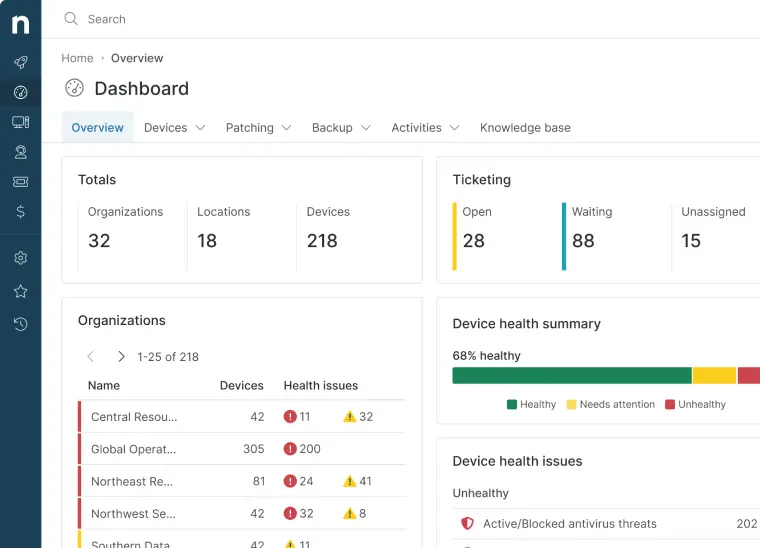
Why NinjaOne is the best RMM software for MSPs
NinjaOne is our choice for the best RMM software for managed service providers since it prioritizes continuous development of features that matter the most for MSPs. The platform ensures that essential functionalities like automation, patch management, and remote monitoring are not only robust but also exceptionally intuitive, allowing technicians to manage thousands of endpoints with minimal overhead.
Additionally, NinjaOne takes customers’ success seriously. The endpoint management solution has consistently ranked #1 in customer support due to its responsive and knowledgeable technical experts. NinjaOne serves as one of the best RMM tools to help you realize better business outcomes. NinjaOne’s hands-on support team is passionately single-minded in building the future with MSPs.
The numbers speak for themselves:
- 98.4 CSAT (customer satisfaction score)
- 95% of NinjaOne customers experience increased IT efficiency with automation.
- 94% of clients reduced ticket volumes and ticket resolution times.
- 93% saved time on software deployment.
- 93% saved time on patching.
- 70% of customers reduced vulnerabilities in their environment by 75%.
- 31-minute average first-response.
Strengths of NinjaOne
1. Centralized management
With NinjaOne’s single-pane-of-glass view, users can monitor, manage, support, and secure their endpoint devices without wasting time switching between multiple software. This unified approach improves IT efficiency and reduces your IT tech stack, which also allows you to lower operational costs. By consolidating all the tools you need, NinjaOne also provides your IT team with complete visibility and control over endpoints, servers, and network devices, allowing them to take proactive steps to address any issues and anomalies before they escalate.
2. IT automation
With NinjaOne, IT teams can reduce manual workload and free up IT administrators to focus on more high-value tasks. NinjaOne’s robust IT automation tools can handle repetitive tasks, remediation actions, and enforce policies across multiple devices. From software deployments and system cleanups to proactive issue resolution, NinjaOne’s automation ensures greater accuracy, fewer human errors, and dramatically improved productivity.
3. Remote IT support
With distributed and hybrid workforces becoming increasingly common, organizations can improve service delivery and reduce downtime with NinjaOne. Using NinjaOne allows technicians to troubleshoot and resolve issues from anywhere, while also automating ticketing and remediation workflows. This reduces downtime, enhances the employee experience, and ensures users stay productive regardless of their location. NinjaOne Remote is also fully integrated with its RMM platform, enabling technicians to remotely control devices for enhanced troubleshooting and resolution.
4. Autonomous patch management
Organizations can strengthen security and reduce vulnerabilities with NinjaOne RMM’s built-in autonomous patch management software. NinjaOne Patch Management ensures all operating systems and applications are consistently updated to minimize exploitable security vulnerabilities. The platform provides granular control over patch deployment, scheduling, and approval workflows, enabling IT teams to maintain compliance without disrupting users.
5. World-class support
NinjaOne has consistently been ranked number one for its customer support with an average CSAT score of 98% and fast response times. Its support team responses are composed of knowledgeable experts who provide clear, actionable guidance to resolve issues quickly. NinjaOne promises commitment to customer success, with unlimited support from initial onboarding to daily maintenance. With NinjaOne, customers will always have the support they need to maximize value and operate effectively
What users say
Corey Harris, director of IT at Hogan Technology, expressed concerns about their current RMM solution and his team’s administrative burdens. Sean Hogan, President of Hogan, heard that their existing RMM software “wasn’t worth the investment” and knew he needed to make a change. With Harris’s suggestion, Hogan turned to NinjaOne and said that his IT team improved efficiency in just 30 days—with zero disruptions to their clients.
“With our previous solution, I could never be sure that our devices were fully patched and updated,” said Harris. “With NinjaOne, I know exactly what’s going on in our network, and I know 100% that the data I’m giving my team is accurate.”
Read more NinjaOne customer stories or check out more NinjaOne reviews.
NinjaOne Pricing
NinjaOne uses a flexible per-device pricing model without hidden fees. This means that your cost scales based on the number of endpoints you manage, the products you choose, your region, and any applicable promotions or commitment terms. Implementation and unlimited support are both included.
Since pricing varies depending on your environment’s specific requirements, the best way to understand what it would look like for your organization is to review the full details on the NinjaOne Pricing page.
NinjaOne reviews on G2
| Category | NinjaOne Rating |
| Overall | 4.7 out of 5 (5,036) |
| Has the product been a good partner in doing business? | 9.4 |
| Quality of Support | 9.1 |
| Ease of Admin | 9.1 |
| Ease of Use | 9.1 |
NinjaOne reviews on Capterra
| Category | NinjaOne Rating |
| Overall | 4.7 out of 5 (297) |
| Ease of Use | 4.7 |
| Customer Service | 4.7 |
| Features | 4.5 |
| Value for Money | 4.6 |
2. Action1
Action1 is relatively new to the market but is already making waves with its simple-to-use RMM solution. The company also allows users to monitor and manage their Windows endpoints from the cloud for free for up to 50 systems.
One of its more robust features is its unified patch management of third-party software, OSs, and custom apps. Using real-time assessment of missing patches and compliance status, Action1 users can keep their IT networks safe and secure without needing a VPN for remote, off-site patching.
Features
- Patch management: Action1 focuses on identifying, managing, and distributing patches for servers, devices, and operating systems.
- Vulnerability remediation: Action1 can detect any vulnerabilities and enable technicians to deploy updates and security patches to resolve them.
- Software distribution: Users can deploy applications quickly.
Pros
- Third-party app patching: An Action1 user pointed out that the platform’s patching works well in updating third-party apps, where vulnerabilities are usually exploited. (Verified G2 review)
- Intune deployment: Another user said that deploying Action1 via Intune is easy and saves time and effort. (Verified G2 review)
- Consolidated tools: One user mentioned that Action1’s tool consolidation, including remote access and vulnerability tracking, prevents them from jumping between different platforms. (Verified G2 review)
Cons
- Compatibility: The core agent of Action1 can only run on Windows devices. (Verified G2 review)
- Reporting: According to some G2 users, Action1’s reporting could use more customization (Verified G2 review)
- Ease of use: Some G2 users have stated that Action1’s user interface is complicated, and locating some of the platform’s features can be difficult. (Verified G2 review)
Action1 reviews on G2
| Category | Action1 Rating |
| Overall | 4.9 out of 5 (1,196) |
| Has the product been a good partner in doing business? | 9.6 |
| Quality of Support | 9.3 |
| Ease of Admin | 9.5 |
| Ease of Use | 9.5 |
Action1 reviews on Capterra
| Category | Action1 Rating |
| Overall | 4.9 out of 5 (239) |
| Ease of Use | 4.8 |
| Customer Service | 4.8 |
| Features | 4.7 |
| Value for Money | 4.9 |
3. Atera
Atera offers an all-in-one RMM solution that enables IT enterprises to monitor, analyze, and access their clients’ devices, computers, and systems in one dashboard. It provides a wide range of features, including ticketing, reporting, helpdesk, and patch management.
Atera is a widely known RMM software that supports multiple IT companies worldwide. It allows businesses to monitor unlimited devices, requiring only 5 minutes to onboard. In addition, its RMM platform offers full visibility and control so that IT teams can proactively manage their endpoints with a single tool.
Features
- Patch management: Atera allows users to manage and deploy patches for Windows, macOS, and Linux devices.
- RMM: Atera consolidates essential endpoint monitoring and management tools into one dashboard.
- Network monitoring: Atera provides real-time visibility of organizations’ networks and networking devices.
Pros
- Unified platform: Atera users mentioned how the consolidation of IT tools in one platform has become a primary driver for increasing efficiency and oversight. (Verified G2 review) (Verified G2 review) (Verified G2 review)
- Rational add-ons: One user said that Atera’s add-on options are well-thought-out, providing options to support IT management, monitoring, and security, not just a single aspect. (Verified G2 review)
- Scalability: Another user pointed out that Atera allows them to scale with ease through straightforward deployment of the tool to their growing number of managed endpoints. (Verified G2 review)
Cons
- Customer support: G2 users have stated that Atera could improve its response times to customers’ requests for (Verified G2 review) (Verified G2 review)
- Ticketing: According to reviews, the platform’s ticketing system can be more user-friendly and refined. (Verified G2 review)
- Integrations: Reviewers find that Atera’s catalog of third-party integrations is limited. (Verified Capterra review)
Atera reviews on G2
| Category | Atera Rating |
| Overall | 4.6 out of 5 (1,261) |
| Has the product been a good partner in doing business? | 9.2 |
| Quality of Support | 9.0 |
| Ease of Admin | 9.0 |
| Ease of Use | 9.2 |
Atera reviews on Capterra
| Category | Atera Rating |
| Overall | 4.5 out of 5 (456) |
| Ease of Use | 4.6 |
| Customer Service | 4.5 |
| Features | 4.3 |
| Value for Money | 4.6 |
4. Site24x7
Site24x7 RMM is a cloud-based remote monitoring and management solution offered under the Site24x7 brand. Site24x7 operates as part of ManageEngine, which is a division of Zoho Corporation. This places the platform within a broader portfolio of IT management and monitoring products.
As part of the ManageEngine ecosystem, Site24x7 RMM aligns with related IT management tools from the same vendor. The RMM platform is marketed towards IT teams and managed service providers. The solution forms part of ManageEngine’s wider strategy to provide integrated, cloud-first IT management offerings.
Features
- Server monitoring: Site24x7 can track performance metrics including CPU, memory, and disk utilization across various operating systems like Windows, Linux, and macOS.
- Cloud monitoring: This platform is capable of overseeing the performance of services from providers like AWS, Azure, and GCP.
- Missing patches detection: Site24x7 can automate the identification and deployment of missing updates for operating systems and third-party software.
Pros
- Suited well for hybrid environments: Several reviews mentioned how Site24x7 is best suited for hybrid environments due to its integration with cloud providers like AWS and Azure. (Verified G2 review) (Verified G2 review)
- Initial setup: Reviews mentioned that setting up the platform is pretty straightforward, minimizing productivity gaps. (Verified G2 review)
- Centralized console: One advantage of the RMM solution is its capability to show all critical endpoint information in a single console. (Verified G2 review) (Verified G2 review)
Cons
- Alerting: A user of Site24x7 pointed out how repetitive the alerts they received were, which may have stemmed from how sensitive the default thresholds are. (Verified G2 review) (Verified G2 review)
- Navigation: One Site24x7 user mentioned that the interface is cluttered, making it challenging to find advanced features. (Verified G2 review) (Verified G2 review)
- In-depth monitoring: According to a review, Site24x7 may have useful monitoring checks. However, it may be better to use other tools for extremely granular monitoring and in-depth analysis. (Verified G2 review)
Site24x7 reviews on G2
| Category | Site24x7 Rating |
| Overall | 4.6 out of 5 (471) |
| Has the product been a good partner in doing business? | 8.9 |
| Quality of Support | 8.7 |
| Ease of Admin | 8.8 |
| Ease of Use | 8.8 |
Site24x7 reviews on Capterra
| Category | Site24x7 Rating |
| Overall | 4.7 out of 5 (381) |
| Ease of Use | 4.6 |
| Customer Service | 4.5 |
| Features | 4.6 |
| Value for Money | 4.5 |
5. Syncro
Syncro (Servably, Inc.) provides an integrated business platform that combines PSA, RMM, and a remote access tool in one dashboard. It markets itself toward “modern MSPs” who want to scale their business.
As an all-in-one tool, it is suitable for MSPs with a limited IT budget. With SyncroMSP, organizations can proactively manage IT environments, minimizing downtime and increasing productivity. SyncroMSP can also integrate with popular MSP business tools. MSPs can monitor and manage endpoint devices remotely, automate tasks, and track IT assets.
Features
- Patch management: Syncro automates the management and distribution of patches and updates for operating systems and third-party applications.
- RMM: IT professionals can keep track of all their endpoints and remediate issues from one dashboard.
- Ticketing: Syncro offers an automated system for managing tickets and routing them to the right technicians.
Pros
- PowerShell capabilities: Syncro users appreciate the platform’s ability to run PowerShell scripts on assets, making operations such as software installations, service restarts, and others automated. (Verified G2 review) (Verified G2 review) (Verified G2 review)
- User interface: One user highlighted that Syncro’s user interface is easy to work with and navigate. (Verified G2 review)
- Tool consolidation: Users said that having several tools under PSA and RMM reduces tool sprawl, maximizing team productivity. (Verified G2 review) (Verified G2 review)
Cons
- Integrations: Syncro lacks third-party integrations compared to similar products. (Verified G2 review)
- Customer support: Some G2 users have said that the company could also improve its customer support in terms of response time and speed in issue resolution. (Verified G2 review)
- Report customization: According to reviewers, Syncro’s reporting has limited customization options. (Verified G2 review) (Verified G2 review)
SyncroMSP reviews on G2
| Category | Syncro Rating |
| Overall | 4.5 out of 5 (553) |
| Has the product been a good partner in doing business? | 9.1 |
| Quality of Support | 8.5 |
| Ease of Admin | 8.9 |
| Ease of Use | 8.8 |
Syncro reviews on Capterra
| Category | Syncro Rating |
| Overall | 4.6 out of 5 (149) |
| Ease of Use | 4.6 |
| Customer Service | 4.3 |
| Features | 4.4 |
| Value for Money | 4.7 |
6. Pulseway
Pulseway markets itself as an all-in-one RMM software that helps IT technicians monitor and manage all devices from a smartphone, tablet, or browser.
Designed for IT companies of all sizes, Pulseway helps you monitor and manage your servers, workstations, and network devices in a single console. It provides customizable and real-time alerts to reduce security vulnerabilities and help IT professionals immediately remediate threats.
Features
- Centralized management: Pulseway consolidates monitoring and management tools for servers, devices, virtual machines, and network devices into one dashboard.
- IT automation: Users can leverage Pulseway’s automation tools to automate repeatable tasks and free up IT teams to work on more strategic tasks.
- Custom alerts: Pulseway is highly configurable so users can set up notifications for specific events.
Pros
- Patch management: According to some users, the platform’s patch management is user-friendly, making patching efficient. (Verified G2 review)
- Mobile app: The Pulseway IT management and remote control app helps users access their assets anywhere, even without a desktop computer. (Verified G2 review) (Verified G2 review)
- Customer support: One Pulseway user noted that the customer support team helps customers better understand the features and capabilities of the products offered. (Verified G2 review)
Cons
- Automation: Pulseway’s background scripting for automation could use improvement. (Verified G2 review)
- Learning curves: According to some G2 users, Pulseway has a steep learning curve, especially when navigating advanced menus and functions. (Verified G2 review) (Verified G2 review)
- Remote control: Reviews say Pulseway’s remote access tool has slow response times. (Verified G2 review)
Pulseway reviews on G2
| Category | Pulseway Rating |
| Overall | 4.6 out of 5 (125) |
| Has the product been a good partner in doing business? | 9.3 |
| Quality of Support | 9.0 |
| Ease of Admin | 9.2 |
| Ease of Use | 9.0 |
Pulseway reviews on Capterra
| Category | Pulseway Rating |
| Overall | 4.7 out of 5 (311) |
| Ease of Use | 4.7 |
| Customer Service | 4.7 |
| Features | 4.5 |
| Value for Money | 4.7 |
7. LogMeIn Resolve
LogMeIn Resolve (formerly GoTo Assist) is a unified RMM solution built specifically for small—and medium-sized businesses. It is an affordable solution with a zero-trust architecture.
Its platform leverages automation to improve operational efficiency. LogMeIn Resolve automates workflows and task management processes, requiring no scripting knowledge, so almost anyone can use it. This makes it suitable for startups. It can also run the most common automated tasks with pre-developed step types.
Features
- Remote monitoring: LogMeIn Resolve provides full visibility of the health of an organization’s IT environment.
- Ticketing: LogMeIn Resolve comes with a ticketing system with customizable workflows that can be automated for greater efficiency.
- Automation: Users can deploy pre-built or custom scripts to automate repetitive IT tasks, reducing the need for manual intervention.
Pros
- Support features: A user praised the remote support capability, which allows technicians to connect to a PC by sending the end user a link to download and run the Resolve launcher. (Verified G2 review)
- Helpdesk aid: The platform is also said to be a great help for helpdesk operations, ensuring that appropriate support steps are delivered to end users. (Verified G2 review)
- Web access: The browser-based dashboard allows users to view device information, including system specifications and current resource usage, such as active processes. (Verified G2 review)
Cons
- Performance: G2 users have said the software responds slowly in certain scenarios, such as file transfers or when you’re using its mobile application. (Verified G2 review) (Verified G2 review)
- Reporting: Reviews say that LogMeIn Resolve limits the types of reports users can generate. (Verified G2 review)
- Remote access: According to G2 users, LogMeIn Resolve’s remote control features struggle with technical issues, such as screen freezes and difficulty re-establishing lost connections. (Verified G2 review) (Verified G2 review)
LogMeIn Resolve reviews on G2
| Category | LogMeIn Resolve Rating |
| Overall | 4.4 out of 5 (469) |
| Has the product been a good partner in doing business? | 8.7 |
| Quality of Support | 8.7 |
| Ease of Admin | 8.9 |
| Ease of Use | 9.0 |
LogMeIn Resolve reviews on Capterra
| Category | LogMeIn Resolve Rating |
| Overall | 4.4 out of 5 (216) |
| Ease of Use | 4.5 |
| Customer Service | 4.2 |
| Features | 4.4 |
| Value for Money | 4.3 |
8. Hexnode
Hexnode is a well-known unified device management solution that offers a wide range of remote management and monitoring tools for IT enterprises of all sizes. According to its website, it works with Android, iOS, Windows, macOS, tvOS, and Fire OS devices.
Many business leaders choose Hexnode for its complete management of multiple devices in a centralized dashboard. Because of its zero-touch enrollment methods, IT companies can enroll their devices in bulk and easily integrate ABM or ASM to enroll Apple devices.
Features
- Unified policy management: Hexnode is compatible with multiple operating systems, allowing technicians to push out policies to all their devices.
- Fast device enrollment: Users can onboard new devices through multiple methods, including minimal and zero-touch deployment.
- Remote troubleshooting: With Hexnode, users can see device status and health in real-time and quickly resolve any issues.
Pros
- MDM: Hexnode is known for its reliable mobile device management (MDM) that helps IT teams maintain device control and compliance. (Verified G2 review)
- Efficient deployment: Users said that Hexnode can be deployed quickly, especially for Apple ADE and Android Enterprise, providing an optimized onboarding experience. (Verified G2 review)
- Kiosk mode: Some users also commend the platform’s kiosk mode for effectively carrying out app restrictions and other policy enforcements on managed devices. (Verified G2 review)
Cons
- Customer experience: Some G2 users stated that Hexnode could improve customer support. (Verified G2 review) (Verified G2 review)
- Complex interface: According to G2 users, Hexnode is more complex than others and better suited for more experienced IT personnel. (Verified G2 review)
- Reporting: Hexnode’s reporting and analytics can be improved further by making them more in-depth and customizable. (Verified G2 review)
Hexnode reviews on G2
| Category | Hexnode Rating |
| Overall | 4.5 out of 5 (279) |
| Has the product been a good partner in doing business? | 9.1 |
| Quality of Support | 9.1 |
| Ease of Admin | 9.0 |
| Ease of Use | 9.0 |
Hexnode reviews on Capterra
| Category | Hexnode Rating |
| Overall | 4.6 out of 5 (153) |
| Ease of Use | 4.5 |
| Customer Service | 4.7 |
| Features | 4.5 |
| Value for Money | 4.5 |
9. Datto RMM
Datto RMM is a cloud-based RMM that allows users to secure, monitor, and manage their network, hardware, and software. Users can use Datto to deploy apps, install updates, manage endpoint devices, and view performance data, among other things. Running on the cloud, Datto can be accessed from any device with an internet connection.
One of Datto’s most prominent features is its focus on IT security, including data encryption and access control. Notably, however, Datto’s backup function is kept as a separate system because two different engineering teams handle both solutions.
Features
- Remote monitoring: Users can get real-time updates on the health and status of their endpoint devices.
- Data security: Datto helps strengthen organizations’ security posture with backups and EDR.
- Patch management: Datto allows users to manage and deploy security patches and updates.
Pros
- Onboarding efficiency: A user highlighted how easy it is to onboard their customers through Datto RMM. (Verified G2 review)
- Detailed device info: Another user said that Datto RMM provides a full technical review of each device added to the system, which is beneficial to analytics, reporting, and troubleshooting. (Verified G2 review)
- Automation: One user mentioned how beneficial Datto RMM’s automation tools are for increasing workflow efficiency. (Verified G2 review)
Cons
- Complex interface: Datto’s user interface makes it difficult to navigate and use. (Verified G2 review) (Verified G2 review)
- Customer experience: Users find that support can be inconsistent with response times and answers. (Verified G2 review)
- Support for non-Windows devices: Datto’s patching for macOS and Linux requires workarounds. (Verified G2 review) (Verified G2 review) (Verified G2 review)
Datto RMM reviews on G2
| Category | Datto RMM Rating |
| Overall | 4.5 out of 5 (796) |
| Has the product been a good partner in doing business? | 9.0 |
| Quality of Support | 8.4 |
| Ease of Admin | 8.9 |
| Ease of Use | 8.8 |
Datto RMM reviews on Capterra
| Category | Datto RMM Rating |
| Overall | 4.3 out of 5 (43) |
| Ease of Use | 4.2 |
| Customer Service | 4.1 |
| Features | 4.2 |
| Value for Money | 4.0 |
10. Naverisk
Naverisk offers an all-in-one platform IT services automation suite, either on-premises or through the cloud. Its RMM solution offers full support for Windows, Linux, macOS, and SNMP devices.
Specifically for RMM tools, Naverisk helps you identify and resolve issues before they become bigger problems. It provides tools for device and network monitoring, alerting, auditing, patching, reporting, workflow, automation, and scripting, among other tasks. It also integrates with leading remote tools to proactively manage and maintain your IT fleet.
Features
- RMM: Naverisk enables IT administrators to secure and keep track of their endpoints.
- IT automation: Automation tools help speed up IT operations, reducing the need for manual intervention.
- Integrations: Seamless integrations, such as for remote control, provide users with more options for capabilities.
Pros
- Cloud deployment: One user said that cloud deployment of Naverisk is fairly easy, saving them time while maximizing productivity. (Verified G2 review)
- Customer support: Users also mentioned how Naverisk’s customer support is when it comes to responsiveness and helpfulness. (Verified G2 review) (Verified G2 review)
- Best suited for experts: People with technical expertise pointed out that Naverisk is particularly well suited for users with advanced IT knowledge and experience. (Verified G2 review)
Cons
- Search function: Some G2 users have said that Naverisk’s search feature is hard to use, making it more challenging to navigate the platform. (Verified G2 review)
- Ticketing: According to G2 users, Naverisk’s ticketing system can become complex to use and understand. (Verified G2 review) (Verified G2 review)
- Complex interface: Reviews find that Naverisk’s platform can be difficult to learn and use. (Verified G2 review)
Naverisk reviews on G2
| Category | Naverisk Rating |
| Overall | 4.7 out of 5 (72) |
| Has the product been a good partner in doing business? | 9.6 |
| Quality of Support | 9.7 |
| Ease of Admin | 9.3 |
| Ease of Use | 9.1 |
Naverisk reviews on Capterra
| Category | Naverisk Rating |
| Overall | 4.8 out of 5 (97) |
| Ease of Use | 4.6 |
| Customer Service | 4.8 |
| Features | 4.6 |
| Value for Money | 4.8 |
11. Auvik
Auvik is a cloud-based network management platform designed specifically for IT teams. Its solution includes automated backup, device lifecycle information, preconfigured and custom alerts, and remote firewalls.
Its cloud-based software uses automation to perform various tasks from a single dashboard. With this end-to-end visibility of your IT network, Auvik allows you to identify, catch, and resolve issues before they have any organizational impact.
Features
- Single pane of glass: Auvik consolidates multiple endpoint management tools, such as patch management, backups, and automation, into one dashboard.
- Automatic backups: Users can ensure data security with consistently backed-up files, systems, and network configurations.
- Remote monitoring: Auvik provides real-time visibility of all the devices in an IT environment.
Pros
- Visibility: One user highlighted the platform’s ability to deliver centralized visibility into client environments and access to device-level configuration details. (Verified G2 review)
- Reporting: A user mentioned that Auvik’s reporting features help present network health information clearly and assist in conversations about possible infrastructure (Verified G2 review)
- Asset discovery: Another user pointed out Auvik’s network discovery and real-time topology mapping, which identify devices and create a visual map with reduced manual effort (Verified G2 review)
Cons
- Learning curve: According to G2 users, Auvik is a complex platform that requires time and resources to make full use of it. (Verified G2 review) (Verified G2 review)
- Performance: Reviews say that the platform works slowly when managing larger networks. (Verified G2 review)
- Alerting: Auvik’s alerting tool lacks customization options and can sometimes feel noisy, according to users. (Verified G2 review) (Verified G2 review)
Auvik reviews on G2
| Category | Auvik Rating |
| Overall | 4.5 out of 5 (380) |
| Has the product been a good partner in doing business? | 9.0 |
| Quality of Support | 8.8 |
| Ease of Admin | 8.7 |
| Ease of Use | 8.6 |
Auvik reviews on Capterra
| Category | Auvik Rating |
| Overall | 4.7 out of 5 (104) |
| Ease of Use | 4.4 |
| Customer Service | 4.6 |
| Features | 4.5 |
| Value for Money | 4.4 |
12. SuperOps
SuperOps by SuperOps.ai is a unified platform that combines Professional Services Automation (PSA) and Remote Monitoring and Management (RMM) capabilities for Managed Service Providers (MSPs). The software provides a centralized dashboard for monitoring and managing endpoint devices, with the goal of consolidating IT service delivery into a single interface. By integrating these workflows, the platform is designed to manage operational complexity and support the scaling of IT service tasks.
Features
- Asset management: SuperOps provides tools to oversee and track the performance of servers and workstations through continuous, live monitoring.
- Mobile app: The platform enables technicians to use smartphones to handle essential ticketing tasks, get instant notifications, and oversee remote devices while away from their desks.
- Patching: SuperOps also automates the distribution of software updates across managed hardware to close security gaps and maintain system integrity.
Pros
- Support: Many users compliment SuperOps’ support and service team, reducing time in troubleshooting and issue resolution. (Verified G2 review) (Verified G2 review) (Verified G2 review)
- Onboarding aid: One user said that the platform is user-friendly, making their onboarding processes smooth and optimal. (Verified G2 review)
- GraphQL API: A SuperOps review highlighted how it enables integrations by allowing them to connect with preferred tools and build custom integrations when native support isn’t available. (Verified G2 review)
Cons
- Search and filtering: Users report that the interface and navigation for locating specific data can be unintuitive, which sometimes leads to issues like unintended removal of asset records. (Verified G2 review) (Verified Capterra review)
- Splashtop agent: Some users have noted that the deployment of the Splashtop remote desktop agent can be time-consuming. (Verified G2 review)
- Mobile app inconsistencies: Other users noticed that navigation and layout differ between the desktop and mobile versions, which can make it difficult to locate and manage specific objects like support tickets and others. (Verified Capterra review)
SuperOps reviews on G2
| Category | SuperOps Rating |
| Overall | 4.5 out of 5 (203) |
| Has the product been a good partner in doing business? | 9.2 |
| Quality of Support | 9.4 |
| Ease of Admin | 9.0 |
| Ease of Use | 9.0 |
SuperOps reviews on Capterra
| Category | SuperOps Rating |
| Overall | 4.6 out of 5 (65) |
| Ease of Use | 4.6 |
| Customer Service | 4.8 |
| Features | 4.4 |
| Value for Money | 4.4 |
13. PandoraRMM
Pandora RMM is an evolved version of the platform’s deep observability solution that has since included remote monitoring and management functions. It promises to deliver ideal automation, control, and security across your entire IT environment.
The platform offers capabilities typically seen on RMM platforms, such as automation and scripting, software deployment, remote control, and many others. Additionally, Pandora also puts focus on security and compliance, providing tools that aid in maintaining security over managed endpoints while keeping the whole IT fleet compliant to industry regulations.
Features
- Inventory management: Pandora RMM can maintain a real-time record of all hardware, software, and user configurations to help administrators track assets and manage license status.
- Automation and scripting: The RMM solution allows IT teams to create and schedule custom scripts to handle repetitive tasks or trigger corrective actions when issues are detected.
- Remote control: Pandora RMM also has remote control tools that let technicians access and manage Windows, Linux, and Mac devices directly through a web browser.
Pros
- Unified dashboard: Users find it convenient to have visibility over managed endpoints via a centralized console. (Verified G2 review)
- Cybersecurity: Users also said that Pandora RMM’s cybersecurity tools are helpful in detecting and addressing virtual threats while providing timely alerts when systems are at risk. (Verified G2 review) (Verified G2 review)
- Compatibility: One user noted that the software supports a wide range of devices and services, helping ensure server availability and performance. (Verified G2 review)
Cons
- Initial setup: Some users of the platform pointed out their challenges in the initial configurations because of the many monitoring options that needed customization. (Verified G2 review) (Verified G2 review)
- Documentation: Another user expressed their difficulties with Pandora RMM’s documentation, which can impact productivity or troubleshooting speed. (Verified G2 review)
- Complexity: Reviews find that Pandora RMM is better suited for users with advanced technical knowledge in matters like security and management of networks and virtual systems, potentially alienating less experienced users. (Verified G2 review)
Pandora RMM reviews on G2
| Category | Pandora RMM Rating |
| Overall | 4.6 out of 5 (217) |
| Has the product been a good partner in doing business? | 9.0 |
| Quality of Support | 9.0 |
| Ease of Admin | 8.5 |
| Ease of Use | 9.1 |
Pandora RMM reviews on Capterra
| Category | Pandora RMM Rating |
| Overall | 4.5 out of 5 (125) |
| Ease of Use | 4.4 |
| Customer Service | 4.4 |
| Features | 4.5 |
| Value for Money | 4.4 |
14. N-sight RMM
N-sight RMM is a unified endpoint management solution that’s a part of N-able’s line of IT management products. The solution is specifically focused on remote monitoring and management, providing real-time monitoring, device management, and support tools for IT environments.
Since N-sight RMM is under N-able’s product family, it is designed to easily integrate with other N-able solutions. This allows IT teams and MSPs to leverage the functions of functionality of multiple tools within the same ecosystem while potentially reducing reliance on third-party integrations.
Features
- Asset tracking: N-sight RMM automatically compiles a detailed inventory of hardware and software to give administrators full visibility into their managed environment.
- Patch management: This feature streamlines the security of endpoints by automating the identification and installation of updates for operating systems and third-party apps.
- Automation manager: Technicians can use a drag-and-drop interface to build and schedule complex maintenance tasks without needing to write manual code.
Pros
- User interface: G2 reviews mentioned that N-sight RMM’s user interface is generally simple and pretty easy to navigate. (Verified G2 review) (Verified G2 review)
- Built-in EDR: The platform includes a native Endpoint Detection and Response solution that one N-sight RMM user found helpful in preventing attack escalation. (Verified G2 review)
- Real-time visibility: A G2 review highlighted the platform’s impressive speed in delivering information about client infrastructures. (Verified G2 review)
Cons
- Scripting: Some G2 users said that N-sight’s support for scripting can be improved by making it more intuitive. (Verified G2 review)
- Feature clarity: Another user mentioned that they are having challenges in understanding some of the more complex capabilities of the platform. (Verified G2 review)
- Reporting: One review pointed out occasional inconsistencies in reporting, impacting productivity. (Verified G2 review)
N-sight RMM reviews on G2
| Category | N-sight RMM Rating |
| Overall | 4.3 out of 5 (360) |
| Has the product been a good partner in doing business? | 8.3 |
| Quality of Support | 8.2 |
| Ease of Admin | 8.2 |
| Ease of Use | 8.3 |
N-sight RMM reviews on Capterra
| Category | N-sight RMM Rating |
| Overall | 4.3 out of 5 (202) |
| Ease of Use | 4.3 |
| Customer Service | 4.0 |
| Features | 4.3 |
| Value for Money | 4.1 |
15. ConnectWise RMM
ConnectWise RMM is a cloud-based remote monitoring and management platform that provides MSPs and IT over managed endpoints. This allows users to carry out IT management operations such as monitoring, patching, and remote control, among others.
The cloud-native solution provides a centralized console that houses essential RMM tools and capabilities. This approach reduces the need for disparate tools when jumping from one operation to another, maximizing productivity and efficiency.
Features
- Automated patching: ConnectWise RMM is capable of identifying updates to install into operating systems and third-party applications, ensuring endpoints have reduced exposure to vulnerabilities.
- Remote troubleshooting: The platform also features remote access tools to help with off-location troubleshooting and issue resolution.
- Endpoint visibility: The platform offers a unified view of all managed devices to track system health and performance metrics in real time across the entire environment.
Pros
- Dashboard: A G2 review mentioned how informational the dashboard is, providing them with critical endpoint statuses at a glance. (Verified G2 review)
- Support and integration: One user shared that the software allows them to offload tasks, ideally while staying integrated with their whole ConnectWise eco (Verified G2 review)
- Customer support: Getting tech team support was not challenging in ConnectWise RMM, according to a G2 review. (Verified G2 review)
Cons
- Scripting: A G2 review said that more powerful script capability could be a great addition to improve ConnectWise RMM. (Verified G2 review)
- User interface: A ConnectWise RMM user mentioned that the platform’s UI could be less clunky and more straightforward. (Verified G2 review)
- Updates in features: Another review pointed out that while the ConnectWise ecosystem is strong, some features that are offered by other IT solutions could be added to ConnectWise RMM for a more comprehensive experience. (Verified G2 review)
ConnectWise RMM reviews on G2
| Category | ConnectWise RMM Rating |
| Overall | 4.2 out of 5 (68) |
| Has the product been a good partner in doing business? | 8.2 |
| Quality of Support | 7.5 |
| Ease of Admin | 7.9 |
| Ease of Use | 8.3 |
ConnectWise RMM reviews on Capterra
| Category | ConnectWise RMM Rating |
| Overall | 4.2 out of 5 (73) |
| Ease of Use | 4.2 |
| Customer Service | 3.7 |
| Features | 4.2 |
| Value for Money | 3.9 |
Comparison of RMM software solutions for MSPs (G2)
| Category | NinjaOne | Action1 | Atera | Site24x7 | Syncro | Pulseway | LogMeIn | Hexnode | Datto | Naverisk | Auvik | SuperOps | PandoraRMM | N-sight | ConnectWise |
| Overall | 4.9 out of 5 (5,036) | 4.5 out of 5 (1,196) | 4.6 out of 5 (1,261) | 4.6 out of 5 (471) | 4.5 out of 5 (553) | 4.7 out of 5 (125) | 4.4 out of 5 (469) | 4.5 out of 5 (279) | 4.5 out of 5 (769) | 4.7 out of 5 (72) | 4.5 out of 5 (380) | 4.5 out of 5 (203) | 4.6 out of 5 (217) | 4.3 out of 5 (360) | 4.2 out of 5 (68) |
| Has the product been a good partner in doing business? | 9.4 | 9.6 | 9.2 | 8.9 | 9.1 | 9.3 | 8.7 | 9.1 | 9.0 | 9.6 | 9.0 | 9.2 | 9.0 | 8.3 | 8.2 |
| Quality of Support | 9.1 | 9.3 | 9.0 | 8.7 | 8.5 | 9.0 | 8.7 | 9.1 | 8.4 | 9.7 | 8.8 | 9.4 | 9.0 | 8.2 | 7.5 |
| Ease of Admin | 9.1 | 9.5 | 9.0 | 8.8 | 8.9 | 9.2 | 8.9 | 9.0 | 8.9 | 9.3 | 8.7 | 9.0 | 8.5 | 8.2 | 7.9 |
| Ease of Use | 9.1 | 9.5 | 9.2 | 8.8 | 8.8 | 9.0 | 9.0 | 9.0 | 8.8 | 9.1 | 8.6 | 9.0 | 9.1 | 8.3 | 8.3 |
Comparison of RMM software solutions for MSPs (Capterra)
|
Category |
NinjaOne | Action1 | Atera | Site24x7 | Syncro | Pulseway | LogMeIn Resolve | Hexnode | Datto | Naverisk | Auvik | SuperOps | PandoraRMM | N-sight |
Connectwise RMM |
| Overall | 4.7 out of 5 (297) | 4.9 out of 5 (239) | 4.5 out of 5 (456) | 4.7 out of 5 (381) | 4.6 out of 5 (149) | 4.7 out of 5 (311) | 4.4 out of 5 (216) | 4.6 out of 5 (153) | 4.3 out of 5 (43) | 4.8 out of 5 (97) | 4.7 out of 5 (104) | 4.6 out of 5 (65) | 4.5 out of 5 (125) | 4.5 out of 5 (202) | 4.7 out of 5 (73) |
| Ease of Use | 4.7 | 4.8 | 4.6 | 4.6 | 4.6 | 4.7 | 4.5 | 4.5 | 4.2 | 4.6 | 4.4 | 4.6 | 4.4 | 4.3 | 4.2 |
| Customer Support | 4.7 | 4.8 | 4.5 | 4.5 | 4.3 | 4.7 | 4.2 | 4.7 | 4.1 | 4.8 | 4.6 | 4.8 | 4.4 | 4.0 | 3.7 |
| Features | 4.5 | 4.7 | 4.3 | 4.6 | 4.4 | 4.5 | 4.4 | 4.5 | 4.2 | 4.6 | 4.5 | 4.4 | 4.5 | 4.3 | 4.2 |
| Value for Money | 4.6 | 4.9 | 4.6 | 4.5 | 4.7 | 4.7 | 4.3 | 4.5 | 4.0 | 4.8 | 4.4 | 4.4 | 4.4 | 4.1 | 3.9 |
Final scores and summaries of the top RMM software solutions
|
Rank |
Vendor | Final Score |
Summary |
| 1 | NinjaOne | 1.2703 | NinjaOne is a market leader and one of the best RMM software for a good reason. Countless users have experienced a significant improvement in their productivity with a solution that grows with them. |
| 2 | Action1 | 0.9065 | Many users love that Action1 is easy to deploy and use, though the solution can experience some technical issues. |
| 3 | Atera | 0.8957 | Atera is an RMM tool that many users have lauded for its cost-effectiveness. Still, it does have its limitations, particularly with its integration capabilities and customization options. |
| 4 | Site24x7 | 0.8012 | Site24x7 is a cloud-based RMM solution within the ManageEngine ecosystem, offering broad monitoring across servers, endpoints, and cloud services. |
| 5 | Syncro | 0.7832 | Syncro is a reliable tool that is relatively fast for most tasks. Nevertheless, it may be better suited for smaller MSPs that do not require that many features. |
| 6 | Pulseway | 0.7806 | Pulseway may be suitable for MSPs looking for an easy-to-use and feature-rich RMM. |
| 7 | LogMeIn | 0.7695 | An RMM for businesses looking for a well-known solution. Many users have stated that they have used LogMeIn Resolve for years. |
| 8 | Hexnode | 0.7692 | A dependable solution for MSPs of all sizes, Hexnode offers many features that help IT technicians do their tasks more efficiently. |
| 9 | Datto | 0.7649 | Datto offers a secure option for remote management but can be lacking in user-friendliness and customer support. |
| 10 | Naverisk | 0.7659 | Naverisk is still a strong option to consider, though it may fall short on its functionality and customer support. |
| 11 | Auvik | 0.7574 | Auvik is a comprehensive platform built for larger IT enterprises. While it is robust enough, it does not offer many out-of-the-box features and may charge extra for add-ons and integrations. |
| 12 | SuperOps | 0.7568 | SuperOps is a unified PSA and RMM platform built for MSPs that want to consolidate service delivery into one system. |
| 13 | Pandora RMM | 0.7442 | Pandora RMM extends deep monitoring with RMM capabilities such as automation, scripting, and remote control. |
| 14 | N-sight RMM | 0.7202 | N-sight RMM is an endpoint management solution from N-able focused on remote monitoring, automation, and patching. |
| 15 | ConnectWise RMM | 0.6521 | ConnectWise RMM is a cloud-based platform that helps MSPs manage and monitor endpoints from a centralized console. |
Explore NinjaOne RMM
Manage more endpoints per tech with the #1-rated IT management platform for MSPs
Learn moreOur Top RMM Comparison and Ranking Methodology
This review and ranking of the top RMM software for MSPs in 2026 is based on a transparent, structured methodology. The process includes:
- Data Sources: Aggregated ratings and review counts from G2 and Capterra as of September 2026
- Metrics Considered: Star ratings, review volume, quality of support, business partnership feedback, ease of use, and customer service ratings
- Weighting: Each metric is weighted based on importance to MSPs, detailed as:
Final Score = w1 * G2 Good Partner in Doing Business + w2 * G2 Quality of Support + w3 * G2 Ease of Admin + w4 * G2 Ease of Use + w5 * Capterra Ease of Use + w6 * Capterra Customer Service + w7 * Capterra Features + w8 * Capterra Value for Money + w9 * G2 Total Number of Reviews (Scaled) + w10 * Capterra Total Number of Reviews (Scaled),
Where:
-
- w1 = 0.1 (Weight for G2 Good Partner in Doing Business)
- w2 = 0.1 (Weight for G2 Quality of Support)
- w3 = 0.1 (Weight for G2 Ease of Admin)
- w4 = 0.1 (Weight for G2 Ease of Use)
- w5 = 0.1 (Weight for Capterra Ease of Use)
- w6 = 0.1 (Weight for Capterra Customer Service)
- w7 = 0.1 (Weight for Capterra Features)
- w8 = 0.1 (Weight for Capterra Value for Money)
- w9 = 0.1 (Weight for G2 Total Number of Reviews, Scaled)
- w10 = 0.1 (Weight for Capterra Total Number of Reviews, Scaled)
- Data Freshness: All data was collected and last validated on September 9, 2026
- Process: Products were evaluated for both core and advanced RMM features, customer feedback, recent security incidents, and breadth of integrations, with sources referenced where relevant.
How to choose the right RMM software for your MSP
There is no shortage of RMM tools for MSPs to choose from. Each option offers its own benefits and drawbacks, so your best course of action is to compare the top RMM tools against your own unique needs. Carefully evaluate feature sets and determine how they fit into your MSP’s current and future tasks.
Manage more endpoints per tech with the #1-rated IT management platform for MSPs.
Discover NinjaOne RMM.
Important components of RMM software solutions
Selecting the right Remote Management and Monitoring software is key to transitioning from reactive to proactive IT management. RMM tools will improve efficiency, time to fix, and visibility in your organization’s network, but not all tools are created equal. Here are some of the most essential features that MSPs should look for in an RMM:
- Comprehensive patch management
Patch management is one of the most important functions of RMM. IT teams need the ability to patch and report on operating system updates and third-party software — everything in use by the organization. Patching is critical for security and risk mitigation, and your RMM should be able to handle the update requirements across the entire IT landscape.
The top RMM solutions offer a reliable and consistent patch management policy that allows you to automate patching and gives you some control over the patch management process. Robust patch management works every time for every patch. The tool should make it easy for the IT professional to approve a patch and provide accurate reporting. Some RMM tools can even test patches prior to deployment to prevent conflicts, crashes, or downtime.
- Secure remote access and support
Ideally, an RMM solution should enable secure remote access to your IT network (and all the endpoints, routers, switches, servers, and virtual machines within that infrastructure) so your IT technicians can easily detect issues and troubleshoot. Most importantly, these actions need to be done in the background so that your end users are never disturbed as they complete their own tasks.
Remote access with complete information is vital to troubleshooting and remediating IT issues. At a minimum, your RMM tool should clearly display the CPU, processes, memory, and last errors on the system. Premium RMM platforms allow you to fix systems without taking over the device/workstation or requiring the user to be present.
- Integrations and API support
The best RMM software solutions on the market support multiple integrations with the tools and technologies commonly used by MSPs, from professional services automation (PSA) to endpoint security integrations. This helps you avoid hodgepodge-like solutions that may overlap and force you to pay more for the same offering. Consider going with RMM solutions that centralize all the IT management tools you need while also allowing for customizations that allow the platform to accommodate your business’s specific needs.
While not a core function, you should also consider your intended RMM’s business continuity and disaster recovery plan. Having a backup and recovery plan for all your integrations allows you to work with more confidence, as you know that you can work without disruption, even during emergencies.
- Automation and scripting
One of the main goals of RMM software solutions is to automate repetitive, tedious tasks so that your IT technicians can focus on other projects. By limiting the need for manual intervention, you not only reduce human error but also free your IT technicians to perform higher-level tasks.
These automations are usually common IT tasks, such as installing patches, running scripts, and creating and responding to tickets. Moreover, these automated workflows should allow you to manage third-party endpoint security products and backup solutions actively.
Meanwhile, scripting is a very useful feature of advanced RMM tools. If you’re managing multiple locations, the ability to reliably run remote scripts is critical. Some RMM tools come with a script library, which can be useful. It’s also beneficial to have the option to code your own scripts for any special use cases you encounter.
- Alerting and reporting
A good alerting feature will keep you informed of problems that arise within the system before someone on the staff calls to let you know they’ve experienced a problem. Look for an RMM tool that allows you to customize alerts based on your preferred thresholds.
On the other hand, you should also not overlook the importance of IT management reporting. Organization leaders need to stay in the loop regarding IT, and monthly reports help demonstrate the value provided by the MSP and the workload they’re experiencing. This data can be very useful when discussions about pricing arise.
- Scalability
An effective RMM should help you grow. As mentioned earlier, it is always important to consider your business trajectory and your possible future needs. Keep in mind that a specific product may look great at the beginning but may no longer be as effective or efficient in the future. When considering a vendor, it’s best practice to ask them about their support down the line. The top RMM solutions you’re considering should invest in your growth and offer a custom, scalable solution.
Selecting an RMM solution for your organization
Now that you’ve seen the strengths and challenges of the best RMM software on the market, it’s important to understand the key factors to consider so you can make an informed decision and maximize your return on investment. RMM solutions represent one of the two central pillars of MSP software. They power many aspects of client service and support, including proactive monitoring, maintenance, and troubleshooting.
RMMs allow MSPs to streamline and automate these tasks, providing more efficient, scalable services. Many RMMs also integrate with backup, security, remote desktops, and other solutions to allow MSPs to manage everything from a single pane of glass. These considerations should help you decide when evaluating the various RMM platforms that are available. Ultimately, the best RMM for your organization is the one that best aligns with your specific needs and requirements.
Start a free trial of the #1 endpoint management software on G2
No credit card required, full access to all features.
The best RMM solution for your MSP
Deciding on a remote monitoring and management solution is crucial, and there are many solutions to choose from. However, remember to base your decision on the IT infrastructure your team manages. This should also include the scale of your client base, the diversity of their IT environments, and their specific business needs. These, along with the top RMM software we have outlined above, should help you make an informed decision to ultimately set your MSP and your clients up for long-term success and growth.