

Key Points
- Cover All Four Cost Categories: A complete IT budget accounts for hardware, software, third-party services, and personnel costs.
- Treat Budgeting as Strategic Planning: A well-built IT budget aligns spending with business goals and prioritizes high-value projects.
- Make Expenses Predictable: Lock in scheduled costs like license renewals and MSP contracts first; then budget separately for larger initiatives that add long-term value.
- Review the Budget Multiple Times a Year: Revisiting the budget quarterly catches unexpected costs early and keeps spending aligned as business needs shift.
- Use Real-Time Asset Data: Tools like NinjaOne replace guesswork with a live view of devices, licenses, and warranties.
One of the more important parts of organizational strategic planning for IT departments is IT budgeting. While this can be challenging, creating and following this budget can provide teams with guidance, drive innovation, improve efficiency, and contribute to accomplishing organizational goals on schedule.
There are a lot of components to consider in a good IT budget, including hardware, software, services, and personnel costs. By accounting for each of these, planning for large projects, and working to make IT costs more predictable, you can fund both short-term and long-term IT goals while supporting the goals of the entire organization.
What is IT budgeting?
IT budgeting is how you allocate your funds for IT projects, maintenance, support, and other expenses. Like any other organizational expense, it’s important that you create a budget for IT to help you predict cash flow and accommodate unexpected needs throughout the fiscal year. An accurate and well-planned budget will help you prioritize your IT spending, plan infrastructure upgrades, and account for recurring expenses like licenses or cloud storage fees.
There are several key components of an IT budget, including the following:
Hardware Costs
Even if you do the majority of your business operations in the cloud, as some organizations do, you still need machines to actually access that cloud, and these machines will need to be upgraded or replaced periodically. If you have on-site or local storage, you’ll need to consider the lifespan of your servers.
Most organizations also need to purchase and maintain some essential infrastructure components, including network equipment like routers and switches, computers and accessories, and backup power supplies.
Software Costs
As an increasing number of applications rely on cloud services, like software as a service (SaaS), many organizations are finding that software has become a recurring expense. Many software packages require a monthly or yearly subscription that you’ll need to add to your budget, accounting for all of your company’s personnel who use that software and will need a license.
Third-Party Services
Anything from IT support to payroll can be outsourced, so when you create your budget, evaluate what can be done internally and what should be handed off to a third party. For example, cloud storage is hosted by third-party cloud service providers, which lowers your hardware costs but will raise your service costs.
You should also consider potential website redesigns or updates, security measures like antivirus or EDR, and other services for your IT team.
Personnel Costs
IT teams are often stretched thin, and in the current labor market, attracting and retaining talent can be challenging for organizations. Your budget should include salaries for personnel, room for competitive increases, and a line for new personnel if needed and applicable.
Alternatively, you might choose to outsource your IT support needs, in which case you should know the approximate monthly fees and prepare to compensate your managed service provider (MSP) for additional projects or emergency calls.
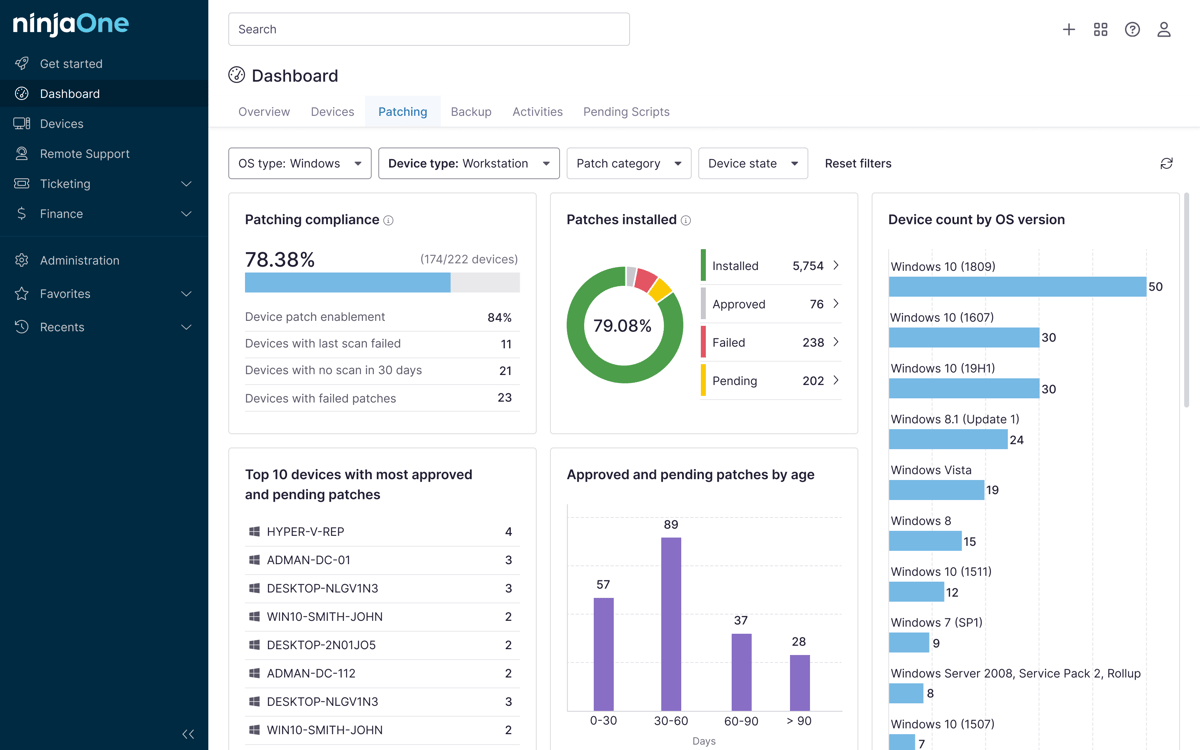
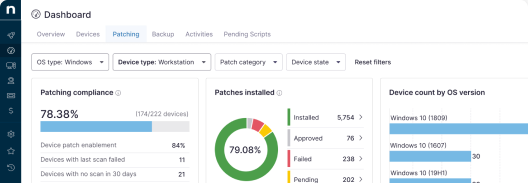
Tracking hardware and software costs is easier when you can see your full asset inventory in one place. NinjaOne IT Asset Management gives IT teams a real-time view of every device, license, and warranty so budgeting for replacements and renewals is based on data instead of guesswork.
💸 Optimize IT spending with data. Download a free toolkit with IT insights and financial planning resources.
Why is IT budgeting important?
IT budgeting is essential for strategic planning and decision-making. For an organization to sustain itself, planning must account for the resources available to achieve certain strategic goals in both the immediate and more distant future. For IT departments to make good decisions that align with business goals, they need a strategic plan that outlines the ultimate aims of the organization as well as the personnel and funds to accomplish them.
A well-made budget allocates resources, providing teams with a general idea of how much money they can spend,while it also controls costs by requiring teams to prioritize their projects and initiatives. For example, if your IT team knows you have a server that is nearly due for replacement but you also need to overhaul your website and patch vulnerabilities, having a set number of spendable resources narrows down when those projects will be feasible. This, in turn, promotes innovation and cost efficiency as team members try to achieve goals while reserving resources.
IT budgeting also has a role in risk management and contingency planning. All organizations are at risk of cyberattacks or natural disasters. Knowing what the budget is and what resources are available to the organization can help IT teams create disaster recovery plans that account for the maximum allowable downtime, create secure backups, and determine the best approach for things like patches, data visibility, and monitoring access.
IT budgeting best practices
When you create your budget, two of the most important components are laying out your typical expenses (adding a little padding isn’t a bad idea either) and then incorporating the costs of larger projects that aren’t necessarily essential but may contribute positively to your organization’s goals. However, there are also a few things you can do to better manage your budget and reduce IT infrastructure expenses.
- Lower resource costs: Using solutions that improve your efficiency can help. When your IT team can automate some of its tasks, the team members can tackle more complex projects at a lower resource cost.
- Make expenses predictable: Sometimes consistency is better than immediate cost savings. Your IT team should keep a calendar for scheduled updates and license renewals to ensure timely payment and avoid late fees. One possible option for keeping costs straightforward is outsourcing your IT needs to an MSP, which can set a steady monthly fee that is relatively easy to incorporate into your budget. Although unexpected expenses may still come up, your baseline costs will be less variable.
- Foster quick and independent decision-making: Providing your team with short-term financial goals and long-term organizational goals can help them operate more independently. Your team won’t have to wait for your approval for every little decision, which will improve their efficiency and decrease downtime throughout your organization.
- Balance costs, value, and risk: Sometimes a large project that somewhat strains your resources will add value to your organization and contribute to your strategic long-term goals. While it may be tempting to focus on cutting costs, the best budgeting practice is to make space for some of the more expensive things. In the process, you can reduce your disaster risk, add value to your organization, and potentially limit costs going forward.
- Review periodically: Ideally, you should be reviewing your budget and making adjustments a few times per year, if not more often. This helps you to stay on top of any changes or unexpected expenses, meaning that you can adjust your financial plans to stay on track before your year is entirely off-course.
💡 Watch “Tips and Best Practices for IT Budgeting” for additional best practice guidance.
IT budget trends for 2026
Your IT budget, like your organizational budget, is shaped by a few forces specific to 2026. Distributed and hybrid work is now the norm rather than a temporary shift, so budgets should account for ongoing security around data and application access points, along with remote asset and device management.
AI adoption is also reshaping IT spend: Gartner forecasts worldwide IT spending will reach $6.37 trillion in 2026, with AI infrastructure and software driving the fastest growth, so many teams are now setting aside a dedicated line for AI tools and the compute or licensing costs that come with them. Cloud costs remain a major line item too, so it’s worth building in regular cost reviews (sometimes called FinOps) to avoid paying for underused cloud resources.
If the economy is a concern, be conservative with your budget and focus on high-value projects with relatively low costs that will make you more efficient and flexible over time. For example, if you’re concerned that you may not be able to hire another IT technician this year, you might consider tools that let one technician manage more devices without added headcount.
Set your team up for success with IT budgeting
Budgeting is essential for achieving IT and organizational goals. Organizations that want to succeed long-term need to plan for growth strategically, incorporating achievable and realistic goals that are also financially feasible. Keeping IT teams on a budget can be difficult when disaster strikes, but a strategically planned and implemented budget can help keep expenses on track even during difficult periods.
Finally, balance cost, value, and current budgeting trends to plan most effectively for the coming fiscal year. Your IT team will be better equipped to make strategic decisions, and your organization will be better equipped to recover from and solve problems while achieving the goals set during strategic planning.
To accomplish smooth disaster recovery without tanking your finances or giving up on your goals, you need to periodically review your budget to ensure that everything is proceeding as expected. The NinjaOne unified IT operations platform brings endpoint management, patching, backup, and remote access together in one place so your team can lower costs and improve efficiency without adding tools or headcount.
Start your free trial now or watch a free demo of the solution in action.