Key Points
- Remote monitoring and management (RMM) software enables IT teams to manage endpoints remotely.
- RMM platforms centralize visibility across devices, networks, and systems to improve efficiency and response times.
- Modern RMM solutions support automation, patch management, and proactive issue resolution to reduce downtime.
This guide offers a comprehensive look into Remote Monitoring and Management (RMM) and how it fits into modern workplaces. Apart from its history and importance, we will also explain how an RMM software can help manage IT environments much more efficiently—an important consideration for Enterprise IT and MSPs.
Want a deeper dive into RMM? Check out this video: What is RMM? A Modern Definition Plus Evaluation Criteria.
What is RMM software?
RMM software primarily does these two things: gather information from remote endpoints and networks to assess their health, and perform various remote IT management tasks over these assets without disruption.
As the name suggests, RMM services are designed to enable organizations to remotely monitor and manage client endpoints through what is called an RMM agent. This extension of the centralized platform collects information about the health and performance of devices and networks, providing real-time insights for IT teams.
With this agent, IT enterprises gain complete visibility into their entire environment, enabling them to identify and remediate system malfunctions and support tickets remotely. These key benefits make RMM a peerless IT solution for hybrid work environments.
Experience firsthand how NinjaOne reduces MSP workload and boosts productivity.
How does RMM software work?
RMM works by deploying RMM agents onto endpoint devices, which include desktops, laptops, servers, tablets, smartphones, workstations, and Internet of Things (IoT) devices. The agent enables IT teams to get real-time data on how endpoints are performing, manage devices, deploy and apply patches, automate repeatable tasks, and more.
Think of the agent as a tiny helper quietly working in the background. Once installed, it serves as a bridge between the device and the central RMM software, autonomously and continuously gathering information about system health, performance, and status.
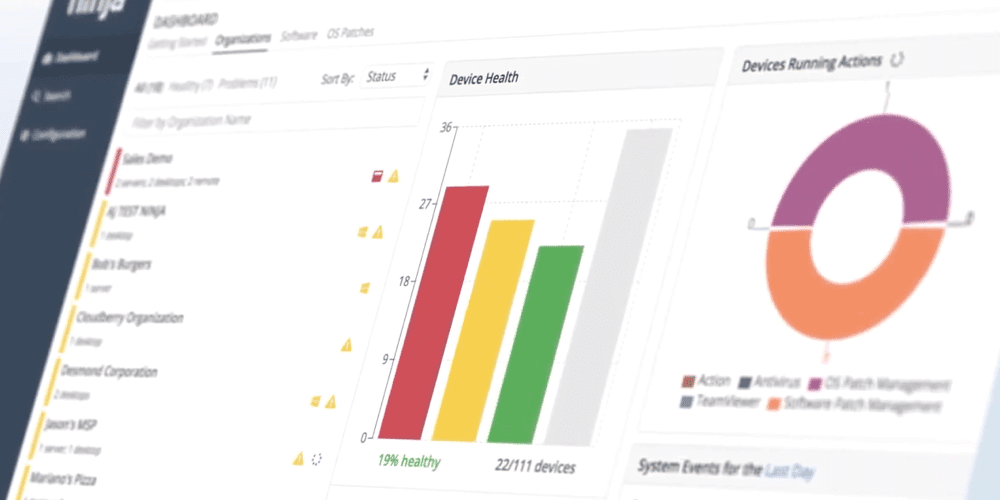
For instance, the RMM agent monitors metrics such as CPU usage, disk space, and network activity. It also has visibility on whether the device’s antivirus software is up to date, and so on. All this information is then sent back to the RMM dashboard, where IT professionals can analyze it at a glance.
Download your free Proactive IT Management Guide [PDF] for more tips on how RMM helps with proactive IT management.
This proactive IT monitoring means technicians are not relegated to waiting for issues or tickets. Furthermore, the RMM software can immediately alert IT teams if anything is amiss or suspicious. Ultimately, this improves service delivery and cuts into productivity loss and network disruptions.
Who uses RMM software?
RMM solutions are widely used by managed services providers (MSPs). These professionals provide IT support to clients in various locations, which is typically done at great speed and accuracy with the help of an RMM.
Additionally, RMM tools allow MSPs to remotely monitor systems, troubleshoot, deploy critical updates, and maintain system security, saving significant time and resources while ensuring prompt client support.
With workforces becoming increasingly distributed, it’s also becoming common to see internal IT departments utilizing RMM tools that combine many of IT’s core functions (e.g., system monitoring, patch management, and remote access) into a single solution.
Doing so enables IT teams to efficiently manage and support their organization’s infrastructure, regardless of whether employees work on-site, remotely, or in a hybrid arrangement.
Without a doubt, RMM solutions are becoming a cornerstone of modern IT management, serving both MSPs and internal IT teams in their efforts to maintain system performance and meet their most critical business performance metrics. In fact, the RMM tools market is projected to grow at a 9.1% CAGR through 2035, reflecting widespread adoption among MSPs and enterprises seeking to streamline IT operations.
Why do MSPs need RMM software solutions?
IT business leaders use RMM to detect and resolve issues proactively before they become bigger problems. This is important: Proactive IT management. This is important: Proactive monitoring is essential to any good RMM.
The right tool uses a unified IT management approach to deliver robust risk monitoring and management, all done in the background. This improves IT network security and contributes to strengthened revenue.
Download this guide to get started
Additionally—and arguably, most importantly—MSPs require RMM software to meet stringent service-level agreements (SLAs). By automating routine tasks and providing real-time alerts, RMM solutions help MSPs maintain compliance with uptime guarantees and performance benchmarks outlined in their SLAs. This capability enhances client trust and strengthens the MSP’s reputation for reliability and efficiency. We recommend checking out this guide on managed services agreements for MSPs for more information.
Lastly, it’s worth noting that the Cybersecurity and Infrastructure Agency (CISA) has published its Cyber Defense Plan for Remote Monitoring and Management (RMM), the first proactive plan developed by industry and government partners through the Joint Cyber Defense Collaboration (JCDC). This guide is designed to inform and protect the public against the malicious use of RMM and educate customers about the key factors to consider when choosing an RMM tool. This is a valuable resource for MSP leaders seeking a more in-depth discussion on why an RMM is necessary.
How did IT teams solve issues before RMM?
The original way IT teams dealt with issues as they occurred follows the break/fix model.
When hardware or software broke or malfunctioned, technicians would have to go on-premises to investigate the problem and eventually resolve the issue, which could take a lot of time.
The break/fix model also lacked contracts or subscriptions, providing technicians with an unstable income, and customers lacked continuous support from technicians. Break/fix was a lose-lose situation for both end users and service providers.

7 RMM software capabilities to evaluate
As with any software, evaluating RMM options depends on specific needs and priorities. Most RMMs offer many of the same core features, but reliability and performance can vary. With that said, IT pros typically use RMM to fulfill these core workloads:
1. Real-time remote monitoring and alerting
RMM solutions can monitor the health and performance of individual systems and entire networks 24/7. As a result, IT professionals are alerted to potential issues or attacks before they become disruptive.
In addition, RMM enables teams to create custom automated workflows to deal with alerts and incidents, as well as generate reports that provide clear visibility into network activity, asset inventory, compliance, and SLAs.
Overall, proactive monitoring with RMM significantly reduces downtime by identifying and resolving issues early, resulting in fewer critical system failures.
2. Behind-the-scenes remote maintenance and remediation
With RMM software, technicians can deploy software, manage updates, run scripts, and remotely connect to machines to troubleshoot and fix problems without interrupting the end user. This capability is particularly valuable for distributed teams or businesses that follow hybrid or remote work models.
3. Routine IT management automation
RMM software unlocks the ability to streamline IT workflows and automate a wide variety of tasks, from installing patches to running scripts to creating and responding to tickets with predetermined policies and actions. Leveraging automation enables IT professionals to focus on higher-value tasks and consistently deliver SLAs on routine workloads.
4. Active management of third-party endpoint security and backup solutions
Beyond monitoring and maintenance, RMM software is commonly used to deploy, update, and manage endpoint security tools and backup solutions. This ensures comprehensive protection against the most common types of cyber attacks while building robust disaster recovery protocols.
5. Enhanced analytics and reporting capabilities
Modern RMM solutions are more adept at leveraging advanced analytics to help end-users make informed decisions. AI and machine learning integrations also continue to improve in delivering more predictive insights. For instance, Gartner predicts that by 2027, 80% of CIOs will have performance metrics tied to the sustainability of the IT organization.
6. Integration with IT service management (ITSM) tools
RMM software often integrates with ITSM platforms to enhance ticketing workflows, improve incident management, and align IT support with broader organizational goals. As highlighted in recent ITSM trends, this integration is essential for modern IT operations, enabling seamless collaboration between monitoring, management, and service delivery.
7. Scalability and multi-tenancy for MSPs
RMM solutions are designed with scalability in mind, making them indispensable for MSPs. Multi-tenancy allows MSPs to manage multiple clients from a single platform efficiently, saving time and resources. Likewise, enterprise IT can leverage these capabilities to centralize management, streamline operations, and ensure consistent policy enforcement across distributed environments.
NinjaOne is the preferred choice by IT professionals for remote monitoring and management.
Whether through real-time monitoring, automation, advanced analytics, or integration with ITSM tools, RMM software empowers IT teams and MSPs to deliver proactive, efficient, and secure IT services at scale. It’s no wonder, then, that most MSPs consider RMM software solutions their most critical application.
6 benefits of RMM software
Under the right conditions and management, RMM can help IT providers completely transform their operations, making them more efficient, more effective, and in the case of MSPs, more profitable. Here are some of these game-changing benefits:
| Benefit | Why It Matters |
| Complete visibility and control from a central location | Enables real-time monitoring and swift issue resolution, reducing on-site visits and costs. |
| Comprehensive IT management | Centralizes control with integrations, reducing screen toggling for techs and admins. |
| Automation makes support scalable | Free up technicians from manual tasks, allowing them to support more users and endpoints without increasing the workforce. |
| Proactive rather than reactive support | Anticipates issues to avoid downtime, improving reliability and client satisfaction. |
| Enhanced security and compliance | Provides real-time threat detection and automated patch management for compliance. |
| Cost savings | Reduces operational costs by up to 30% and improves efficiency by 40%. |
Apart from technical upgrades, RMM tools offer robust security features, including real-time threat detection and automated patch management, ensuring systems are up-to-date and compliant with various industry standards, such as GDPR, HIPAA, and PCI-DSS.
Real-world applications of RMM software
Organizations managing complex, distributed IT environments can use RMM as a force multiplier by automating routine tasks such as system updates, performance monitoring, and remote troubleshooting. These industries include:
- Financial
- Software and technology
- Education
- Healthcare
- Food and beverage
- Professional services
- State and local government
RMM increases security for these specialized environments and operationalizes various workloads. You can check out a few customer stories from NinjaOne to see how IT teams from these sectors are able to leverage RMM for IT efficiency and scalability.
Trends and future of RMM
As technology evolves, RMM platforms continue to adapt, driven by innovation and the changing needs of IT environments.
| Trend | Impact |
| AI-driven monitoring | Enables smarter, faster, and predictive analytics by analyzing vast data in real time, detecting patterns and anomalies. |
| Integration with cybersecurity platforms | Combines IT management with robust security, offering real-time detection, automated incident response, and secure access controls. |
| Cloud-based solutions | Provides flexibility, scalability, and remote management, ideal for hybrid work environments with lower upfront costs. |
| Focus on user experience | Prioritizes intuitive interfaces, streamlined workflows, and robust training to enhance accessibility. |
| Remote workforce enablement | Supports distributed teams with secure remote access and troubleshooting, ensuring productivity and security. |
| Zero-trust architecture | Ensures continuous verification of users, devices, and applications before granting network access. |
These trends are shaping the next generation of RMM, making it more intelligent, secure, and user-focused for modern IT demands.
Empower your IT teams with NinjaOne intuitive remote monitoring and management tools.
RMM software comparison and ratings
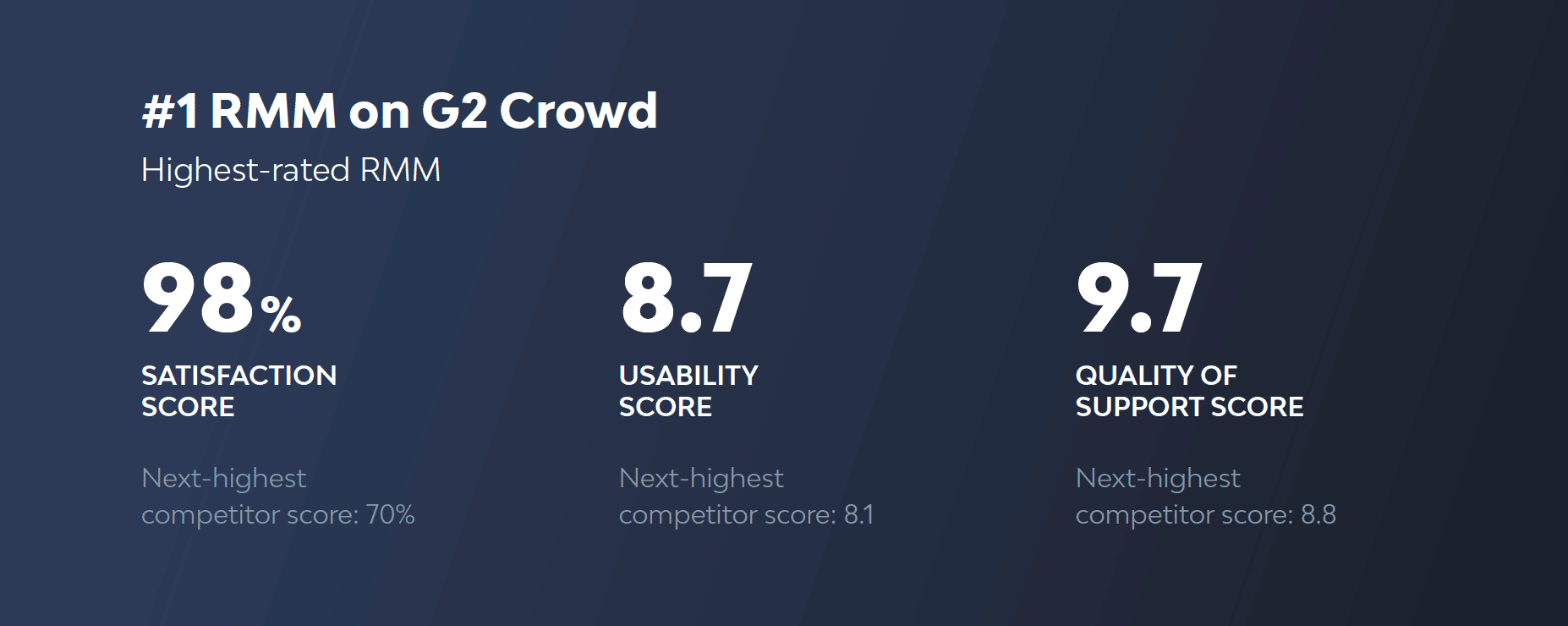
NinjaOne ranks highly in ease-of-use in RMM software by G2 Crowd and is the emerging favorite by Capterra. To view the top RMM solutions in the coming year, as rated by the IT community, check out the Best RMM Software list.
For a side-by-side comparison of the leading RMM platforms, refer below:
| Product | G2 rating | Capterra rating |
| NinjaOne | 4.7 out of 5 (4,313 reviews) | 4.7 out of 5 (293 reviews) |
| Hexnode | 4.5 out of 5 (246 reviews) | 4.6 out of 5 (153 reviews) |
| Pulseway | 4.6 out of 5 (123 reviews) | 4.7 out of 5 (310 reviews) |
| LogMeIn Resolve (Formerly GoTo Resolve) |
4.3 out of 5 (468 reviews) | 4.4 out of 5 (214 reviews) |
| OptiTune | 4.3 out of 5 (5 reviews) | 4.3 out of 5 (14 reviews) |
| Auvik | 4.5 out of 5 (380 reviews) | 4.7 out of 5 (103 reviews) |
| SyncroMSP | 4.5 out of 5 (502 reviews) | 4.6 out of 5 (148 reviews) |
| Action1 | 4.9 out of 5 (1054 reviews) | 4.9 out of 5 (237 reviews) |
| Atera | 4.6 out of 5 (1176 reviews) | 4.6 out of 5 (449 reviews) |
| Naverisk | 4.7 out of 5 (72 reviews) | 4.8 out of 5 (97 reviews) |
Overall, user ratings across both G2 and Capterra show consistently high satisfaction among leading RMM platforms, with NinjaOne being a clear favorite within both communities.
Why IT pros choose NinjaOne RMM
NinjaOne is an automated endpoint management platform trusted by 35,000+ customers worldwide. It automates the most challenging aspects of IT, providing real-time visibility, security, and control over all endpoints.
Whether your organization is in transition or new to the industry, NinjaOne is available with no forced commitments and no hidden fees. If you’re ready, request a free quote, sign up for a 14-day free trial, or watch a demo to see how NinjaOne works within your network and IT environment.
Want to learn more about RMMs and how the right support can make all the difference? Visit our NinjaOne RMM FAQ page for comprehensive information and answers to common questions.
Related topics: