
Key points
- Remote Monitoring & Management (RMM) vs Mobile Device Management (MDM):
- RMM: Manages and monitors desktops, laptops, and servers.
- MDM: Secures and controls mobile devices like smartphones and tablets.
- RMM focuses on patch management, remote access, and monitoring; MDM focuses on device enrollment, app control, and data protection.
- Both overlap in remote endpoint management, automation, and security enforcement.
- Choose RMM for IT infrastructure, MDM for mobile security, or combine both for full endpoint coverage.
- NinjaOne offers RMM and MDM in one platform, eliminating the need for separate tools.
RMM vs MDM software: Which one is the best for you? Flexible working arrangements have become the norm for organizations. While this has significantly improved business productivity, IT departments and managed service providers (MSPs) must now keep track of a variety of endpoint devices, including mobile devices. In fact, mobile devices are rapidly becoming integral to business operations. A study published in the MDPI journal shows that 70% of businesses have seen an improvement in everyday work operations thanks to the use of mobile devices in the workplace.
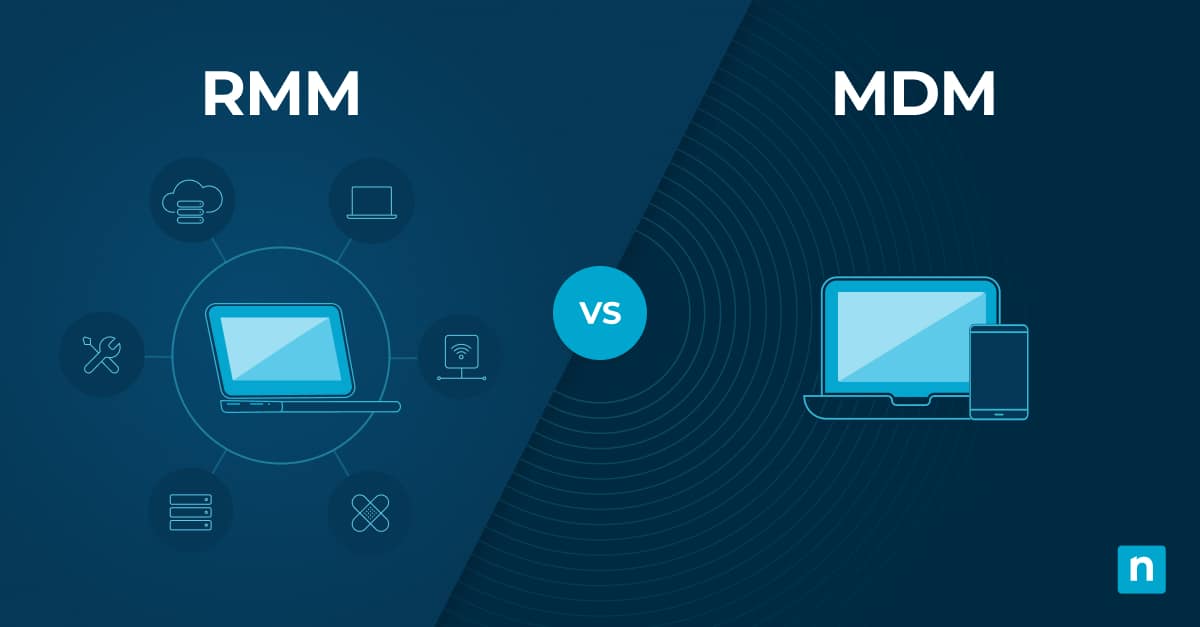
Remote Monitoring and Management (RMM) software and Mobile Device Management (MDM) software offer various tools and functionalities that allow businesses to keep up with an increasingly distributed workforce. RMM manages and monitors desktops, laptops, and servers, while MDM secures and controls mobile devices, but many organizations use both together for full endpoint coverage.
Eliminate tool sprawl with one platform for RMM and MDM.
RMM vs MDM at a glance
| Feature / Aspect | RMM (Remote Monitoring and Management) | MDM (Mobile Device Management) |
| Definition | Tools to monitor, manage, and maintain IT assets like laptops, mobile devices, and networking devices. | Tools to monitor, manage, and secure mobile devices like smartphones and tablets, including BYOD. |
| Types |
| Typically cloud-based or on-prem, depending on vendor. |
| Key Functions | Real-time monitoring, patch management, remote access, and reporting. | Device enrollment, security policy enforcement, app management, data protection, remote monitoring, and profile management. |
| Purpose / Value | Ensures endpoints are high-performing, updated, and secure; improves IT visibility and support. | Simplifies mobile device management, ensures security, compliance, and proper configuration. |
| Similarities | Remote endpoint management, IT automation, enhanced security. | Remote endpoint management, IT automation, enhanced security. |
| Differences | Focus on desktops/laptops, network monitoring, and software deployment. | Focus on mobile devices, BYOD management, granular enrollment, app control, kiosk mode, and remote lock/wipe. |
What is RMM software?
Remote Monitoring and Management (RMM) software is a category of remote management tools that enable IT teams and MSPs to monitor, manage, and maintain IT assets such as laptops, mobile devices, networking devices, and other endpoints.
Types of RMM software
There are two types of RMM software: on-premise and cloud-based. Here’s how they differ:
On-premises RMM
On-premise RMM software is hosted via physical hardware located within the premises of an organization. Because of the hardware infrastructure needed, the installation of on-premise RMM requires more time and investment. In addition, the physical infrastructure requires more costly maintenance and specialized expertise. This also makes these legacy RMM solutions more difficult to scale with business growth, as hardware must be added to them.
Cloud-based RMM
Cloud-based RMM software is hosted via the cloud, allowing any user within the organization to access the platform from anywhere through a web browser. These solutions can be more cost-effective as they are scalable and do not require the expenses and upkeep required by physical infrastructure.
Key functions of RMM software
An RMM software is used for many IT operations involving the following:
1. Real-time monitoring and alerts
RMM tools offer full visibility of all the devices in an IT environment, allowing IT teams and MSPs to track performance, network traffic, device health, and more. In addition, alerts can be set up to notify technicians of any anomalies or issues, allowing them to resolve problems swiftly.
2. Patch management
Automated patch management capabilities allow IT administrators to push out the latest updates and deploy any missing patches for operating systems or software. These updates can also be scheduled to reduce disruption to users. With an RMM, IT teams and MSPs can ensure that devices regularly receive the latest security patches and updates for optimal performance.
3. Remote access
Some RMM software solutions offer remote access tools that enable technicians to securely connect to remote endpoints and gain full control over them to troubleshoot and resolve any issues. IT support teams can improve ticket resolution times and provide quick support, reducing any downtime.
4. Reporting
With RMM software, users are able to generate reports that can provide insights into system performance, security status, and compliance.
What is MDM software?
Mobile Device Management (MDM) software can be used to monitor, manage, and secure an organization’s mobile devices such as smartphones and tablets, regardless of whether they are company-issued or bring-your-own-device (BYOD). With an MDM solution, businesses can ensure that their mobile fleet is secure, compliant with organizational policies, and properly configured.
Why do businesses need MDM?
There are many reasons why your business needs an MDM solution. A major benefit of utilizing MDM software is that it simplifies the management of mobile devices at scale, making it easier for IT teams to keep mobile devices functioning optimally and securely.
In remote or hybrid work environments, end users access sensitive corporate data from their mobile devices. An MDM software protects sensitive data and corporate resources through encryption and robust device controls.
In addition, mobile devices are just as vulnerable as laptops and desktops when it comes to malware and other cyberattacks. MDM software solutions offer robust security tools such as encryption and remote wiping of compromised devices. In fact, a survey done by Finances Online shows that 86% of organizations employing MDM software find that they can ensure that corporate data and applications remain secure.
Key functions of MDM software
1. Device provisioning and enrollment
IT teams and MSPs can automate device enrollment into the management system, whether devices are corporate-issued or BYOD. This process is often automated and straightforward to ensure quick integration of new devices.
2. Security policy enforcement
MDM software allows organizations to enforce corporate policies on mobile devices. This can include encryption settings, application usage restrictions, and compliance with corporate policies and regulatory standards such as HIPAA.
3. Application management
MDM application management enables IT teams and MSPs to deploy, update, and manage applications on enrolled devices. This includes deploying required software, whitelisting approved apps, blacklisting unauthorized apps, and uninstalling software.
4. Data protection
MDM tools provide robust security features such as remote wipe and lock capabilities for stolen or lost mobile devices. This ensures that malicious or unauthorized users cannot access sensitive data.
5. Remote device monitoring
An MDM software provides users with full visibility of their mobile fleet, allowing IT professionals to act quickly when issues or security threats are detected. Furthermore, continuous monitoring of device health and status allows IT professionals to ensure optimal device performance, battery life, storage usage, and network connectivity.
6. Profile management
For Android devices, MDM solutions enable users to implement work and personal profiles to ensure that corporate data remains protected while users’ personal data remains private. This feature allows IT teams to segregate corporate and personal data for Android BYOD devices.
What are the similarities between RMM and MDM software?
RMM and MDM software share several overlapping features when it comes to monitoring and managing endpoint devices.
Remote endpoint management
Both RMM and MDM are indispensable tools for supporting hybrid or remote work environments. They provide IT teams with full visibility into their IT environment and multiple tools to manage endpoint devices, regardless of where they are located.
IT automation
It is common for RMM and MDM software to offer automation tools that streamline IT workflows. An IT automation solution reduces manual workloads, freeing up IT administrators to focus on more strategic tasks.
Enhanced security
Both types of solutions include security features designed to protect devices and data. For example, RMM often includes antivirus and anti-malware tools, while MDM focuses on encryption and secure access controls.
What are the differences between RMM and MDM software?
Here are some of the specialized functions that are exclusive to RMM and MDM software:
| Feature/Category | RMM software (Remote Monitoring and Management) | MDM software (Mobile Device Management) |
| Primary focus & Scope | Offers a broader scope of IT management tools. | Specializes in features that allow users to monitor and manage their mobile fleet. |
| Target devices | Focused on standard devices such as laptops and desktops. | Focused on mobile devices like smartphones and tablets. |
| Integration | Tends to integrate more with other IT operations management tools. | Mobile device usage is a more recent phenomenon; focus is on mobile fleet management. |
| Network monitoring | Network monitoring is an exclusive function. Offers tools to keep track of devices with real-time network polling, providing performance metrics. Allows users to monitor and manage networking devices(routers, switches, firewalls, printers). | Does not specialize in general network monitoring. |
| BYOD management | Not specially designed to answer the needs of BYOD policies at scale. | Exclusive function. Specially designed to answer the needs of BYOD policies at scale. For Android MDM software, it can include features like MDM containerization to segment usage and protect personal privacy and sensitive business data. |
| Device enrollment & provisioning | Can provision devices. | Offers more granular control over mobile device provisioning with zero-touch enrollment processes (e.g., Android Enterprise Enrollment). |
| Application management | Can handle software deployment and patch management. | More specifically suited to mobile applications. Users can blacklist and whitelist applications or utilize containerization to separate personal applications from business-specific ones. |
| Kiosk management | Does not offer this feature. | MDM kiosk management is an exclusive function. Allows IT teams to manage and set or remove mobile devices in kiosk mode, limiting them to specific applications or functionalities (used in retail, education, and healthcare). |
| Mobile device security | Offers general security tools for standard devices. | Provides tools to allow IT professionals to remotely lock or wipe a compromised mobile device to prevent confidential business data from being compromised. |
Choosing between RMM vs MDM
Generally, MDM software might not be as necessary for organizations that do not have a significant number of employees who use their mobile devices to access corporate resources securely.
However, as more businesses adopt mobile device usage and BYOD policies, organizations may find that having both RMM and MDM solutions is more than worth the investment. After all, RMM and MDM software are both vital for IT teams and MSPs to maintain a high level of security and efficiency across their IT infrastructure.
Having two separate solutions can be costly and also make IT operations more complex, as IT professionals must constantly switch between the two platforms. Fortunately, there are endpoint management solutions that offer both RMM and MDM solutions.
Monitor and maintain desktops and mobile devices using a unified platform.
The benefits of combining RMM and MDM in one solution
By integrating RMM and MDM capabilities, IT teams and MSPs can utilize a comprehensive suite of IT operations management tools, ensuring that no device or asset is left unmonitored and unsecured. Furthermore, a solution with RMM and MDM features provides a single pane of glass where users can view and access their entire IT environment, improving operational efficiency. This unified approach simplifies IT operations, allowing consistency across devices and speeding up workflows.
Combining RMM and MDM also significantly improves the security posture of an IT environment and allows organizations to comply with industry regulations. This is because a solution that offers both RMM and MDM capabilities enables consistent security policies across all devices, which lowers the risks of having different frameworks across different endpoints.
RMM and MDM with NinjaOne
NinjaOne is an ideal solution that consolidates RMM and MDM software into a single, comprehensive Endpoint Management platform. Ranked #1 in RMM on G2, NinjaOne is a cloud-native solution that allows IT teams and MSPs to monitor, manage, update, and secure all their Apple and Android devices alongside Windows, macOS, and Linux from a single pane of glass. NinjaOne also allows businesses to simplify their technology stack by offering both RMM and MDM capabilities in a single solution, while also being able to easily scale to meet the evolving demands of growing businesses without the need to invest in additional software. By consolidating remote management tools for both RMM and MDM into one platform, NinjaOne eliminates the tool sprawl that comes with running separate solutions.
NinjaOne stands out as a comprehensive RMM and MDM solution that is not only easy to navigate but also quick to adopt since it does not require intensive training or expertise for users to make full use of its features. Whether you’re an MSP or an IT department, NinjaOne can boost your IT operational efficiency and secure your remote devices. Try NinjaOne for free or watch a demo to see how you can better manage and secure your devices.


