

Key points
- Why look beyond IT Glue: Teams evaluate IT Glue alternatives based on per-user pricing, ecosystem fit, and documentation kept separate from endpoint management.
- Top IT Glue alternatives for 2026: 1. NinjaOne, 2. Hudu, 3. Atera, 4. SuperOps, 5. Syncro, 6. N-able Passportal, 7. SolarWinds Service Desk, 8. Site24x7, 9. Lansweeper, 10. Freshservice.
- Choosing the right IT Glue alternative: Match the tool type to your needs, compare pricing and deployment options, weigh migration effort, and test with a free trial.
- Reasons to consider NinjaOne: NinjaOne builds documentation into its cloud platform for endpoints, tickets, and assets, fitting teams that prioritize ease of use, fast deployment, and tool consolidation.
If your team runs on IT Glue, you’ve probably wondered whether a different documentation platform would fit your environment better and whether that’s worth the effort of migrating your data, credentials, and processes.
This guide covers 10 IT Glue alternatives for managed service providers (MSPs) and internal IT teams, each evaluated on the same criteria. The goals are for you to shortlist the platforms that match your tools, team size, and budget as well as to decide whether switching makes sense for your organization.
Quick summary
Switching from IT Glue is worth evaluating if per-user pricing, vendor ecosystem alignment, or documentation that sits apart from your endpoint management and ticketing tools is holding your team back. If you’re satisfied with IT Glue and run mostly Kaseya products, you may have little reason to move.
Use these quick picks to shortlist your choices:
- Documentation built into your endpoint management platform: NinjaOne
- A standalone documentation platform: Hudu (with a self-hosted option) or N-able Passportal (credential management plus documentation)
- An all-in-one RMM and PSA platform with documentation included or integrated: Atera, SuperOps, or Syncro
- A service desk or ITSM platform with a knowledge base: SolarWinds Service Desk or Freshservice
- Asset discovery or infrastructure monitoring to run alongside a documentation tool: Lansweeper or Site24x7
IT Glue alternatives quick comparison table
| Tool | G2 rating | Review count | Best for | Pricing model | Deployment model |
| NinjaOne | 4.7 out of 5 | 5,038 reviews | Internal IT teams and MSPs that want documentation built into endpoint management, ticketing, and asset tracking | Per device | Cloud |
| Hudu | 4.7 out of 5 | 359 reviews | Small to mid-size MSPs and internal IT teams that want a standalone platform for documenting client and internal procedures, assets, and credentials | Per user, single tier | Cloud or self-hosted |
| Atera | 4.6 out of 5 | 1,274 reviews | Small to mid-size MSPs and internal IT teams that want an all-in-one RMM and help desk platform with documentation built in | Per technician, unlimited endpoints | Cloud |
| SuperOps | 4.4 out of 5 | 205 reviews | Small MSPs and lean internal IT teams that want a modern PSA and RMM platform with documentation built in | Per technician or per endpoint | Cloud |
| Syncro | 4.5 out of 5 | 559 reviews | Small MSPs that want RMM, ticketing, and billing in one platform and handle documentation through a separate tool or an integration | Flat per user | Cloud |
| N-able Passportal | 4.2 out of 5 | 41 reviews | Small MSPs and IT teams in co-managed environments that want credential management and documentation together in one tool | Quote-based | Cloud |
| SolarWinds Service Desk | 4.3 out of 5 | 787 reviews | Small to mid-size internal IT teams that want a service desk with built-in asset management and a knowledge base | Per technician | Cloud |
| Site24x7 | 4.6 out of 5 | 473 reviews | MSPs and mid-size IT teams that need infrastructure and application monitoring across customer or business-unit environments | Per monitor (plan plus add-ons) | Cloud |
| Lansweeper | 4.4 out of 5 | 69 reviews | Mid-size IT teams and MSPs managing multiple customer environments that need automated asset discovery and inventory | Per asset | Cloud or on-premises |
| Freshservice | 4.6 out of 5 | 1,359 reviews | Mid-size IT teams and MSPs that want a full ITSM platform with asset management and a knowledge base in one tool | Per agent | Cloud |
How we evaluated these IT documentation tools
To compare these IT documentation tools, we reviewed each product’s listing on G2 and Capterra, looking at overall ratings, review volume, and what reviewers say about ease of use, integrations, support, and pricing. We supplemented these ratings with direct customer feedback and NinjaOne internal research to capture issues that formal reviews often miss, such as migration effort and day-to-day usability.
Every tool, including NinjaOne, was assessed against the same criteria, such as documentation depth, security, pricing model, support, and fit for MSPs versus internal IT.
10 best alternatives to IT Glue
All G2 and Capterra data as of October 2026.
- NinjaOne
- Hudu
- Atera
- SuperOps
- Syncro
- N-able Passportal
- SolarWinds Service Desk
- Site24x7
- Lansweeper
- Freshservice
1. NinjaOne

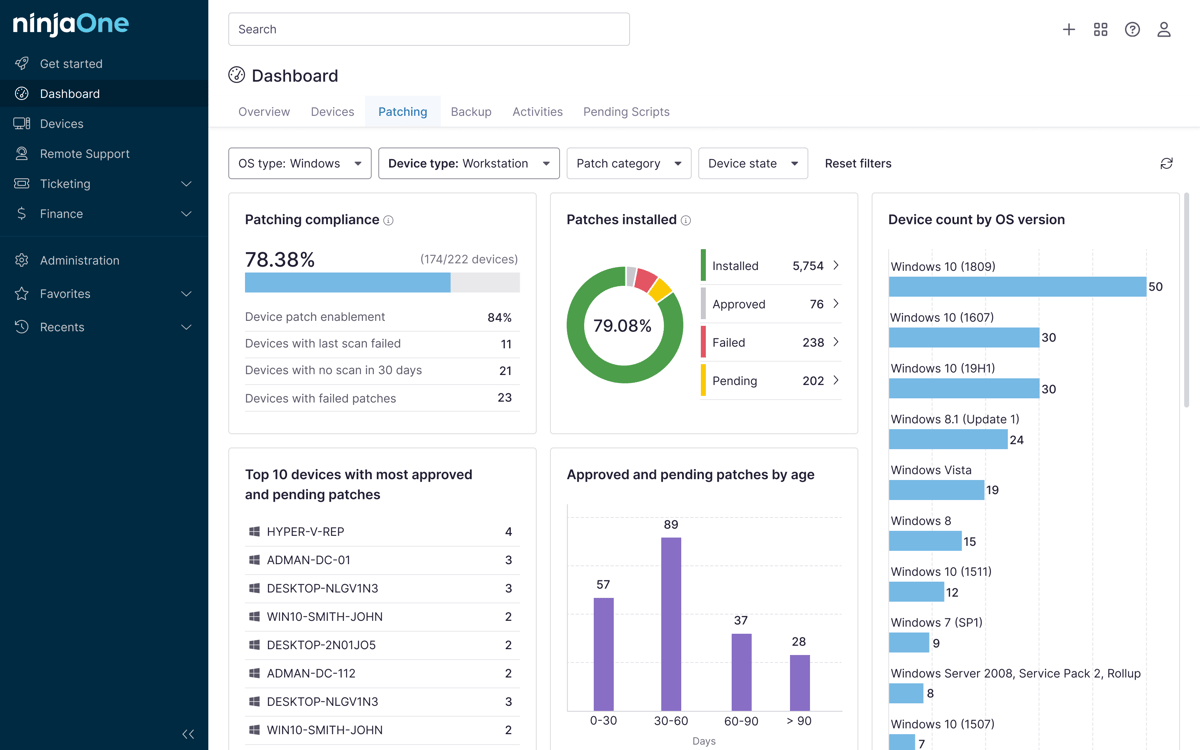
NinjaOne Documentation, as part of the NinjaOne unified IT operations platform, centralizes credentials, procedures, checklists, and knowledge base articles in the console where technicians already manage endpoints, handle tickets, and track assets. In other words, this documentation tool is built single-pane into the NinjaOne endpoint management software. This allows your IT technicians to access information mid-workflow without context-switching, making it a suitable platform for internal IT teams and MSPs that want documentation connected to daily workflows.
Features
- Keep documentation next to the work. Create multiple notes per device and link related items such as organizations and credentials, all inside the NinjaOne console.
- Share a knowledge base inside and outside your team. Maintain a global knowledge base and organization-level documents as well as share content through public links or folder access for end users.
- Protect credentials with access controls. Secure items require multifactor authentication (MFA) re-authentication for administrators, and administrators can allow technicians to share time-based one-time password (TOTP) codes for them.
- Standardize procedures with templates and checklists. Build templates for standard operating procedures, troubleshooting guides, and onboarding steps before you import global checklist templates into each client organization.
- Automate documentation updates. Read and write documentation data with scripts, the command line, and the public API so routine updates don’t depend on manual entry.
Customer story
Phil Collett, IT director of Citrus Motors, loves that NinjaOne has made life significantly easier for him and his team. Since using NinjaOne, he can now seamlessly monitor, manage, and access documentation for over 250 endpoints.
“When I deployed NinjaOne to my devices, it was so easy, everything worked, and the features did exactly what I needed them to,” said Collett. “With NinjaOne automation, I save 40 hours a month. Since using NinjaOne’s automatic reboot feature, we’ve reduced the number of help desk calls we get by 80%. When we do receive calls, NinjaOne’s remote access reduced our issue resolution time by 89%.”
Read more NinjaOne customer stories or check out NinjaOne reviews.
Pricing
NinjaOne offers pay-per-device pricing, so you pay for the endpoints you manage. Start a free trial or watch a demo of NinjaOne Documentation.
NinjaOne’s IT management software has no forced commitments and no hidden fees.
If you’re ready, request a free quote, sign up for a 14-day free trial, or watch a demo.
Ratings and reviews
As of October 2026.
- G2: 4.7 out of 5 (5,038 reviews)
- Capterra: 4.7 out of 5 (298 reviews)
See G2’s official comparison of NinjaOne vs. IT Glue.
NinjaOne offers unmatched IT documentation management. Schedule your 14-day free trial now.
2. Hudu
Hudu is a dedicated IT documentation platform used by MSPs and IT teams to keep procedures, assets, and credentials in one place. It supports multi-company environments, connects to common PSA and RMM tools, and is available as a cloud-hosted or self-hosted deployment. Hudu describes itself as an independent documentation provider and sells one per-user plan with all core features, with the Hudu Radar add-on priced separately per company.
Best for
Hudu works best for small to mid-size MSPs and internal IT teams that want a standalone platform for documenting client and internal procedures, assets, and credentials.
Features
- Centralized password management. Hudu securely generates, stores, and shares passwords with verified users in a network.
- Audit history. Hudu creates comprehensive audit trails to track all activities in your IT network.
- Knowledge libraries. Hudu maintains knowledge base libraries so that you can easily create, relate, share, and view revisions.
Shortcomings
- User interface. Hudu’s interface can be clunky, with G2 users reporting feeling initially confused with the dashboard.
- Integration issues. On occasion, Hudu users may encounter integration issues, particularly when it comes to third-party tool support.
- Limited features. Hudu only offers a few out-of-the-box features, according to reviews from G2 users.
Ratings and reviews
As of October 2026.
- G2: 4.7 out of 5 (359 reviews)
- Capterra: 4.6 out of 5 (5 reviews)
See G2’s official comparison of Hudu vs. IT Glue.
3. Atera
Atera is an all-in-one RMM that also offers IT documentation software. This tool helps IT teams create written IT documentation and records for all their business processes and share valuable stories with their stakeholders from a single dashboard. As with all Atera products, it follows a pay-per-technician pricing model.
Best for
Atera may be a good fit for small to mid-size MSPs and internal IT teams that want an all-in-one RMM and help desk platform with documentation built in.
Features
- Password management. Atera’s IT documentation tool manages your credentials across multiple environments.
- Knowledge base. You can share information with different end users through its knowledge base.
- Centralized management. You can view all your devices and access their information on a single platform.
Shortcomings
- Missing features. According to G2 reviews, Atera can still be improved with more sufficient alert context and ticketing tools.
- Limited customizability. Atera’s platform doesn’t offer full customization for some of its features.
- Agent installation. Users say that Atera could improve its agent installation process and remote access reliability.
Ratings and reviews
As of October 2026.
- G2: 4.6 out of 5 (1,274 reviews)
- Capterra: 4.5 out of 5 (461 reviews)
See G2’s official comparison of Atera vs. IT Glue.
4. SuperOps
SuperOps is a unified PSA and RMM platform for MSPs and IT teams. It combines ticketing, remote monitoring, asset management, project management, and IT documentation in one console. SuperOps positions itself as AI-powered, and documentation is one module inside the platform, not a standalone product.
Features
- Unified PSA and RMM platform. Ticketing, remote troubleshooting, endpoint monitoring, and project tracking are combined in a single console.
- Integrated IT documentation. SuperOps includes a documentation module within the platform, so documentation sits alongside tickets and managed assets.
- Ticketing automation. The platform supports ticket workflows, templates, auto-replies, and custom fields, with ticketing automation available on higher-tier plans.
Shortcomings
- Integration issues. SuperOps users report on G2 that they’ve encountered integration issues while using the platform.
- Access limitations. Certain access limitations such as file size upload restraints have been noted by users of the software.
- Missing features. Some users say that they would appreciate more features in the platform, such as file previews in the documentation section.
Ratings and reviews
As of October 2026.
- G2: 4.4 out of 5 (205 reviews)
- Capterra: 4.6 out of 5 (65 reviews)
See G2’s official comparison of SuperOps vs. IT Glue.
5. Syncro
Syncro is an integrated RMM, PSA, and Microsoft 365 management platform for MSPs and internal IT teams. It combines ticketing, remote access, monitoring, billing, and asset management in one system, with flat per-user pricing. For IT documentation, Syncro syncs asset and customer data to dedicated tools such as IT Glue and Hudu.
Best for
Syncro is a good fit for small MSPs that want RMM, ticketing, and billing in one platform and that handle documentation through a separate tool or an integration.
Features
- Unified RMM and PSA platform. Syncro combines ticketing, remote access, monitoring and alerts, billing and invoicing, and asset management in one system.
- Asset and customer records with custom fields. The solution supports custom fields for assets, tickets, organizations, and end users.
- Integrations with documentation tools. Asset and customer data is synced to documentation platforms such as IT Glue and Hudu.
Shortcomings
- Remote access and automation. Reviews of Syncro say that users would appreciate more remote access and automation capabilities.
- Limited customization. Users have mentioned that Syncro can still be improved with more customization, for example with regard to creating invoices.
- Linux support. According to reviews, Syncro’s Linux support still needs some improvement.
Ratings and reviews
As of October 2026.
- G2: 4.5 out of 5 (559 reviews)
- Capterra: 4.6 out of 5 (149 reviews)
See G2’s official comparison of Syncro vs. IT Glue.
6. N-able Passportal
N-able Passportal, as part of the N-able product portfolio, is a cloud-based password management and IT documentation platform built for MSPs. Its Documentation Manager capability stores linked documents, articles, and passwords in a single platform so technicians can find client information and credentials together.
Best for
N-able Passportal may be a good fit for small MSPs and IT teams in co-managed environments that want credential management and documentation together in one tool.
Features
- Linked documentation and credentials. Documents, articles, and passwords are stored together in one platform.
- Password automation. Passportal supports password change automation, credential injection, auditing, and reporting.
- Access management. N-able Passportal supports multi-factor authentication to control access to devices, applications, and networks.
Shortcomings
- Login issues. Users of N-able Passportal have often encountered login issues while setting up the platform.
- Two-factor authentication. Reviews say that Passportal users sometimes receive continuous 2FA requests from the platform.
- Admin control. According to Passportal reviews, an unintuitive interface and slow access to important features hinder admin control for users.
Ratings and reviews
As of October 2026.
- G2: 4.2 out of 5 (41 reviews)
- Capterra: 4.4 out of 5 (89 reviews)
See G2’s official comparison of N-able Passportal vs. IT Glue.
7. SolarWinds Service Desk
SolarWinds Service Desk is a cloud-based IT service management (ITSM) and IT asset management platform. It combines ticketing, incident and change management, asset tracking, and a service catalog. Documentation takes the form of a knowledge base of solution articles for incidents and requests, alongside asset records.
Best for
SolarWinds Service Desk is best for small to mid-size internal IT teams that want a service desk with built-in asset management and a knowledge base.
Features
- IT service management. SolarWinds Service Desk covers ticket, incident, problem, change, and service level management in one cloud platform.
- IT asset management. The platform includes asset discovery, hardware inventory, software license management, and asset lifecycle management.
- Knowledge base and self-service portal. The tool provides a knowledge base and service catalog that end users can reach through a self-service portal.
Shortcomings
- Data inconsistencies. Some users have reported that data inconsistencies in, for instance, knowledge base documents hamper productivity.
- Limited customization. A few reviews in G2 mention the platform’s limited customization for asset inventory.
- Missing features. SolarWinds Service Desk users say that it can be improved with more flexible reporting tools and more third-party integration features.
Ratings and reviews
As of October 2026.
- G2: 4.3 out of 5 (787 reviews)
- Capterra: 4.6 out of 5 (577 reviews)
See G2’s official comparison of SolarWinds Service Desk vs. IT Glue.
8. Site24x7
Site24x7, from Zoho Corporation, is a cloud-based monitoring platform that covers servers, networks, applications, websites, and cloud resources. An MSP edition adds multi-tenant management and white labeling for providers who monitor multiple customers from one dashboard. The platform centers on monitoring and alerting, with relatedproducts available for service desk and alert management.
Best for
Site24x7 works best for MSPs and mid-size IT teams that need infrastructure and application monitoring across customer or business-unit environments.
Features
- Full-stack monitoring. Site24x7 users can monitor servers, VMs, containers, networks, applications, websites, and cloud resources in one platform.
- MSP multi-tenancy. The platform lets providers manage multiple customer accounts with data isolation.
- Dashboards, alerting, and reporting. Site24x7 provides customizable dashboards, alert notifications, and SLA reports for customers.
Shortcomings
- Missing alerts. Users of Site24x7 have often noticed missing alerts while monitoring systems on the platform.
- According to reviews, Site24x7 can be rather overwhelming in terms of tool integrations, plan options, and the tool’s user interface.
- Learning curve. On that note, reviews of Site24x7 mention a learning curve for advanced features of the platform.
Ratings and reviews
As of October 2026.
- G2: 4.6 out of 5 (473 reviews)
- Capterra: 4.7 out of 5 (382 reviews)
See G2’s official comparison of Site24x7 vs. IT Glue.
9. Lansweeper
Lansweeper is an IT asset discovery and inventory platform that scans networks to identify hardware, software, and connected devices. It positions itself as a leader in cyber asset intelligence, supplying asset data to IT service management, security, and monitoring tools. A multi-tenant portal gives MSPs a single view of asset data across all managed customer accounts.
Best for
Lansweeper is a fitting solution for mid-size IT teams and MSPs managing multiple customer environments that need automated asset discovery and inventory.
Features
- Agentless asset discovery. Lansweeper scans networks to find devices, hardware, and software without installing agents on every endpoint.
- Hardware and software inventory. The solution unifies hardware, software, and user data in one inventory, with reporting and insights.
- ITSM and ITAM integrations. Lansweeper sends asset data to service management and asset management platforms such as ServiceNow and SysAid.
Shortcomings
- App limitations. Users of Lansweeper have noticed app limitations such as those involving asset display and missing features in the tool’s cloud version.
- Cloud integration. According to reviews, Lansweeper’s cloud integration still has much room for improvement.
- Complex setup. A few users have remarked that Lansweeper’s setup can be rather difficult because of limited customization and performance issues.
Ratings and reviews
As of October 2026.
- G2: 4.4 out of 5 (69 reviews)
- Capterra: 4.5 out of 5 (75 reviews)
See G2’s official comparison of Lansweeper vs. IT Glue.
10. Freshservice
Freshservice, from Freshworks, is a cloud-based ITSM platform that covers incident, problem, change, and asset management. It includes a service catalog, a knowledge base, a configuration management database (CMDB), and automated asset discovery. Customizable reports and dashboards cover tickets, SLAs, agent performance, asset status, and change success rates.
Best for
Freshservice is a fitting tool for mid-size IT teams and MSPs that want a full ITSM platform with asset management and a knowledge base in one tool.
Features
- IT service management. The tool covers incident, problem, change, and release management, with a service catalog, SLA management, and workflow automation.
- Asset management. Freshservice includes automated asset discovery, lifecycle tracking, inventory, and contract tracking.
- Knowledge base and self-service portal. It also provides knowledge management and an employee self-service portal with a service catalog.
Shortcomings
- Missing features. Users feel that Freshservice can be further improved with more features, such as improved multilanguage support.
- According to Freshservice reviews, customization can be rather limited, hindering users from tailoring the platform to their needs.
- Steep learning curve. Some Freshservice users have mentioned that the solution has a steep learning curve, owing to the lack of tutorials.
Ratings and reviews
As of October 2026.
- G2: 4.6 out of 5 (1,359 reviews)
- Capterra: 4.6 out of 5 (803 reviews)
See G2’s official comparison of Freshservice vs. IT Glue.
What is IT Glue and why look for an alternative?
IT Glue is a cloud-based, SOC 2–audited IT documentation platform made to help MSPs and IT departments manage documentation and reduce time spent searching for information. Its main goal is to centralize and standardize documentation such as network configurations, passwords, vendor information, and procedures, with features that include asset tracking, relationship mapping, and password management with an audit trail.
However, a few factors may compel teams to look for alternatives to this solution. For instance, because IT Glue uses per-user pricing, small IT teams that grow quickly would find it difficult to contend with the platform’s mounting expenses. Additionally, with IT Glue being a Kaseya-owned solution, users might be wary of possible vendor lock-in, especially as some advanced integrations are geared toward Kaseya’s product stack.
Why choose NinjaOne over IT Glue
1. Intuitive to use
One of the main reasons users look for IT Glue alternatives is their ease of use. NinjaOne, on the other hand, is made to be as easy and intuitive to use as possible. Developed by IT for IT, NinjaOne is trusted by nearly 40,000 customers in more than 140 countries because it’s simple to understand from the start, regardless of your technical skill or background.
2. Consistent processes
Some G2 users have said that IT Glue randomly glitches or becomes inconsistent in saving passwords. Comparatively, NinjaOne has built its IT documentation software to be reliable from the start and even as you grow. NinjaOne’s goal is straightforward: to simplify work by giving you a dependable tool with a proven track record of increasing productivity, reducing security risks, and lowering IT costs.
3. Easy search bar
NinjaOne easily and securely documents credentials, procedures, and environmental details so your IT technicians get the information they need when they need it. Because its documentation is built into its endpoint management solution, you can access information mid-flow without switching context. This makes NinjaOne more efficient in providing the required data than IT Glue.
4. Built to scale
NinjaOne is a dynamic product that’s constantly enhanced based on its customer’s feedback. Whether you’re managing 50 or 50,000 endpoints, you can rest easy knowing that NinjaOne can reliably deliver excellent service and keep your operations running as efficiently as possible.
5. No hidden charges
NinjaOne uses per-device pricing with monthly or annual billing, so costs track the number of endpoints you manage. There are never any hidden or surprise charges. This way, you’re more confident using their products without worrying about what to expect next month.
Strengths of IT Glue
- Document management. Some reviews mention that IT Glue is a fitting tool for managing documents and passwords
- On the same note, IT Glue users praise the ability to organize assets and passwords on the platform, thus enhancing productivity and access control.
- A number of users have pointed out that IT Glue features some seamless integrations that enhance overall efficiency.
Limitations of IT Glue
- Slow performance. According to some G2 reviews, IT Glue tends to slow down when it comes to loading large client data sets and using the mobile app.
- Missing features. Users say that IT Glue can still be improved with the addition of features such as enhanced search capability and more sections in the menu.
- Search functionality. Speaking of which, some IT Glue users feel that the platform’s search functionality still needs improvement in terms of speed and accuracy.
IT Glue pros and cons
| Pros | Cons |
| Document management | Slow performance |
| Efficient organization | Missing features |
| Seamless integrations | Limited search functionality |
Why IT teams look for alternatives to IT Glue
For teams that start looking beyond IT Glue for a better fitting IT documentation tool, the pressure tends to come from the edges. IT Glue’s per-user pricing grows with every technician added, some integrations work best inside Kaseya’s product stack, and a number of reviewers have found their search or mobile experiences with the platform rather limiting.
Additionally, because IT Glue is a standalone documentation tool, some teams ask whether documentation should live alongside the endpoint management, ticketing, and asset data that technicians already use every day. Comparing alternatives against these priorities is the fastest way to find out whether your current setup still fits.
NinjaOne is a cloud-based platform, so there is no infrastructure to provision.
Start a free trial or watch a demo to see how quickly your team can get set up.
Finding the best choice after looking at IT Glue alternatives
Effective IT documentation software is key to operational success and resilience. When considering IT Glue alternatives, it’s a good idea to look at your current IT budget and the cost of IT documentation software. This will help you decide which features are non-negotiables and which are more flexible.
Every tool covered here fits a particular kind of team, and the right choice depends on your environment. For teams that put ease of use, fast deployment, and tool consolidation first, NinjaOne is a strong fit, with documentation built into the same cloud-based platform that manages endpoints, tickets, and assets.
Learn more about NinjaOne Documentation today, and when you’re ready, sign up for a 14-day free trial or watch a free demo of the software in action.