
Key Points
- Defining remote management: Remote management is the ability to monitor, control, and manage IT systems and devices via remote tools.
- Best practices: Applying best practices such as implementing network access and security controls, maintaining proactive monitoring and management, integrating remote tools with ITSM, and leveraging automation enables IT administrators to minimize operational issues.
- Remote management features: Effective remote management tools provide real-time incident alerts, secure remote access, automated patch management, and comprehensive IT asset management (ITAM).
- Benefits of remote management: Remote management provides benefits such as proactive problem resolution, enhances security posture, and reduces operational costs, making it an essential component of modern IT management.
- Remote Monitoring and Management (RMM): Modern remote management is built around RMM platforms that centralize endpoint monitoring, remote access, patch management, automation, and security into a single dashboard, improving IT efficiency and reducing the need for on-site support.
- Cloud-based vs. on-premises remote management: Cloud-based RMM solutions have become the preferred choice for most organizations because they offer greater scalability, lower maintenance, automatic updates, and stronger security, while on-premises solutions remain suitable for organizations with strict regulatory or data residency requirements.
Incorporating remote management in your workflow as an IT service provider isn’t just another item to tick off on your to-do list; rather, it’s an essential tool for getting tasks off your list more quickly.
This post will provide an overview of remote management solutions, essential components of a good, reliable solution, and remote management best practices that’ll help you get the most out of your implementation.
What is remote management?
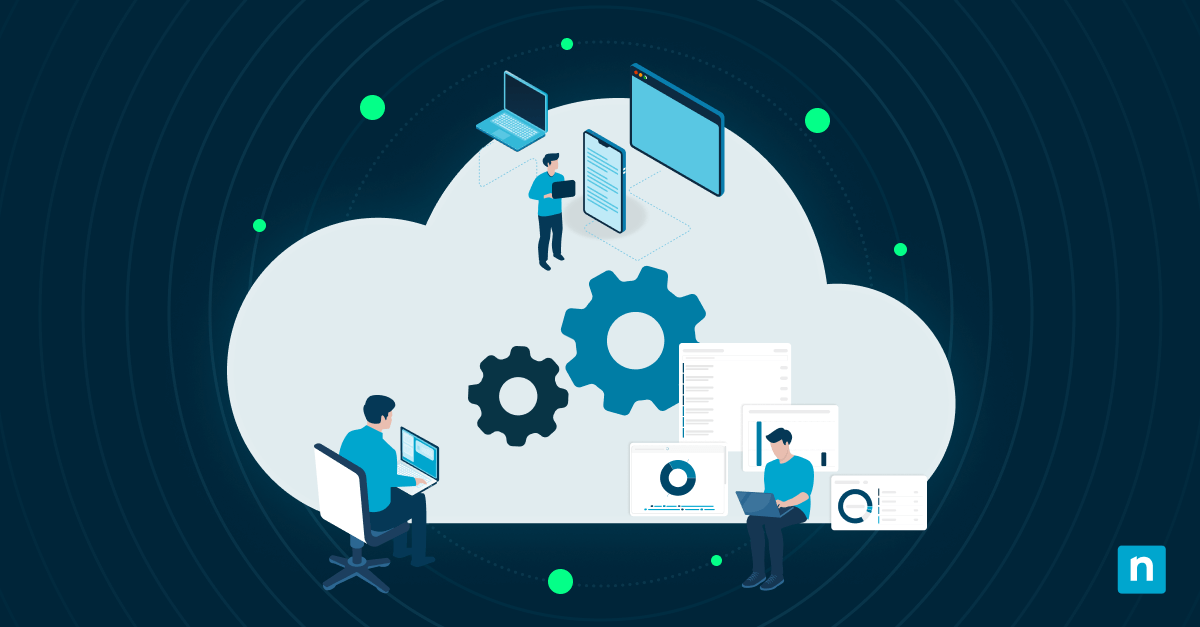
Remote management refers to the ability to monitor, control, and manage IT systems and devices remotely, typically by using remote tools. It combines real-time monitoring, automation, remote access, and security controls into one platform. In doing so, it allows IT teams and MSPs to remain proactive, stay ahead of issues, and prioritize complex projects.
This isn’t to say that remote management solutions will solve all your problems. Like most tools, these solutions aren’t perfect and will have some downsides. The most common issues you may encounter with remote tools include the following:
- Dependency on network connectivity (i.e., most tools won’t work when your network is down as it relies on your network for remote connectivity)
- Dependency on third-party providers (i.e., most remote management tools are provided by a third party)
- Security exploitation risk (i.e., because RMM tools are trusted by default within IT environments, they’ve become a prime target for threat actors)
However, by understanding the software and following best practices, you can achieve your IT goals with the help of remote management software with very few challenges.
Best practices for IT remote management
Remote management solutions provide a number of useful features and capabilities that improve your efficiency and quality of services (we’ll discuss those later). Beyond these capabilities, understanding remote management best practices and when to apply them is key to keeping the environments and networks that you manage operating smoothly.
Network security and access controls
Implement robust security measures for remote connections. Everyone should use strong passwords or passphrases, multi-factor authentication (MFA), and private networks. You should also consider limiting access based on role, device trust, and context.
That said, best practice has evolved beyond access controls alone. Organizations should maintain a strict allowlist of approved RMM tools (including approved executable hashes and authorized connection endpoints) and treat any unrecognized RMM installation as a security incident. Behavioral monitoring to distinguish legitimate administrative activity from malicious RMM use is now considered essential.
Proactive monitoring and maintenance
Your remote monitoring solution allows you to take proactive measures, but to get the most out of it, be sure to set up monitoring thresholds and performance benchmarks. Regular system health checks and maintenance activities are also beneficial.
Integration with IT service management (ITSM)
Align IT remote management with ITSM frameworks and ITIL guidelines to align your organization’s business goals with good IT services. This can help you streamline incidents, changes, and problem management. Follow guidelines for comprehensive documentation and disaster recovery plans so that if a disaster occurs, you can minimize downtime and prevent data or knowledge loss.
Leverage automation tools
Remote management software typically offers IT automation tools that you can use to streamline workflows, consistently keep devices patched, or send alerts based on specific metrics. Automation can handle repetitive tasks, allowing your IT teams to focus on more strategic projects.
Essential components of remote management
Finding the right remote management solution for your organization is about more than whether it’s cloud-based or on-premises. Here are some of the essential components of a good remote management solution:
Remote monitoring and alerts
An effective remote management tool should allow you to continuously monitor all the servers, endpoints, and other critical systems within your client’s network. It should also provide you with real-time alerts for critical events and system failures. Ideally, your solution should catch issues early, allowing you to fix them before your clients notice them.
Modern environments also require visibility beyond traditional endpoints. A growing number of organizations are deploying both endpoint-focused RMM and network-centric RMM tools together to achieve complete coverage, including IoT devices, edge infrastructure, network switches, and other assets that don’t run a traditional agent.
Remote access and control
Remote management solutions enable users to establish secure connections for troubleshooting, configuration, and maintenance without sacrificing security. IT technicians can use these features in remote access software to automate basic tasks, prioritize issues, and solve problems remotely.
You should look for solutions that support modern security measures, like encryption, role-based access, multi-factor authentication, and session logging.
Patch management and software updates
Any software or device that’s connected to a network is constantly at risk of having software vulnerabilities exploited by hackers. Remote management can help by automating patch deployments and software updates, which keeps you from getting bogged down.
Additionally, because patch management can be challenging, remote management solutions have a dashboard for displaying issues to fix and scheduling capabilities to ensure the timely application of security patches and bug fixes.
Asset inventory and management
With more employees working remotely, tracking and managing hardware and software assets have become more difficult.
Multiple departments often control and track their own devices, making it challenging for the IT team to accurately keep tabs on every device in the environment. Remote management provides a centralized platform for device tracking that relies on automated communication with each device.
By implementing IT asset management (ITAM) as part of your remote monitoring workflow, your team can generate reports on asset inventory, licenses, and warranties as well as set up alerts for license and warranty expirations.
AI and automation in modern remote management
Remote management platforms have evolved beyond rule-based scripting. AI is now embedded across the core functions of leading RMM platforms, from intelligent alerting that groups related events and suppresses noise to AI-generated scripts that technicians can request in plain language as well as fully autonomous remediation workflows that resolve common issues without human intervention.
The most advanced platforms now employ agentic AI, systems that can assess situations holistically, reason across devices, tickets, and patch data, and take multi-step corrective actions without being explicitly instructed. This shift is moving IT operations from reactive support to predictive, preventative service delivery.
For MSPs and IT teams evaluating RMM platforms, AI integration is becoming a baseline expectation. Platforms that rely solely on traditional scripting and threshold-based alerts are falling behind the operational efficiency gains available through AI-native tooling.
Remote management tools to consider
Most modern remote management solutions are built around Remote Monitoring and Management (RMM) platforms that let you monitor and access endpoints from anywhere in the world.
This reduces the need for on-site visits, saving significant time and resources. In addition, RMM software offers users a centralized dashboard, where they can monitor, manage, patch, and secure endpoints.
Both cloud-based and on-premises RMM solutions offer these benefits. However, cloud-based RMM software saves time and money and is likely to be more secure, whereas on-premises RMM provides more control over your data.
As of 2025, cloud-based RMM platforms have become the norm. They’re easier to deploy and maintain, cheaper, and far more scalable than traditional on-premise solutions. More importantly, they’re more secure.
Cloud-based RMM tools are designed to support modern security models, such as Zero Trust and least-privilege access. What’s more, vendors automatically deploy updates, patches, and security improvements to eliminate gaps that can be caused by delayed maintenance.
On-premise RMM tools, on the other hand, have become the go-to tool for managing small networks or environments with strict data residency or regulatory requirements.
For many organizations, the added maintenance and security overhead of on-premises solutions makes them harder to justify in today’s landscape.
Keeping servers patched, monitoring infrastructure health, managing backups, and responding to vulnerabilities require resources that most teams already don’t have. This is why many organizations are moving away from on-premise RMM unless absolutely necessary.
While it’s true that monitoring and automation are important facets of remote management, they represent only a portion of the solution. There are instances in which end-users experience issues that require direct intervention in their software to resolve. That’s why integrating remote access software with your RMM platform goes a long way toward enhancing your organization’s flexibility and IT efficiency.
When remote access is fully integrated into your RMM solution, troubleshooting and remediating issues become faster and more efficient. Technicians can connect to an endpoint immediately and directly from the RMM platform.
NinjaOne RMM and NinjaOne Remote integrate seamlessly, enabling technicians to monitor an endpoint, receive alerts about potential issues, and immediately take remote control for troubleshooting without switching platforms. This level of integration improves productivity and allows IT administrators to remotely manage endpoints smoothly within a single RMM dashboard.
A short video illustrating these vital remote management tools is available here: ‘Remote Management: Meaning and Best Practices’.
Discover how NinjaOne Remote enables IT support to resolve tickets quickly.
Benefits of enabling remote management
Remote management reduces operational costs by eliminating the need for technicians to travel on-site. Instead, IT teams can use remote management tools to monitor devices, distribute updates, and resolve issues from anywhere in the world. Other benefits of enabling remote management include the following:
- Remote management solutions allow IT teams and MSPs to proactively detect threats and issues and resolve them before they disrupt operations or lead to data breaches.
- Using remote management tools strengthens an organization’s overall security posture. It gives users comprehensive visibility and control over their entire IT environment.
- IT administrators can access real-time data to detect suspicious activity or security risks. Users can also remotely deploy patches to address critical vulnerabilities, decreasing their environment’s attack surface.
Overcoming challenges in IT remote management
While remote management is beneficial to your ability to provide excellent IT services, it also comes with some challenges. Fortunately, with a few adjustments and effective user and technician training, you can overcome them.
Bandwidth and latency considerations
Due to its consistent network connection and activity, remote management will consume some of your bandwidth. To solve this issue and mitigate latency, optimize your bandwidth with prioritization, load balancing, or network upgrades.
Compliance and data security
It’s tough to keep a close eye on users if they work from home, but by complying with industry regulations and data protection standards and laws, the organization can safeguard its sensitive data despite the potential attack vectors opened up by remote access capabilities. Teach users and IT technicians about the possible risks of remote access and best practices for data security to minimize the risk of an incident.
A related and growing challenge is supply chain and RMM vendor risk. Because RMM tools operate with elevated, trusted access across your entire environment, a vulnerability in the RMM platform itself (or in a third-party provider using the same tool) can have catastrophic downstream consequences. Vetting your RMM vendor’s patch hygiene, monitoring for unauthorized RMM installations, and establishing incident response procedures specific to RMM compromise are now considered baseline security requirements.
Discover why NinjaOne is G2’s #1 choice for remote management.
Optimizing your IT services with remote management
Although setting up your remote management solution can take time and effort initially, the long-term impacts of optimization and effective integration will save you and your team time and resources. By training technicians and users, emphasizing data security, and managing bandwidth use, you can overcome the minor challenges associated with remote management and benefit from it.
Once you’ve set up your remote management solution, it’ll enhance your productivity and efficiency through its automated alerts, patch and update management, asset management, and other features. NinjaOne’s powerful, easy-to-use RMM software does all these things and more, enabling you and your team to communicate easily, monitor all client devices and software from a centralized platform, and automate basic but essential tasks. With its secure, cloud-based infrastructure, NinjaOne’s remote management solution is a highly flexible and scalable option to bring your IT services from good to great.