


Key Points
- Evaluating an automated patch management software should involve assessing security, control, and coverage.
- Deployment control and validation should enable safe rollouts, rapid recovery, and accurate patch verification.
- Coverage across endpoints and applications should extend beyond operating systems to remote devices and third-party software.
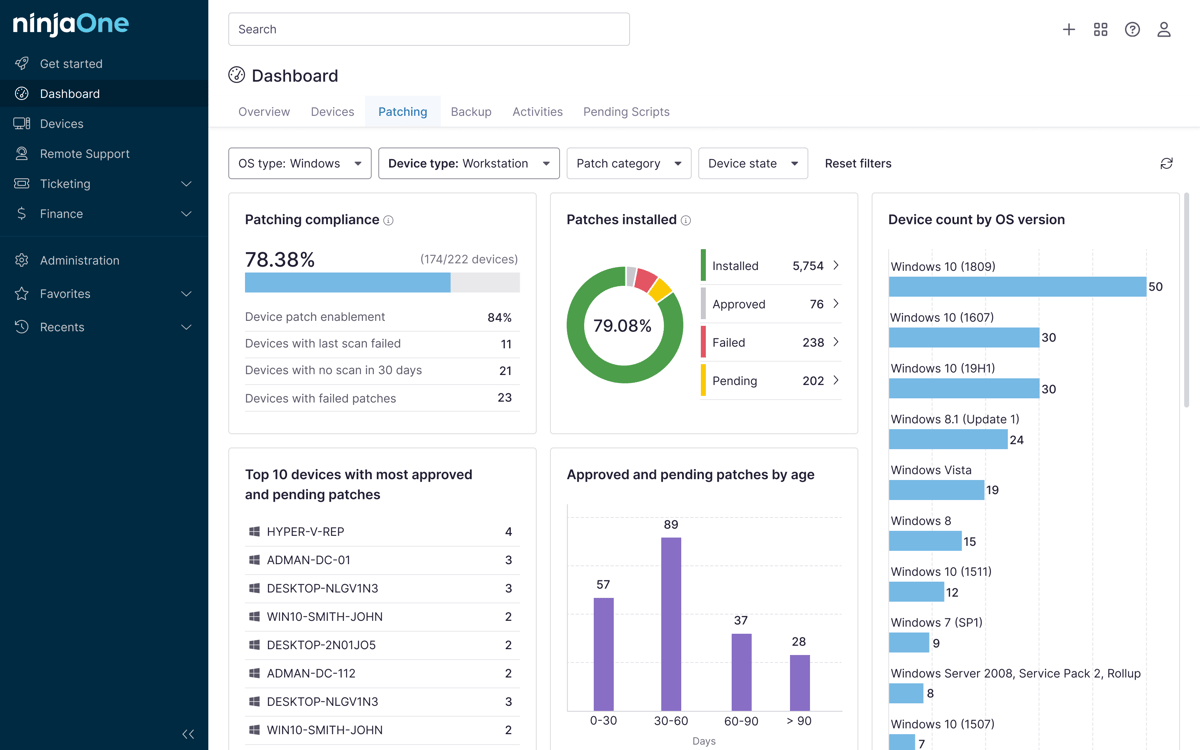
- Reporting and compliance features should provide clear visibility into patch status, remediation progress, and audit readiness.
One of the most important tasks of an IT security team is evaluating automated patch management software. More than features and prices, organizations should tackle the software’s capability of passing practical tests. The IT security team needs to ensure that a prospective patch automation tool can perform when put through real-world conditions across endpoints.
To make an informed decision, you can use this guide that’ll walk you through the ways to evaluate an automated patch management software. This guide focuses on what to look for before you test, what to put the software through during a trial or proof-of-concept (POC), and what mistakes to avoid along the way.
What security patch automation software should do
The IT security team should establish its baseline criteria when deciding on a patch automation tool. The criteria should be based on the organization’s needs and the security requirements of its IT infrastructure.
A capable tool should be able to:
- Detect missing patches across all managed endpoints automatically
- Support patching for the operating systems in your environment
- Patch third-party applications
- Apply vulnerability and severity context to prioritize what gets patched first
- Schedule deployments within the defined maintenance windows
- Target specific endpoint groups or departments for staged rollouts
- Track deployment status in real time and flag failures
- Provide rollback options when a patch causes issues
- Generate compliance-ready reports on patch activity and remediation timelines
Deployment control and validation
Automating patch management doesn’t mean losing control over how and when patches land. During the trial, test these specific functionalities:
Test groups and pilot deployments
A security patch automation tool should allow organizations to run patches through phases. This allows the IT team to start testing by running patches on a defined, smaller test group before fully rolling the software out across the environment. It’ll then be followed by observing the results.
Maintenance windows and restart controls
The IT team must verify if the security patch automation software can schedule patch deployments, especially outside business hours. The team should also confirm whether the tool can restart devices automatically or if it will prompt users. This is critical to avoid disruptive unplanned reboots.
User notification options
Check whether end users are able to receive advance notice before patches are deployed. This is important in environments where people cannot be disrupted by patching while working on business-critical tasks.
Failed deployment alerts
Test what happens when a patch deployment goes wrong and see if the software will identify affected endpoints, trigger alerts to the right people, and provide a path to remediation.
Rollback capability
A vital functionality of a patch automation software is the capability to roll back a problematic patch deployment. The IT security team should simulate a bad patch deployment and confirm if the tool can do this.
Post-deployment validation
The IT security team should verify if the patch deployment tool can independently verify installation status on each endpoint and reveal any gaps.
Coverage across endpoints and applications
Keep in mind that many security patch automation software may perform well in controlled environments but fall short when exposed to the full range of devices in a real enterprise. During your POC, test patching across:
- Windows endpoints – This should be the baseline for evaluating a security patch automation software’s coverage. Also, confirm if the tool is capable of granular control over patch categories and timing.
- macOS endpoints – Verify if the security patch automation tool is able to handle macOS updates, similar to the level of control it has for Windows endpoints.
- Servers – Test both Windows Server and Linux variants if applicable to your environment.
- Remote and off-network devices – With BYOD policies and remote setups becoming the norm, IT teams should confirm if the tool can reach and patch endpoints that aren’t connected to the corporate network.
- Third-party applications – Test if the tool’s third-party catalog covers browsers, productivity tools, collaboration software, and security utilities, since these are common attack vectors that bad actors can exploit.
- Business-critical applications – Check whether any mission-critical software used in your organization is supported.
Reporting and compliance requirements
Evaluate the security patch automation software’s reporting capabilities and how it maintains compliance. Generate and confirm the following:
- Patch compliance by endpoint group: “Are we able to see which device groups are fully patched versus exposed?”
- Missing patch summaries: “Does the tool clearly surface what hasn’t been applied and why?”
- Deployment success and failure rates: “Is there an available breakdown of what deployments succeeded, failed, and are still pending?”
- Critical vulnerability remediation status: “Can we track whether high-severity vulnerabilities have been addressed?”
- Historical patch records: “Does the tool retain a searchable log of past activity for audits?”
- Audit-ready remediation timelines: “Can the tool produce evidence needed by compliance auditors if, say, they asked us to prove that a specific patch was applied on a specific date?”
Common mistakes
Here are some of the most common mistakes to avoid when testing and evaluating a security patch automation tool:
Skipping pilot or test group setup
Some IT teams would directly proceed to pushing patches to all test devices at once instead of validating a phased rollout. This gives organizations no meaningful data and no safety net.
Not testing rollback
Organizations should not stop at only verifying successful deployment without simulating what happens when a patch fails. Patch deployment failure is a critical event that the security patch automation software should have a workaround for, and IT teams should be prepared for it.
Testing only on one OS
Some skip OS coverage testing, which may impact the organization if they have endpoints that run on operating systems other than Windows. When IT teams only evaluate a fraction of what the tool will actually face in production, it can also affect those organizations with remote/off-network endpoints.
Ignoring third-party application patching
Another mistake is only putting OS updates through the trial, which misses one of the most common vulnerability entry points in enterprise environments.
Ending the test at deployments
IT teams that don’t confirm whether the tool accurately reports patch status and sends failure alerts afterward are trusting automation unquestioningly, defeating the whole purpose of the evaluation.
Evaluate security patch automation software before you buy
Evaluating a security patch automation software is like putting a product into a structured stress test before purchasing it. It’s the best way to separate tools that perform from those that don’t meet your organization’s needs and critical requirements. Enterprises that take time to test deployment controls, validate cross-platform coverage, confirm rollback capabilities, and scrutinize reporting quality will be far better positioned to choose a solution that can hold up in production for a long time.
Related topics: