


Every IT team knows the two ways patching can go wrong. Either the help desk lights up by morning, or users silently work around slower, flakier machines while frustration compounds.
With confirmed exploitation of high- and critical-severity vulnerabilities more than doubling in the past year, and the average time-to-exploit dropping from 61 days to under 29, the pressure on IT teams has never been higher. There’s a lot more to patch, and far less time to do it.
As a result, IT and security teams are finding themselves caught between a rock and a hard place: urgent security requirements on one side, and user demands for uninterrupted service on the other. Not only that, but traditional patch health metrics often miss these challenges. For IT teams looking to accelerate patching without the traditional tradeoff of disrupting productivity, here’s how you balance both.
Watch a free demo of the #1 Unified IT Management Platform
See how organizations simplify endpoint management, strengthen security and scale IT operations with NinjaOne.
High stakes for both security and user satisfaction
Vulnerabilities are being disclosed at a faster cadence and the time from discovery to exploit keeps shortening. The main patch management challenge for IT isn’t just addressing increased volumes and urgency. The real business obstacle lies in what happens when an update fails. A bad patch hits twice. It requires time-consuming rework: troubleshooting, uninstalling, and redeploying which burns hours you didn’t have to spare. Then there’s the fallout with users, which is often worse.
For MSPs, poor patch experiences threaten contract renewals and recurring revenue. Clients don’t distinguish between “the vendor’s update” and “your service.” For internal IT, it lands on the team’s reputation and can negatively impact careers.
As a result, both groups become more cautious, increasing scrutiny, extending delays, and adding approval steps. The result is a kind of paralysis: wait too long and you leave the door open to attackers. Move too fast, and the next bad patch tightens the leash further. It can feel like no matter what you do, someone ends up unhappy.
End-user experience ultimately determines how quickly endpoints can be updated
In practice, patching speed cannot exceed what the end-user experience will support. Frequent disruptions to employees can result in loss of leadership support. User experience, rather than patching tools, ultimately dictates patching speed.
This is why commonly used metrics can be misleading. IT has long judged patch health by ticket volume and system uptime, but a machine can report “100% uptime” while the person in front of it fights lag, crashes, and endless spinners. Uptime isn’t experience.
Relying primarily on help desk tickets alone is even more problematic for several reasons:
- Tickets are reactive. By the time one is filed, the user has already lost productivity, and the bad patch has likely already spread to hundreds more endpoints.
- The silent majority never reports. One study found that 53% of employees purposefully avoid the help desk altogether. People don’t call the help desk because they’re already frustrated. So, they suffer through it, cobble together workarounds, and grow more resentful.
In short, ticket volume represents only a portion of actual disruptions. Relying on this metric alone is like steering by a reactive gauge. Navigation does little once you’ve already crashed.
Explore NinjaOne Autonomous Patch Management
Accelerate vulnerability remediation with intelligent automation powered by Patch Intelligence AI to prevent bad updates and ensure reliable compliance.
Learn more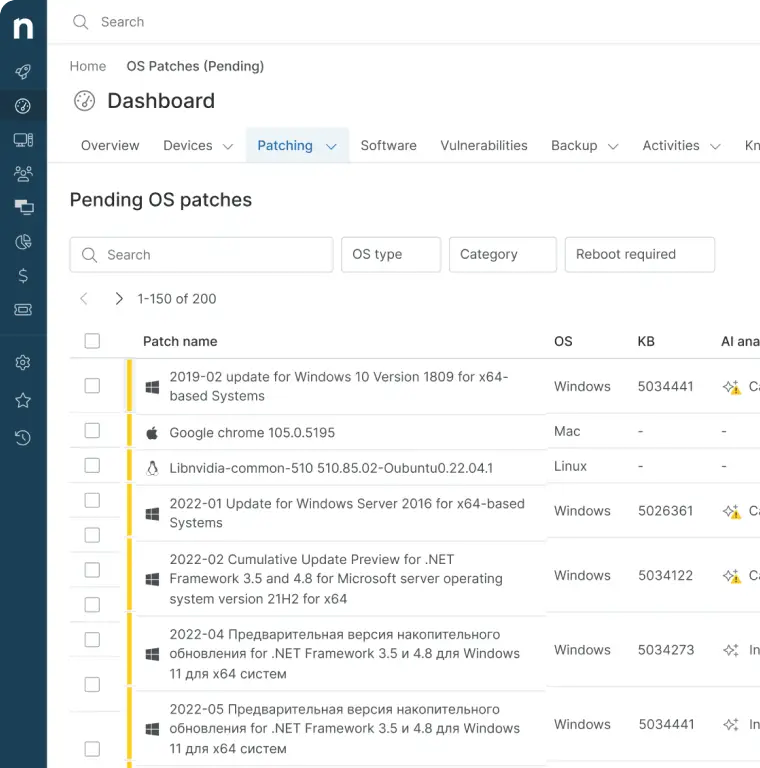
How NinjaOne solves the impossible equation
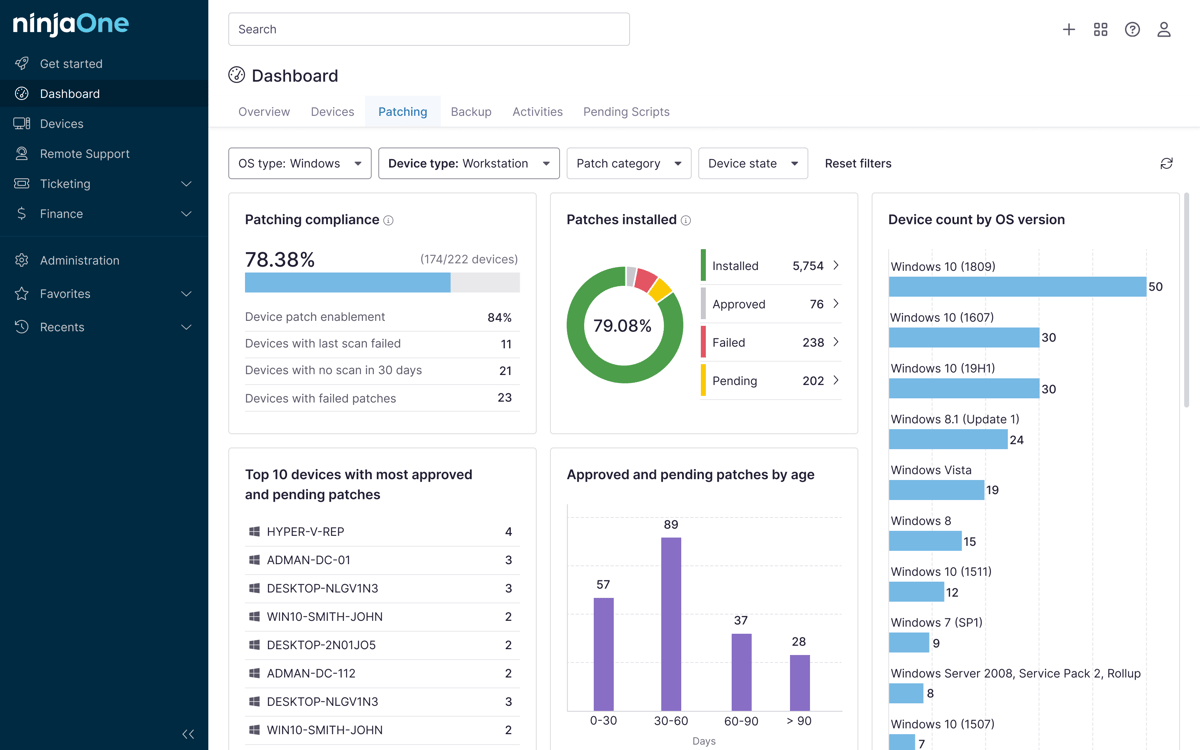
NinjaOne closes the gap by pairing real-time endpoint analytics with patch intelligence in a single platform. IT teams can monitor the impact of patches on devices without waiting for user reports.
- Real-time endpoint analytics. Rather than relying on tickets, NinjaOne continuously monitors device telemetry, including CPU and memory usage, disk performance, and application stability, before, during, and after every deployment. As a result, problems surface in seconds, not days.
- Patch Intelligence AI. NinjaOne aggregates patch sentiment from global deployment signals, community feedback, and vendor bulletins. When a Windows KB shows high failure rates or known regressions, like KB5044273, which triggered Azure Virtual Desktop login crashes, it flags the update, overrides automatic approvals, and pauses the patch before it reaches production. No costly rollbacks after the fact.
- Frictionless rollout strategies. Updates are deployed without interrupting active work.
- One-click remediation with automated rollback and instant remote troubleshooting when something does go sideways.
- Automated vulnerability response once a CVE is identified, enabling configuration changes, patch deployments, and any action to be run, without human intervention.
Marrying security and seamless user experience
As risks increase, organizations that shift from reactive ticket queues to proactive telemetry and AI-driven patch intelligence will find that the impossible tradeoff dissolves. You no longer need to choose between security hygiene and user productivity.
Enterprise IT leaders can confidently meet aggressive patch SLAs. MSPs safeguard their contracts and their margins. And patching stops being a recurring fire drill. Instead, running quietly in the background as a competitive advantage.
This is what more organizations should strive for, and with the technical advancements that automation and AI are now enabling, it’s finally possible. No tradeoff needed.