

Key Points
- A patch management schedule helps organizations balance security and stability by defining when updates are tested and validated.
- Update deferrals and staggered rollouts reduce deployment risk, but they should be time-bound and guided by business priorities.
- The best patch management tools support flexible scheduling, maintenance windows, and compliance reporting for controlled deployments.
A patch management schedule is important in any environment, as it helps IT teams deploy updates in a controlled way. For enterprises, patching is tricky and shouldn’t be reliant on a single fixed update window.
The best patch management tools support flexible scheduling, rollback planning, and validation. The best patch management schedules ensure they deploy patches safely while keeping vulnerability exposure as low as possible.
What a patch management schedule should include
A patch management schedule shows how updates move through different stages: testing, approval, deployment, restart, and validation. Schedules help organizations deploy patches consistently while minimizing disruption to users and business-critical systems.
A strong schedule defines a number of things, including patch priority, deployment timelines, maintenance windows, reporting expectations, and the like.
It should also separate routine updates from urgent security patches because high-risk vulnerabilities require faster action than standard feature or quality updates.
“Defer updates”, meaning
Deferring updates refers to delaying patch installation for a certain period before deployment. Organizations do this for a handful of things, including testing application compatibility or avoiding disruption during important business periods.
Update deferrals improve stability, provided they don’t become long-term delays. Deferred patches should have a clear reason and risk-based approval process to prevent avoidable exposure to known vulnerabilities.
“Staggered rollout”, meaning
Staggered rollouts are part of a phased deployment strategy where patches are released to smaller groups before reaching the broader environment. For example, IT teams may start with test devices before moving to pilot users, general employee endpoints, and then business-critical systems.
This approach helps teams find issues early before they affect the organization. After each phase, administrators should have a checklist of things to review: patch success, support tickets, system performance, and potential application conflicts.
Features to compare in patch management tools
Scheduling flexibility should be the top priority when comparing patch management tools. Enterprise environments need different deployment rules for departments, device types, and risk levels, among others.
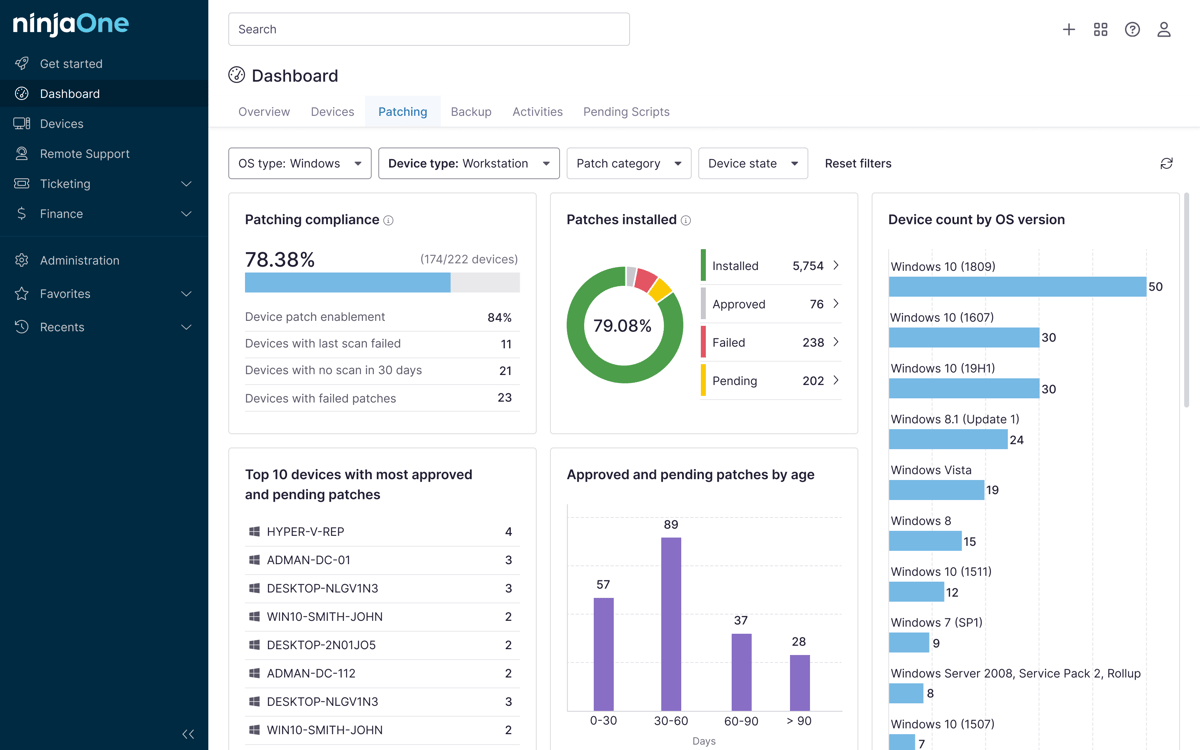
Strong patch management should also support a handful of things, including custom patching schedules, update deferrals, maintenance windows, and compliance reporting.
These features help IT teams manage controlled rollouts without losing visibility into patch status or security risk.
Best practices for controlled update rollouts
Controlled update rollouts should reduce operational disruption without leaving systems exposed for long. IT teams should prioritize patches based on severity, use pilot groups before broad deployment, keep deferral time-limited, and align patching schedules with business operations.
These teams should also define restart expectations, monitor deployment health, and document exceptions. Lastly, organizations should have emergency patching procedures that bypass normal rollout timelines for critical vulnerabilities or actively exploited threats.
Common mistakes when making a patch management schedule
There are several common mistakes IT teams make when building a patch management schedule. A common mistake is treating update deferral as a long-term patching strategy instead of a temporary control.
This is not ideal because delaying patches without clear ownership can increase vulnerability exposure, making compliance harder to maintain.
Other mistakes include using the same patching schedule for every endpoint, delaying critical updates without risk approval, and measuring deployment activity instead of successful patch installation.
Why a structured patching schedule matters
A patch management schedule helps enterprises control update timing without losing sight of security risk. The best tools support deferrals, staggered rollouts, and reporting so IT teams can patch safely and comfortably at scale.
Related topics: